Mineuniverse
Data Packs
Wiz's Cookbook

Wiz's Cookbook

DATA PACK
A variety of recipes for vanilla items
by lastedwzard
Download Claim this project
70 downloads
0 likes
Updated Oct 14, 2026
0 hypes
Miscellaneous Utility
Advertisement Remove ads with Premium →

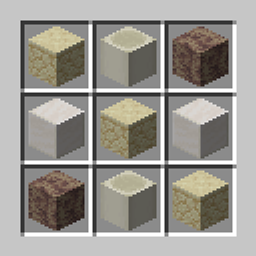
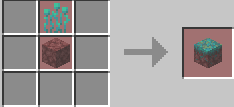
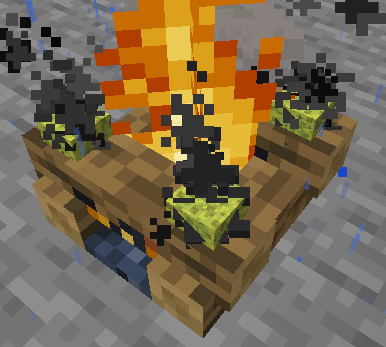
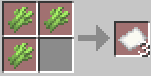
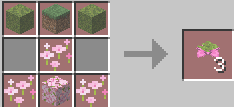
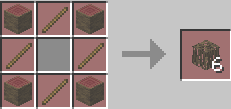
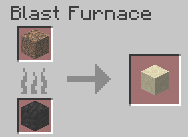
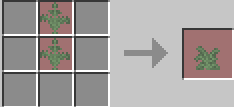
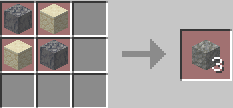
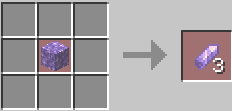
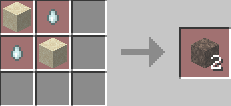
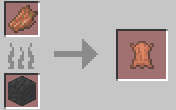
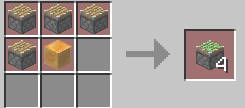
This datapack adds recipes to the game that allow for more unique experiences in exploration, combat, Redstone, and general quality of life. To see an extensive list of the recipes please look at the images provided.
Recipes include but might or might not be limited to...
Making more sticky pistons, chains, bones, packed mud, and Redstone torch per craft.
Renewable Dead bush from the saplings (Use campfire)
Adding a green dye craft
Adding Calcite, elytra, gilded blackstone, sponge, red sand, Nylium, large fern, mangrove roots, spore blossom, and tuff crafts
Alternate crafts for: book-n-quill, fermented spider eye, lightning rod, glowing item frame, sticky piston, scaffolding, soul sand, and soul soil.
*Adding Shapeless crafts for paper and shulker boxes.*
Un-crafting magma blocks, amethyst, and honeycomb.
Blasting raw ore blocks into block forms (Copper, Gold, Iron)
Blasting rooted and coarse dirt into sand and dirt
Blasting sand into glass
Rotten Flesh to leather
Added dyes from plant parts in the smoker
Added smoker recipes for chorus fruit, cactus, and sea pickle. (Makes it faster)
Added drying sponge on a campfire. 

*Currently Missing from datapack*

Wiz's Cookbook v1.3 (1.21.1).zip
MC 1.21.1
Release 2026-08-13 Get
Wiz's Cookbook v1.2 (1.21.1).zip
MC 1.21.1
Release 2026-08-10 Get
Wiz's Cookbook v1.1 (1.21.1).zip
MC 1.21.1
Release 2026-08-07 Get
Wiz's Cookbook 1.21.1.zip
MC 1.21.1
Release 2026-07-30 Get
Wiz's Cookbook v.1 (1.21.1).zip
MC 1.21.1
Release 2026-07-30 Get

Requirements & install

How to use this data pack in Minecraft
Mods needed
None, works in vanilla
Minecraft
1.21.1
Install folder
saves/<world>/datapacks

How to install data packs

  1. Download the data pack .zip file (do not extract it).
  2. New world: click Data Packs on the world creation screen and drop the .zip in. Existing world: open .minecraft/saves/<world>/datapacks.
  3. Put the .zip into the datapacks folder of the world (servers: world/datapacks).
  4. Run /reload in game (or rejoin the world) and check it with /datapack list.
Browse more: Data Packs for 1.21.1 All data packs
Advertisement Remove ads with Premium →

You Might Also Like