Mineuniverse
Data Packs
villages_fwaystonesCompat

villages_fwaystonesCompat

DATA PACK
This datapack adds compatibility between various village mods and fabric waystones
by ImEden6
Download Claim this project
Add a badge to your pageLink to villages_fwaystonesCompat from a README, website or forum post.
Preview: Badge

Badges update automatically and link to the data pack page on MineUniverse.

97 downloads
0 likes
0 followers
Updated Oct 14, 2026
0 hypes
Follow0
Utility
Advertisement Remove ads with Premium →

Villages & Waystones Fabric Compatibility

A unified compatibility datapack designed to bridge the gap between popular village overhaul mods and Fabric Waystones (fwaystones).

This pack ensures that waystones correctly spawn in structures that were originally designed with Forge-specific waystone IDs, preventing missing blocks or broken worldgen.


Supported Mods

This datapack provides full integration for:

  • Integrated Villages
  • CTOV (ChoiceTheorem's Overhauled Villages)
  • Towns and Towers (T&T)
  • SkyVillages

Requirements

To function correctly, this datapack requires the following mods to be installed on your Fabric instance:

  1. Fabric Waystones (fwaystones)
  2. Lithostitched (Required for worldgen modifiers)
  3. CristelLib (Core dependency for supported village mods)

Installation

For Single Player

  1. Navigate to your world folder (.minecraft/saves/your-world-name).
  2. Open the datapacks folder.
  3. Drop the villages_fwaystonesCompat.zip (or folder) into it.
  4. Run /reload in-game.

For Modpacks (Recommended)

Use Paxi or OpenLoader to load this as a global datapack. Place it in the respective config/paxi/datapacks or config/openloader/data folder to ensure it applies to all new worlds automatically.


Features

  • Namespace Patching: Automatically replaces waystones:waystone with fwaystones:waystone in structure NBTs.
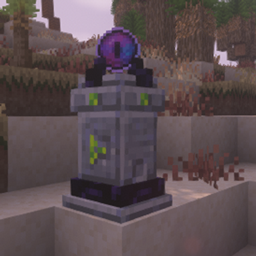
  • Structure Pool Injection: Uses Lithostitched modifiers to inject waystones into various village variants (Small, Medium, Large, and Outposts).
  • Optimized Compatibility: Designed to work alongside CristelLib's dynamic worldgen systems.
villages_fwaystonesCompat.zip
MC 1.20.1
Release 2026-08-02 Get
villages_fwaystonesCompat.zip
MC 1.20.1
Release 2026-04-23 Get

Requirements & install

How to use this data pack in Minecraft
Mods needed
None, works in vanilla
Minecraft
1.20.1
Install folder
saves/<world>/datapacks

How to install data packs

  1. Download the data pack .zip file (do not extract it).
  2. New world: click Data Packs on the world creation screen and drop the .zip in. Existing world: open .minecraft/saves/<world>/datapacks.
  3. Put the .zip into the datapacks folder of the world (servers: world/datapacks).
  4. Run /reload in game (or rejoin the world) and check it with /datapack list.
Browse more: Data Packs for 1.20.1 All data packs

More from ImEden6

Advertisement Remove ads with Premium →

You Might Also Like