Mineuniverse
Data Packs
VCT - Voiid Countdown Timer

VCT - Voiid Countdown Timer

DATA PACK
A customizable timer datapack
by MaxxVoiid
Download Claim this project
2,249 downloads
0 likes
Updated Oct 14, 2026
0 hypes
Miscellaneous Utility
Advertisement Remove ads with Premium →

This is the DATAPACK page on CurseForge

VCTStamp2

As simple as the name implies.

Voiid Countdown Timer is a simple customizable countdown timer datapack & plugin.

Release VCT Modrinth CurseForge SpigotMC

GitHub Support License Ko-fi

timer1

timer2

❓ What is VCT?


Voiid Countdown Timer (VCT) is a fully customizable timer for Minecraft.

It works in two different versions:

  • 📦 Datapack → The Lite version of VCT, ideal for single-player worlds or realms. (This CurseForge page)
  • 🔌 Plugin → The full version of VCT, perfect for multiplayer servers with Spigot/Paper. (View the plugin page on CurseForge)

With both versions, you can:

  • 🎨 Create visual timers with a progress bar.
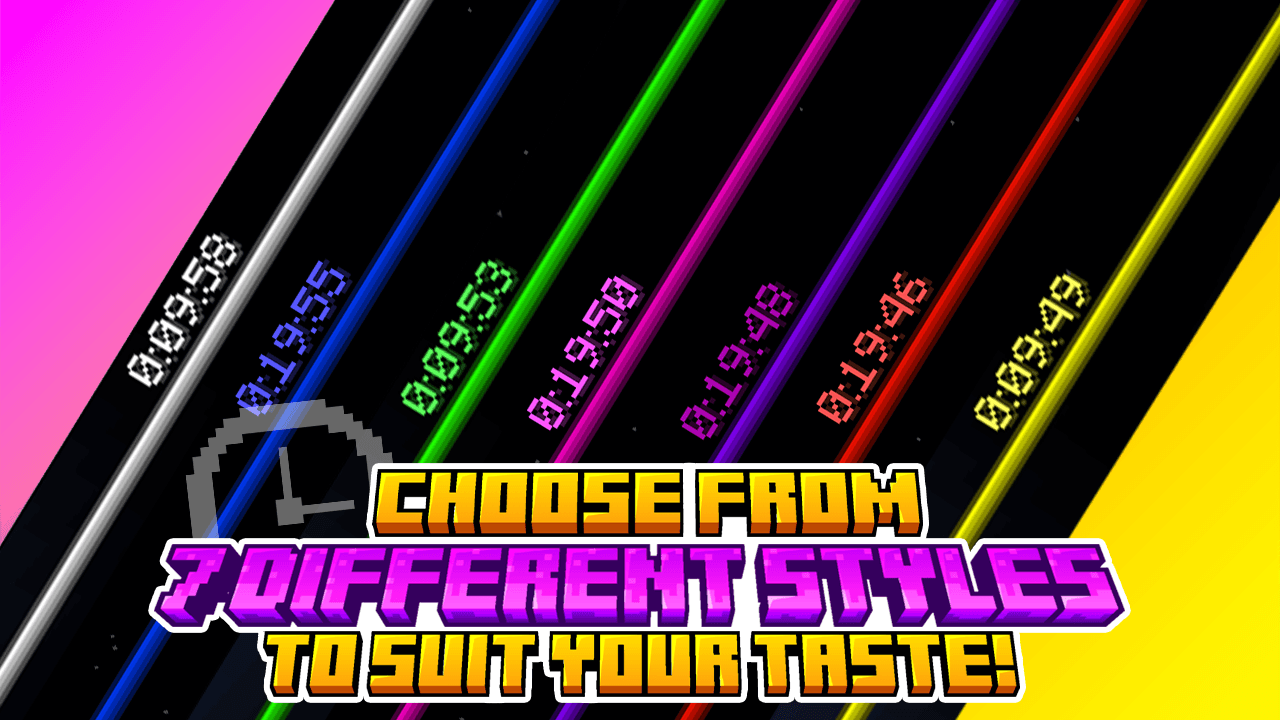
  • 🖌️ Customize color styles.
  • 🛠️ Run custom events when the timer starts or ends.

✨ Features

Voiid Countdown Timer includes:

  • 🎨 Custom Colors Styles
  • ⚙️ Quick and easy setup
  • ⏳ Progressive Time Bar
  • 🎈 Custom Events
  • 👥 SinglePlayer and Multiplayer Compatible
  • 💻 Open Source and constantly updated

📋 Requirements

  • Version: 1.15+

🚀 Installation

  1. Download the latest version here
  2. Place the downloaded .zip file in the datapacks folder of your world.
  3. Enter the world and you will receive a message confirming the installation! 🎉

📖 How to use it

  • Execute the command /function vct:book to receive the configuration book.
  • From the book you will be able to:
    • ⏰ Set time
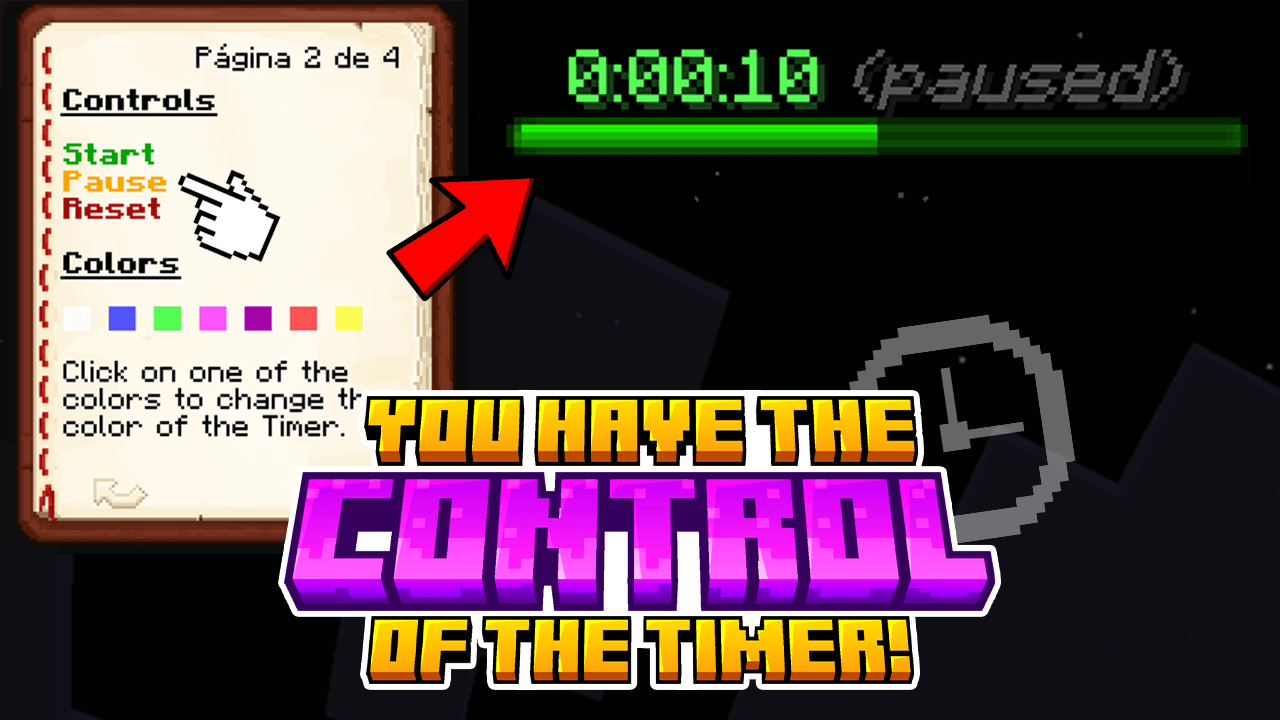
    • 🎛️ Timer controls
    • 🌈 Customize style of colors
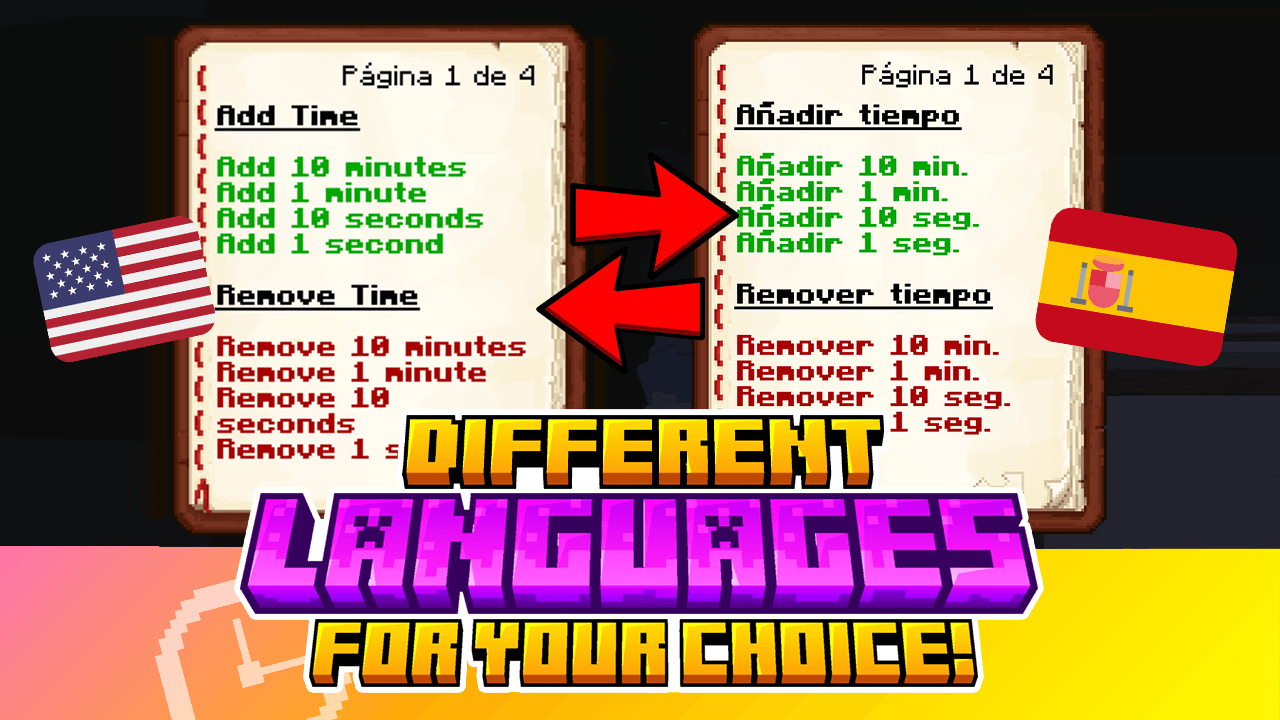
    • 🗣️ Change language
    • ❌ Uninstall

📚 Documentation

1.5.1-beta-1
MC 1.16.3, 1.17.1, 1.21, 1.16.1, 1.18.1, 1.15, 1.16, 1.16.5, 1.19.3, 1.20.2, 1.19.4, 1.21.8, 1.17, 1.20.5, 1.21.5, 1.18, 1.21.4, 1.20.1, 1.20, 1.20.6, 1.21.1, 1.21.6, 1.21.3
Beta 2026-03-06 Get
1.5.0
MC 1.16.3, 1.17.1, 1.21, 1.16.1, 1.18.1, 1.15, 1.16, 1.16.5, 1.19.3, 1.20.2, 1.19.4, 1.21.8, 1.17, 1.20.5, 1.21.5, 1.18, 1.21.4, 1.20.1, 1.20, 1.20.6, 1.21.1, 1.21.6, 1.21.3
Release 2025-12-11 Get
1.4.1
MC 1.16.3, 1.17.1, 1.21, 1.16.1, 1.18.1, 1.15, 1.16, 1.16.5, 1.19.3, 1.20.2, 1.19.4, 1.21.8, 1.17, 1.20.5, 1.21.5, 1.18, 1.21.4, 1.20.1, 1.20, 1.20.6, 1.21.1, 1.21.6, 1.21.3
Release 2025-10-11 Get
1.4.2-b1
MC 1.21.11-snapshot
Beta 2025-10-11 Get
1.4.0
MC 1.17.1, 1.16.3, 1.19.3, 1.20.2, 1.21, 1.16.1, 1.18.1, 1.20.5, 1.21.5, 1.17, 1.15, 1.16, 1.19.4, 1.21.8, 1.21.9, 1.16.5, 1.21.4, 1.18.2, 1.19.2, 1.20.3, 1.15.2, 1.20.1, 1.20
Release 2025-10-01 Get
1.4.0-b4
MC 1.21.9-snapshot
Beta 2025-09-03 Get
1.4.0-b3
MC 1.21.9-snapshot
Beta 2025-08-27 Get
1.4.0-b2
MC 1.21.9-snapshot
Beta 2025-08-06 Get
1.4-b1
MC 1.21.9-snapshot
Beta 2025-07-30 Get
1.3.2
MC 1.17.1, 1.16.3, 1.19.3, 1.20.2, 1.21, 1.16.1, 1.18.1, 1.20.5, 1.21.5, 1.17, 1.15, 1.16, 1.19.4, 1.21.8, 1.16.5, 1.21.4, 1.18.2, 1.19.2, 1.20.3, 1.15.2, 1.20.1, 1.20, 1.20.6
Release 2025-07-18 Get
1.3.1
MC 1.17.1, 1.16.3, 1.19.3, 1.20.2, 1.21, 1.16.1, 1.18.1, 1.20.5, 1.21.5, 1.17, 1.15, 1.16, 1.19.4, 1.16.5, 1.21.4, 1.18.2, 1.19.2, 1.20.3, 1.15.2, 1.20.1, 1.20, 1.20.6, 1.19.1
Release 2025-07-01 Get
1.3.1-b2
MC 1.21.6-snapshot
Beta 2025-06-26 Get
1.3.1-b1
MC 1.21.6-snapshot
Beta 2025-06-25 Get
1.3
MC 1.17.1, 1.16.3, 1.19.3, 1.20.2, 1.21, 1.16.1, 1.18.1, 1.20.5, 1.21.5, 1.17, 1.15, 1.16, 1.19.4, 1.16.5, 1.21.4, 1.18.2, 1.19.2, 1.20.3, 1.15.2, 1.20.1, 1.20, 1.20.6, 1.19.1
Release 2025-06-21 Get
1.2
MC 1.17.1, 1.16.3, 1.19.3, 1.20.2, 1.21, 1.16.1, 1.18.1, 1.20.5, 1.17, 1.15, 1.16, 1.19.4, 1.16.5, 1.21.4, 1.18.2, 1.19.2, 1.20.3, 1.15.2, 1.20.1, 1.20, 1.20.6, 1.19.1, 1.20.4
Release 2024-12-02 Get
1.1
MC 1.17.1, 1.16.3, 1.19.3, 1.20.2, 1.21, 1.16.1, 1.18.1, 1.17, 1.15, 1.16, 1.19.4, 1.16.5, 1.18.2, 1.19.2, 1.20.3, 1.15.2, 1.20.1, 1.20, 1.19.1, 1.20.4, 1.21.3, 1.21.1, 1.18
Release 2024-11-26 Get
1.0.2o
MC 1.17.1, 1.16.3, 1.19.3, 1.20.2, 1.16.1, 1.18.1, 1.17, 1.15, 1.16, 1.19.4, 1.16.5, 1.18.2, 1.19.2, 1.20.3, 1.15.2, 1.20.1, 1.20, 1.19.1, 1.20.4, 1.18, 1.16.4, 1.16.2, 1.19
Release 2024-11-22 Get
1.0.2n
MC 1.21, 1.21.3, 1.21.1, 1.21.4-Snapshot, 1.21.2
Release 2024-11-22 Get
1.0.1
MC 1.21, 1.21.3, 1.21.1, 1.21.2
Release 2024-11-21 Get

Requirements & install

How to use this data pack in Minecraft
Mods needed
None, works in vanilla
Minecraft
1.21.4 – 1.21.11-snapshot
Install folder
saves/<world>/datapacks

How to install data packs

  1. Download the data pack .zip file (do not extract it).
  2. New world: click Data Packs on the world creation screen and drop the .zip in. Existing world: open .minecraft/saves/<world>/datapacks.
  3. Put the .zip into the datapacks folder of the world (servers: world/datapacks).
  4. Run /reload in game (or rejoin the world) and check it with /datapack list.
Browse more: Data Packs for 1.21.11-snapshot All data packs

More from MaxxVoiid

Advertisement Remove ads with Premium →

You Might Also Like