Mineuniverse
Data Packs
The Greenest Herb

The Greenest Herb

DATA PACK
A datapack that adds a special herb to vanilla Minecraft - it can be found in custom structures, farmed, and consumed.
by Melman_301
Download Claim this project
24 downloads
0 likes
Updated Oct 14, 2026
0 hypes
Adventure Magic Miscellaneous Utility
Advertisement Remove ads with Premium →

🏚️ World Generation & Discovery

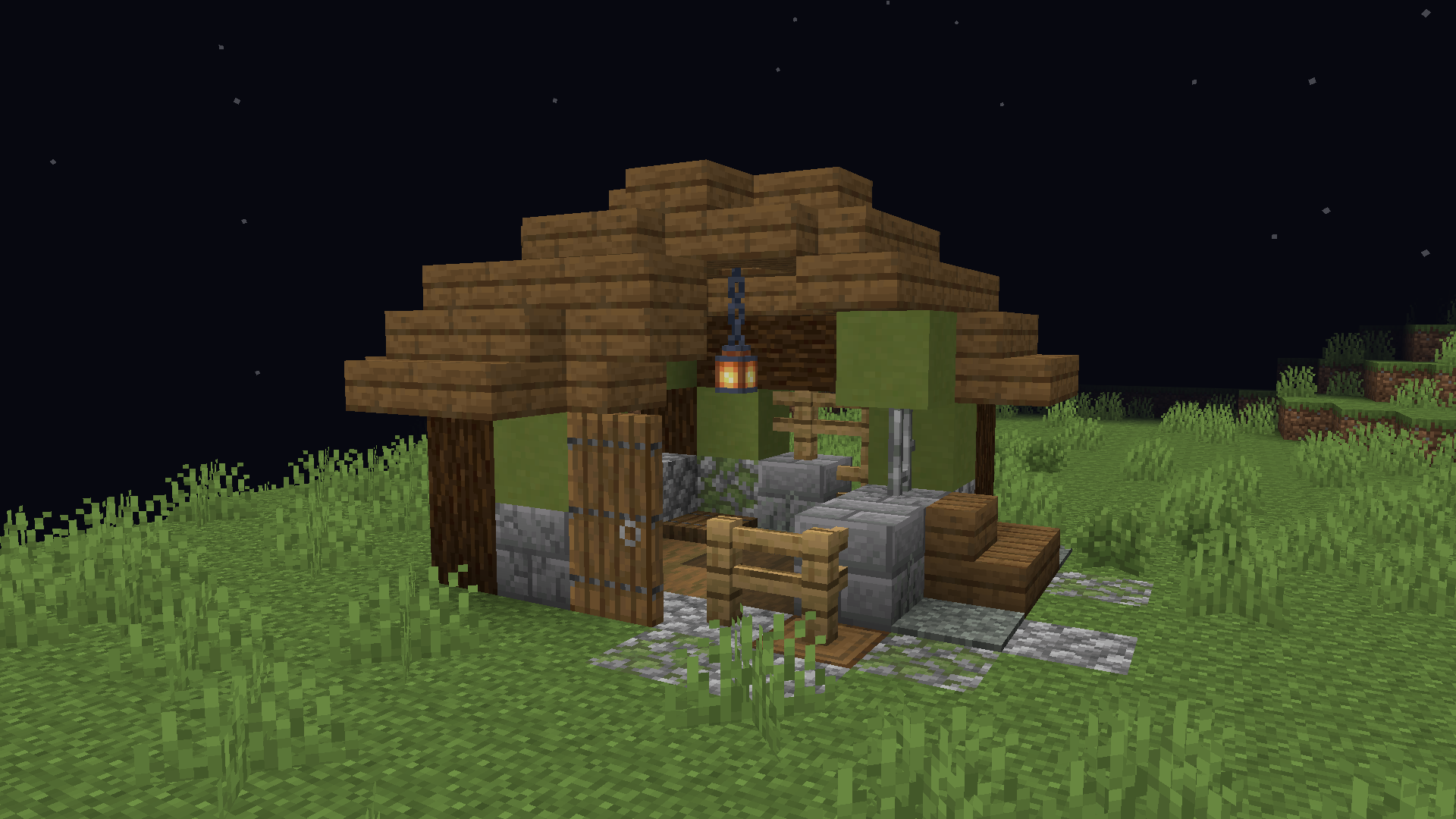
Abandoned Herbalist Cottages: Small houses unusually located near vanilla villages.
alt text

Hidden Basements: Secret cellar trapdoors leading down to underground grow rooms.

alt text

🌾 Farming

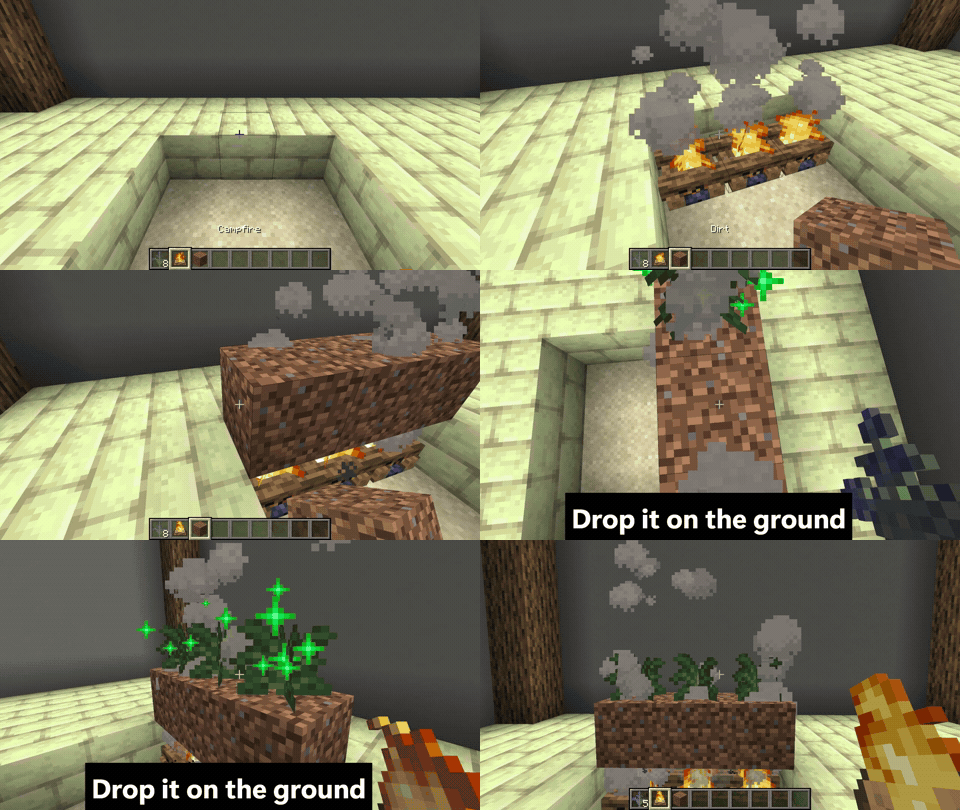
Dig a spot for a campfire, place any dirt block on top of it, and throw your seedling on the soil.
alt text

Place (for example) torches or lanterns nearby to maintain a proper light level.

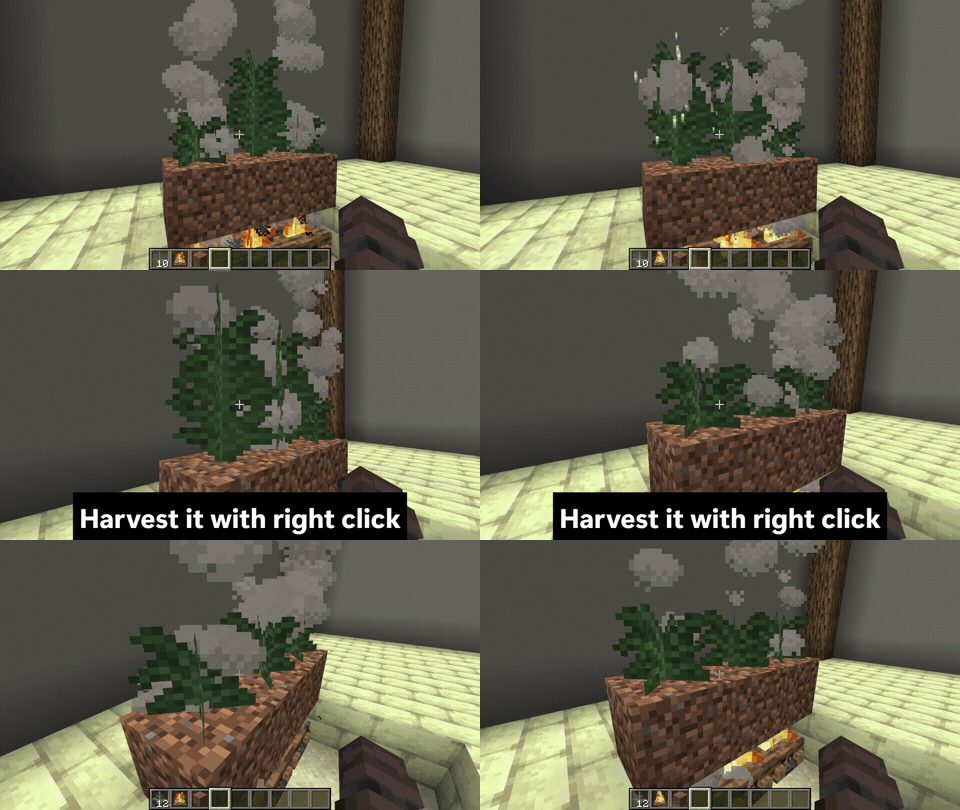
Wait for the plant to mature, then harvest.
alt text

🚬 Smoking & Inhale Mechanics

Right-click to consume.

alt text

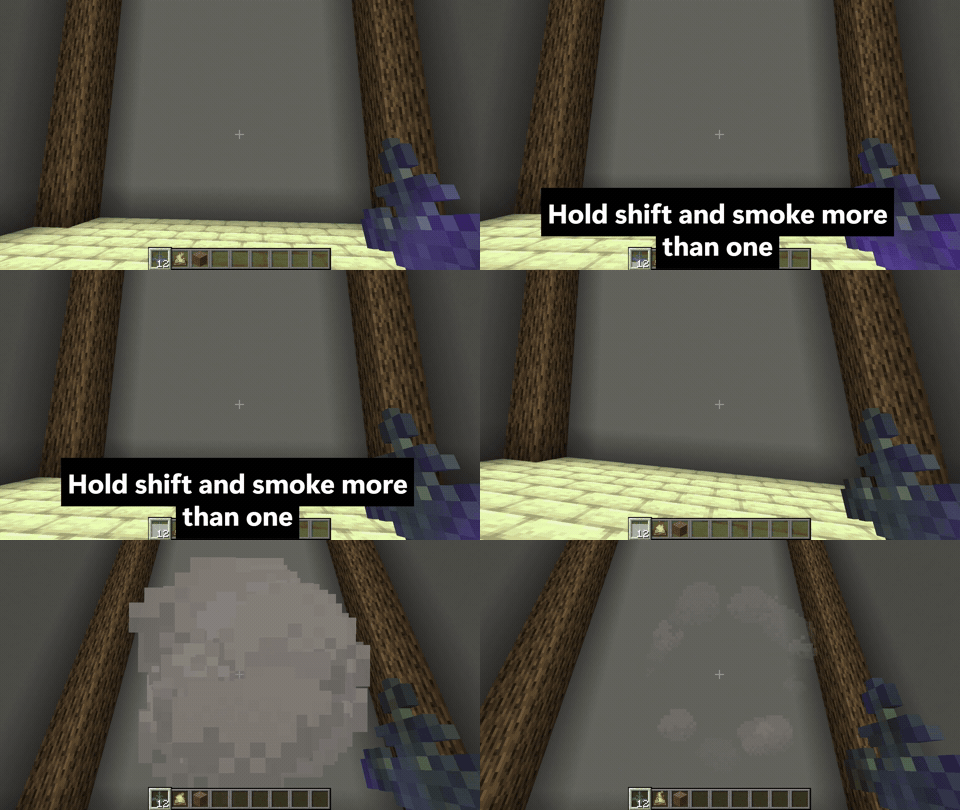
Sneak (Hold Shift) while smoking to stack the effect.
alt text

🌐 Multiplayer & Server Ready

No Client Mods needed: Runs natively on the vanilla datapack engine without requiring client-side mods.

📦 Installation

Requirements

Minecraft: 26.2 (Java Edition)

Mod Loader: None required (works with Vanilla, Fabric, NeoForge, or Quilt)

Installation Steps

- Download the datapack zip file from the versions tab.

- Navigate to your Minecraft world folder (.minecraft/saves/datapacks).

- Place the downloaded .zip file into the datapacks folder.

- Load your world.

-Or add this datapack when creating a new world.

The_Greenest_Herb.zip
MC 26.2
Release 2026-09-03 Get

Requirements & install

How to use this data pack in Minecraft
Mods needed
None, works in vanilla
Minecraft
26.2
Install folder
saves/<world>/datapacks

How to install data packs

  1. Download the data pack .zip file (do not extract it).
  2. New world: click Data Packs on the world creation screen and drop the .zip in. Existing world: open .minecraft/saves/<world>/datapacks.
  3. Put the .zip into the datapacks folder of the world (servers: world/datapacks).
  4. Run /reload in game (or rejoin the world) and check it with /datapack list.
Browse more: Data Packs for 26.2 All data packs
Advertisement Remove ads with Premium →

You Might Also Like