Mineuniverse
Data Packs
Smart Seeds

Smart Seeds

DATA PACK
Makes plant items automatically convert to their block form. This allows for automatic farming in a vanilla friendly way.
by JoJoaky
Download Claim this project
217 downloads
0 likes
Updated Oct 14, 2026
0 hypes
Tech Utility
Advertisement Remove ads with Premium →

Description:

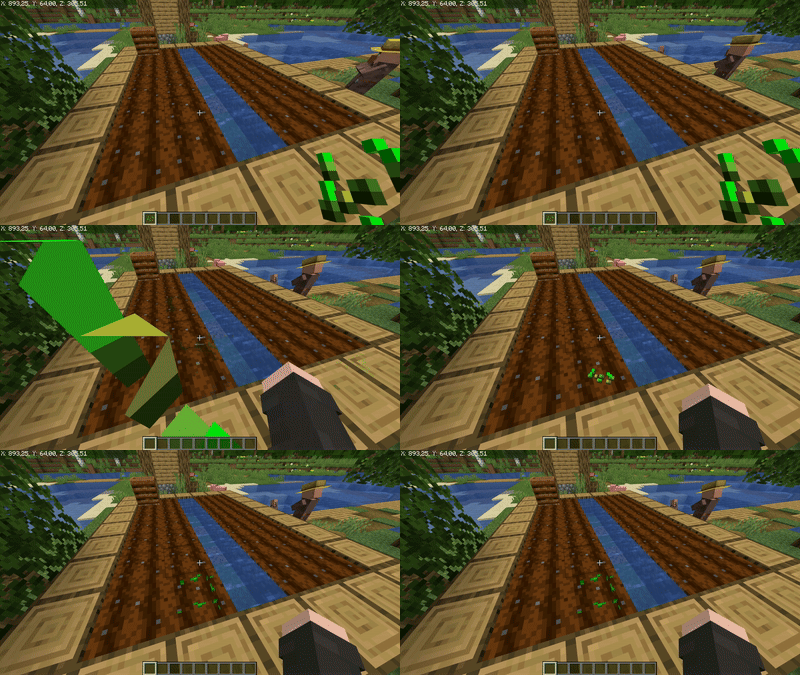
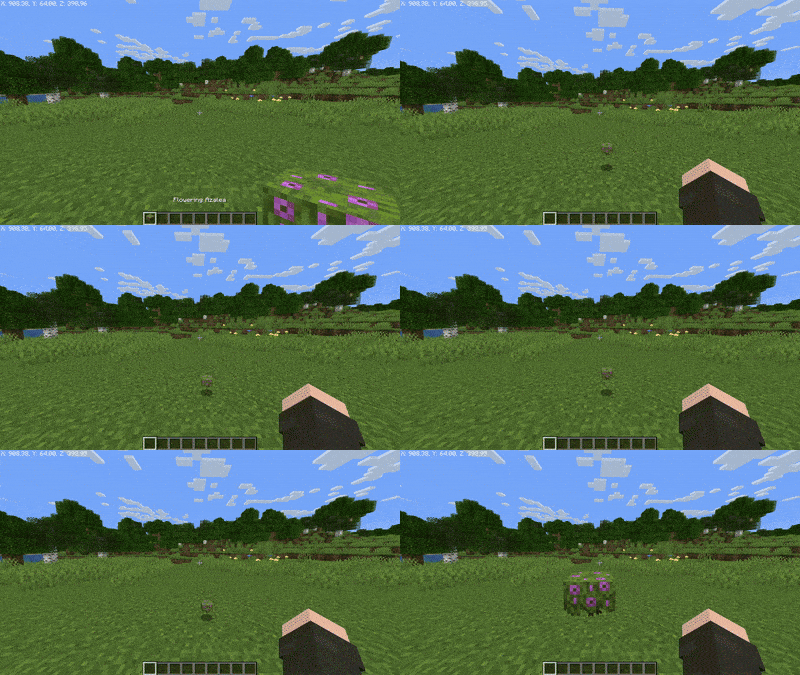
This datapack causes plant-related items, such as seeds and saplings, to automatically plant themselves when they are in a valid position. This allows for automatic farming in a vanilla-friendly way.


Included Items:

Farmland: Wheat, Potatoes, Carrots, Pumpkins, Melons, Beetroot, Sweet Berries, Torchflower, Pitcher Pod
Dirt: Saplings, (Flowering) Azalea, Mangrove Propagule
Other: Nether Warts, Chorus Flower, Cocoa Beans


Settings:

  • Time it takes for an item to be converted into a block.
  • Whether affected items should be prevented from moving when in a valid position.
  • Add and remove items.

More details can be found in the readme.txt file contained within the datapack.

Smart Seeds [datapack] v1.1
MC 1.21.2-Snapshot, 1.21, 1.21.1-Snapshot, 1.21-Snapshot, 1.21.1
Release 2024-08-17 Get

Requirements & install

How to use this data pack in Minecraft
Mods needed
None, works in vanilla
Minecraft
1.21-Snapshot – 1.21.2-Snapshot
Install folder
saves/<world>/datapacks

How to install data packs

  1. Download the data pack .zip file (do not extract it).
  2. New world: click Data Packs on the world creation screen and drop the .zip in. Existing world: open .minecraft/saves/<world>/datapacks.
  3. Put the .zip into the datapacks folder of the world (servers: world/datapacks).
  4. Run /reload in game (or rejoin the world) and check it with /datapack list.
Browse more: Data Packs for 1.21.2-Snapshot All data packs

More from JoJoaky

Advertisement Remove ads with Premium →

You Might Also Like