Mineuniverse
Data Packs
Single Heart

Single Heart

DATA PACK
A hardcore minigame datapack where each death costs a heart and Spectator Mode is permanent unless revived by command.
by MrLeon07
Download Claim this project
67 downloads
0 likes
Updated Oct 14, 2026
0 hypes
Adventure Tech
Advertisement Remove ads with Premium →

🫀 Single Heart – Minigame Datapack

Created by: MrLeon07

📜 Description

Each time you die, you permanently lose one heart.
Lost hearts can only be restored by eating Enchanted Golden Apples.
Each Enchanted Golden Apple restores exactly one heart.

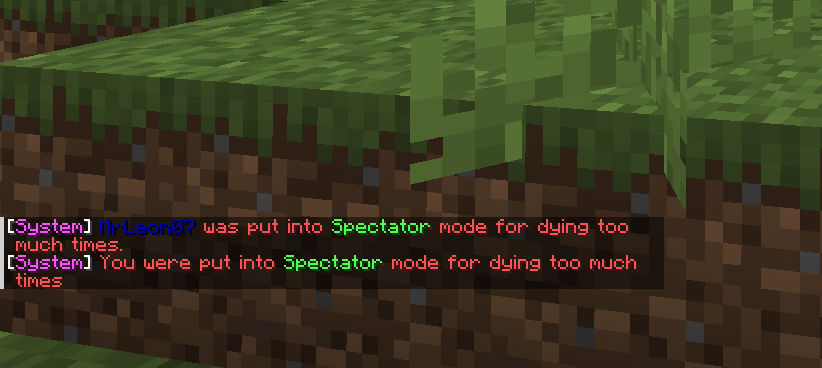
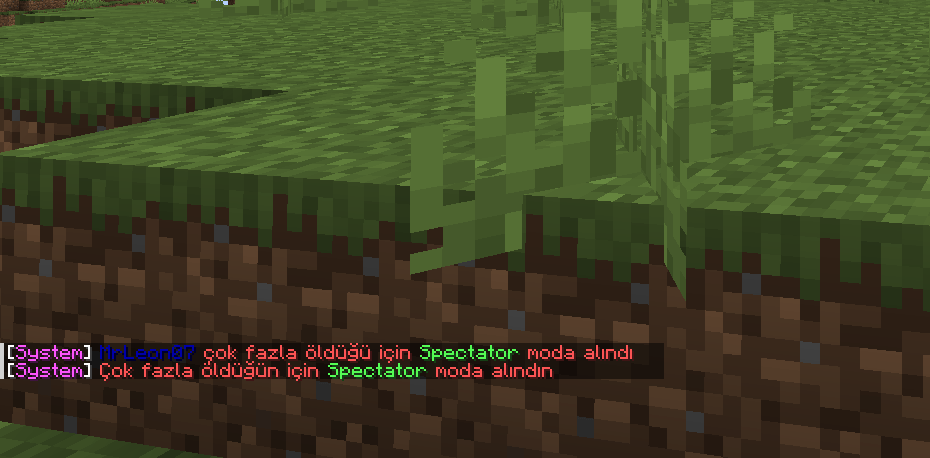
If all hearts are lost, the player is forced into Spectator Mode permanently and cannot change their gamemode by any means.

The only way to return is by using a datapack-specific command
(Operator permission required).


⚙️ Commands

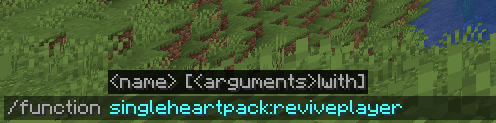
Revive yourself

/function singleheartpack:reviveplayer
  • Kills the player once more
  • Resets death count
  • Restores gameplay and gamemode
    You can continue playing normally.

Revive another player

/execute as <player_name> run function singleheartpack:reviveplayer
  • Same effect as self-revive, but for another player
  • Replace <player_name> with the target player’s name

Example usage

/execute as MrLeon07 run function singleheartpack:reviveplayer

📦 Installation

  1. Move the datapack file into your world’s datapacks folder
  2. Join your world (or reload it)
  3. Run /datapack list
  4. If the datapack is not enabled, activate it with /datapack enable <filename>
  5. Enjoy your game ❤️

🗑️ Uninstallation

  1. Disable the datapack using /datapack disable <filename>

❤️ Support

If you want to support me don't forget to visit Patreon Or Do not you want to join my Discord server?


SingleHeartPackTr.zip
MC 1.21.5
Release 2026-01-29 Get
SingleHeartPackEn.zip
MC 1.21.5
Release 2026-01-29 Get

Requirements & install

How to use this data pack in Minecraft
Mods needed
None, works in vanilla
Minecraft
1.21.5
Install folder
saves/<world>/datapacks

How to install data packs

  1. Download the data pack .zip file (do not extract it).
  2. New world: click Data Packs on the world creation screen and drop the .zip in. Existing world: open .minecraft/saves/<world>/datapacks.
  3. Put the .zip into the datapacks folder of the world (servers: world/datapacks).
  4. Run /reload in game (or rejoin the world) and check it with /datapack list.
Browse more: Data Packs for 1.21.5 All data packs

More from MrLeon07

Advertisement Remove ads with Premium →

You Might Also Like