Close menu
Mods
Browse
Plugins
Bukkit, Spigot & Paper plugins
Maps
Adventure, parkour & survival maps
Resource Packs
Textures from 16x to 512x+
Data Packs
Vanilla-friendly game changes
Shaders
Iris & OptiFine shader packs
Mod Packs
Curated mod collections
Minecraft Versions
Everything for one version
Mod Compatibility
Find mods that work together
Search everything
Mods, packs, shaders & more
Browse
Plugins
Bukkit, Spigot & Paper plugins
Maps
Adventure, parkour & survival maps
Resource Packs
Textures from 16x to 512x+
Data Packs
Vanilla-friendly game changes
Shaders
Iris & OptiFine shader packs
Mod Packs
Curated mod collections
Minecraft Versions
Everything for one version
Mod Compatibility
Find mods that work together
Search everything
Mods, packs, shaders & more
Servers
Players
Wiki
Tools
Games
More
News
How to Craft
Mob Drops
Villager Trades
Biome Spawns
Minecraft Skins
Server of the Month
App
More
News
How to Craft
Mob Drops
Villager Trades
Biome Spawns
Minecraft Skins
Server of the Month
App
Log in
Register
Log in
Register
Data Packs
Simple Team Generator
DATA PACK
Easily gererate a Team ingame and let other Players join via team-specific Code
by
Edward821821
Download
Report
Claim this project
14 downloads
0 likes
Updated Oct 14, 2026
0 hypes
Tech
Share
Copy link
Copy for Discord
Reddit
X
Home
/
Data Packs
/
Tech
/
Simple Team Generator
Advertisement
Remove ads with Premium →
Description
Files (1)
Screenshots (3)
This Datapack provides:
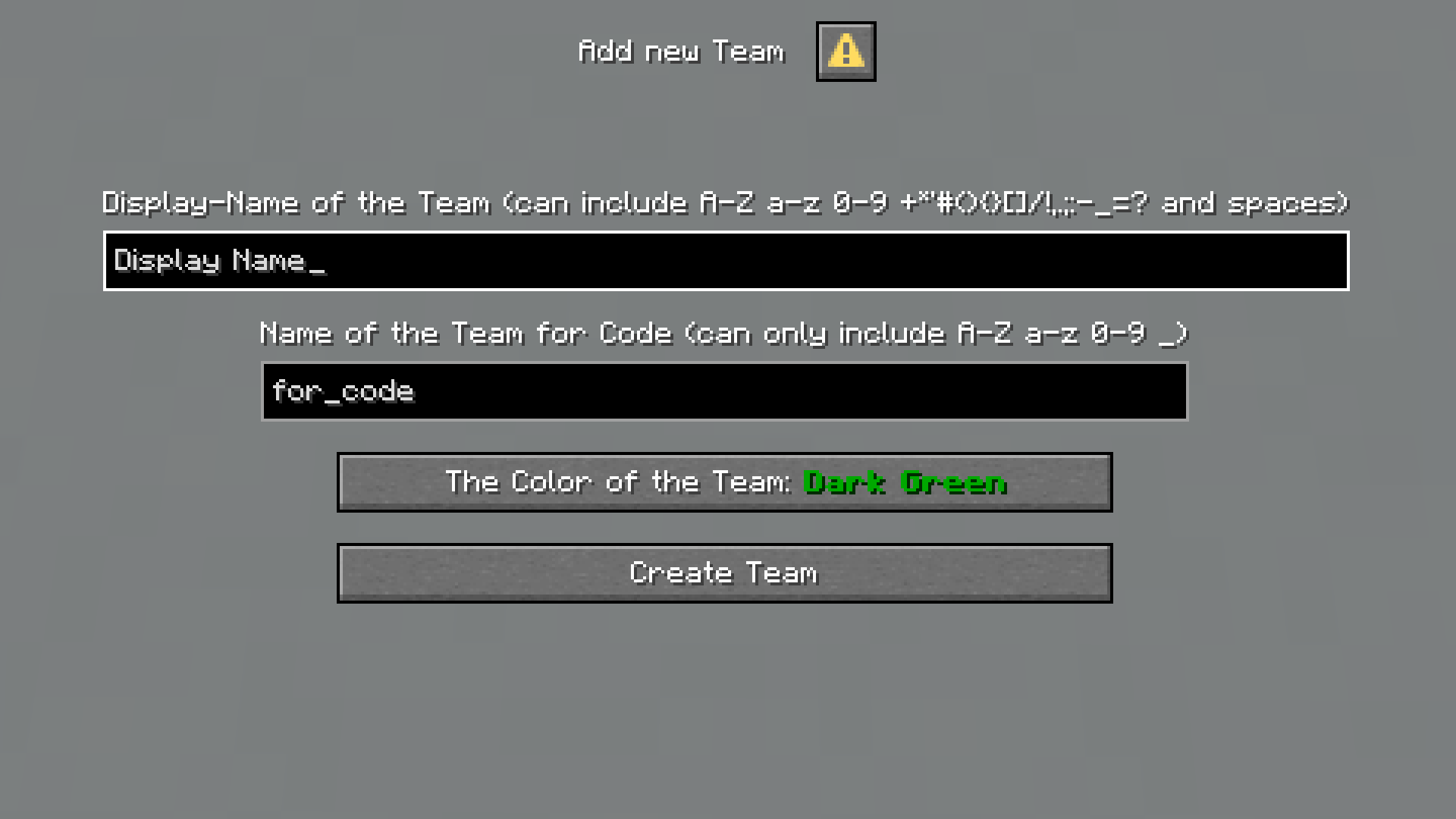
dialog GUI to create Teams
Display Name and Color (will be displayed in front of the player's name)
a name field for the game-code (just enter the Name without spaces and special Caracters)
after creating you get a 6-digit Code for joining
available with the command
/dialog show @s teams:add
for operators level 2 and aboth
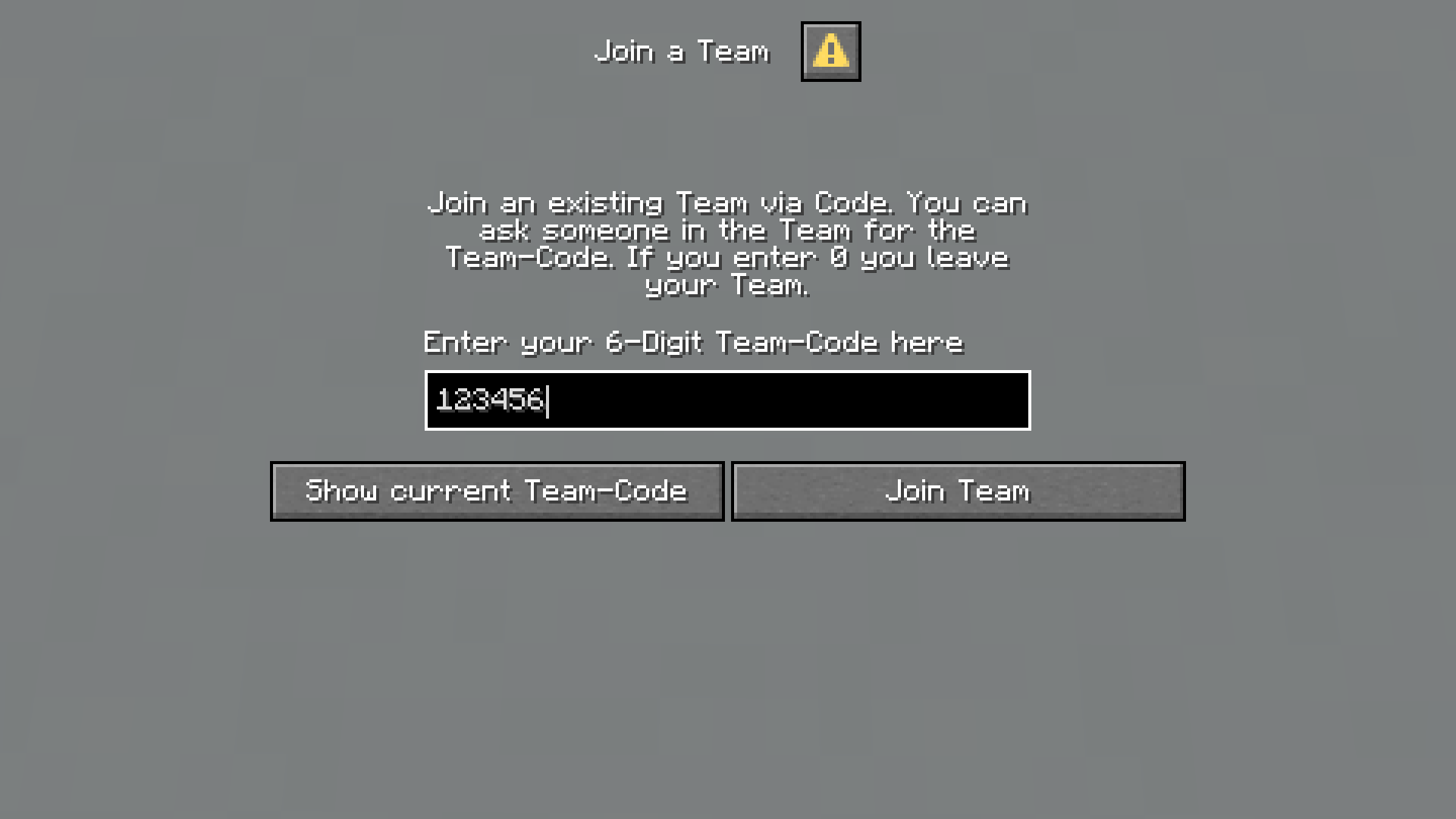
/trigger command to join
use
/trigger Team set <code>
to enter the Code
negative values let you leave the Team
just
/trigger Team
to get the Code of the current Team
10 minutes Cooldown for joining (can be adjusted via
/scoreboard players set .Cooldown Team_Cooldown <time in ticks>
12000 by default)
available for everyone (operator level 0 and aboth)
Advertisement
Remove ads with Premium →
list-function
lists all Teams in pages of 10 per page
buttons for joining, removing the Team and listing it's Members
clicking on the page-counter, suggests a command for changing the page (
<number>
has to be replaced)
avaialabe with
/function teams:list
to operators (level 2+)
function to load generated Teams on new world
copy
command_storage_teams.dat
from the data folder in your old world folder and paste it at the same place in your new world folder
load Datapack and run function
teams:take_copy
Teams are being copied to new world with same Team-Codes
Players can get Team-Codes of old world with
/trigger Team
and rejoin the old Team with them
unistall function
/function teams:uninstall
disables the datapack
removes Teams (can be reloaded with
/function teams:take_copy1
like described aboth starting at 2.)
help function
shows this text
/function teams:help
Important to know:
datapack with dialog -> restart the world or server
nut fully tested, can break at any time (but should not)
may have problems with paper or bukkit (purpur works)
have FUN!
Simple Team Generator 1.4 for 1.21.6-1.21.11
MC 1.21.8, 1.21.6, 1.21.7, 1.21.9, 1.21.10, 1.21.11
Release
2026-04-19
Get
Requirements & install
How to use this data pack in Minecraft
Mods needed
None, works in vanilla
Minecraft
1.21.6 – 1.21.11
Install folder
saves/<world>/datapacks
How to install data packs
1
Download the data pack .zip file (do not extract it).
2
New world: click Data Packs on the world creation screen and drop the .zip in. Existing world: open .minecraft/saves/<world>/datapacks.
3
Put the .zip into the datapacks folder of the world (servers: world/datapacks).
4
Run /reload in game (or rejoin the world) and check it with /datapack list.
Browse more:
Data Packs for 1.21.11
All data packs
Advertisement
Remove ads with Premium →
More from Edward821821
Menhunt Compass
459
Advertisement
Remove ads with Premium →
You Might Also Like
Create: Rubberworks Compat
Modifies recipe from Create Addons to use Rubber Sheets instead of Dried Kelp
729,242
Mining Dimension
Mining Dimension for more Resources!
81,629
Create: Gobber
This data pack brings together the gobber and create mod progression
77,342
Create Cobblestone: Additional Generators
Modded generators for the Create Cobblestone mod
9,441
One Heart
Datapack changes the amount of health to one heart.
9,086
ad astra creating space compatibility (Fixed)
Adds compatibility between ad astra and creating space
7,020
Report Mod
Reason
Malicious content
Copyright violation
Broken download
Spam
Other
Your email (optional)
Details
Cancel
Submit Report