Mineuniverse
Data Packs
Restock & Reshuffle

Restock & Reshuffle

DATA PACK
Restock & Reshuffle is a datapack that lets you "Restock" vaults after they've already been opened, or "Reshuffle" their lootpools while they're active.
by DoprahDaLegend
Download Claim this project
26 downloads
0 likes
Updated Oct 14, 2026
0 hypes
Adventure Miscellaneous Utility
Advertisement Remove ads with Premium →

New Curse: Restock

Adds a new curse found only in Ominous Vaults, same rate as Heavy Core. Applies to Chestplate or Leggings.

What it does

Leggings — Restock: Sneak on top of an inactive (already-opened) vault to refill it, making it usable again for everyone. Armor takes 10 damage every use.

Chestplate — Reshuffle: Sneak on top of an active (unopened) vault to reroll what's inside it entirely. The key requirement changes from keys to Emeralds or Emerald Blocks. Nearly all vanilla structure loot tables can come up while reshuffling. Needs 5 levels to reshuffle, but costs 3 levels. Armor takes 10 damage every use.

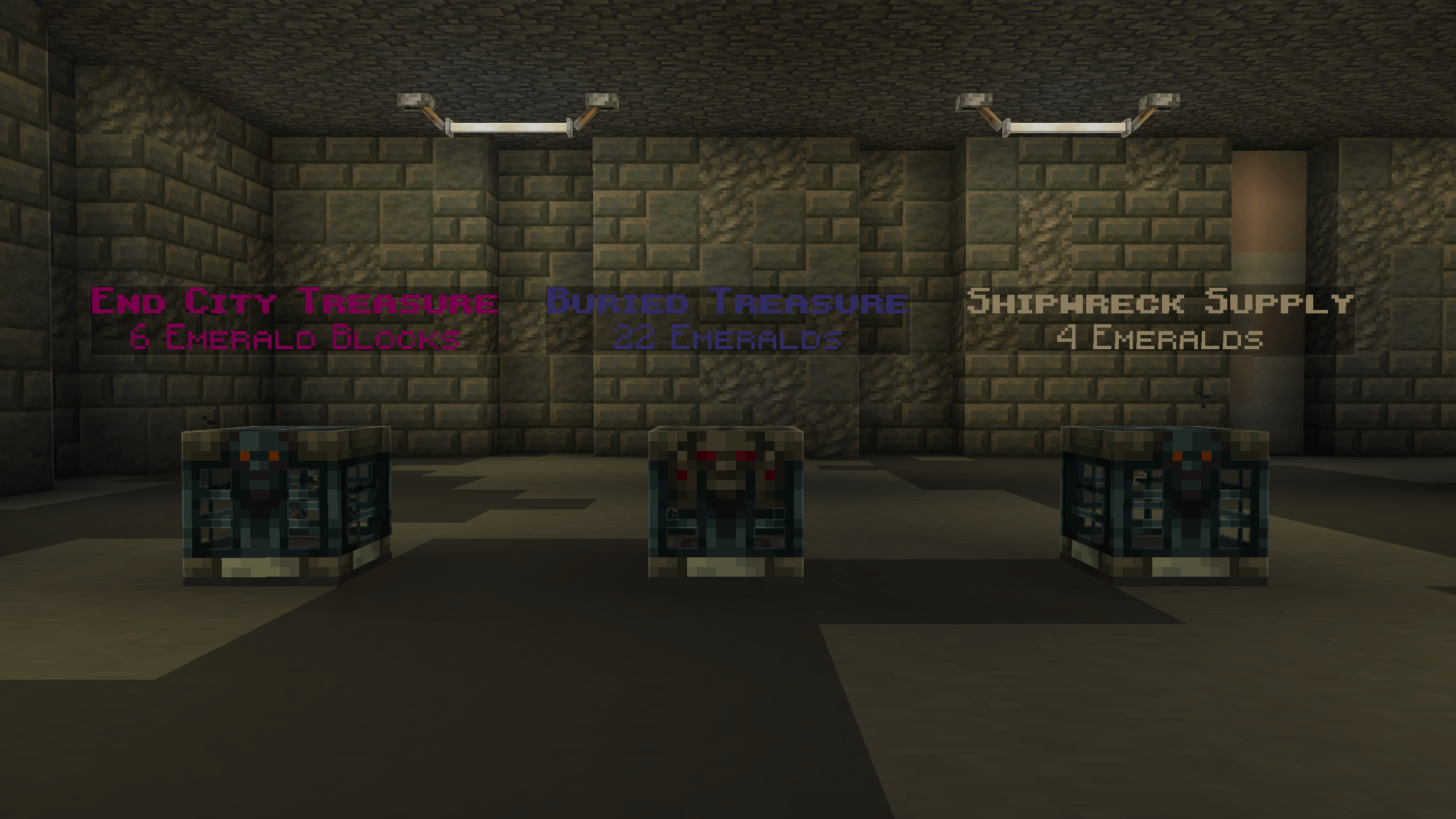
Every reshuffle spawns a floating display above the vault showing exactly what it rolled and what it now costs to open. Right-click the display to get rid of it.

Reshuffle Rolls

Loot tables aren't evenly weighted — they're split into four rarity tiers, priced accordingly:

  • Common: Abandoned Mineshaft, Dungeons, Village Houses, etc
  • Uncommon: Desert Pyramid, Jungle Temple, Bastion Other, etc
  • Rare: Buried Treasure, Stronghold Library, Woodland Mansion, etc
  • Very Rare: Bastion Treasure, End City Treasure, Ominous Vault, etc

Notes

  • Run /trigger vault_stats to track how many vaults you've restocked or reshuffled, alongside a count of each tier you've rolled.

  • Curses can't be removed via grindstone. Making a dedicated armor for this is encouraged.
  • You are legally required to turn a Trial Chamber into a Casino.


Restock & Reshuffle - 1.1
MC 26.3
Release 2026-09-18 Get
Restock & Reshuffle - 1.0
MC 26.2
Release 2026-08-07 Get

Requirements & install

How to use this data pack in Minecraft
Mods needed
None, works in vanilla
Minecraft
26.2 – 26.3
Install folder
saves/<world>/datapacks

How to install data packs

  1. Download the data pack .zip file (do not extract it).
  2. New world: click Data Packs on the world creation screen and drop the .zip in. Existing world: open .minecraft/saves/<world>/datapacks.
  3. Put the .zip into the datapacks folder of the world (servers: world/datapacks).
  4. Run /reload in game (or rejoin the world) and check it with /datapack list.
Browse more: Data Packs for 26.3 All data packs
Advertisement Remove ads with Premium →

You Might Also Like