Mineuniverse
Data Packs
Really Random Spawns

Really Random Spawns

DATA PACK
An overhaul to the spawning system for pixelmon for a truly randomized experience
by Alias42_42
Download Claim this project
484 downloads
0 likes
Updated Oct 14, 2026
0 hypes
Miscellaneous Utility
Advertisement Remove ads with Premium →

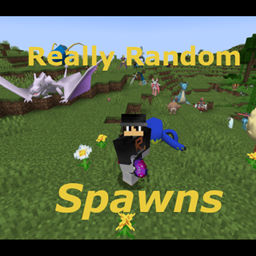
A Data Pack that makes all pixelmon spawn in any biome anywhere!

Inspired by the Chaotic Pokemon Spawns datapack by StrangeOne101

Adds natural spawning condition for pixelmon that do not have any (i.e. Fossils and Item spawned legendaries).

Alternate forms and alt textured pixelmon now appear as regular spawns regardless of thier typical spawn behavior.

Made for easy catching of a random pokemon team for you and your friends to battle, or just to shake up your survival world adventures!

It is reccomended that you turn off Legendary Spawn messages in your config as it will spam your in game chat. 


This is my first Data Pack and so apologise for any bugs or missed pokemon (There are a LOT of files after all).

I intend to keep updating is data pack as new pokemon are added to the game.

Otherwise enjoy!


(P.S. I am currently working on a small data pack to remove spawns for boss pokemon in case you dont want non-catchable bosses cluttering up spawns. Will link when done.)

 

RRS 1.16.5 ver 1.1.zip
MC 1.16.5
Release 2025-09-18 Get
Really Random Spawns 1.16.5 ver
MC 1.16.5
Release 2025-03-10 Get
Really Random Spawns 1.2
MC 1.20.2
Release 2025-02-21 Get
Really Random Spawns 1.1.zip
MC 1.20.2
Release 2025-01-21 Get
Really Random Spawns 1.0
MC 1.20.2
Release 2025-01-16 Get

Requirements & install

How to use this data pack in Minecraft
Mods needed
None, works in vanilla
Minecraft
1.16.5 – 1.20.2
Install folder
saves/<world>/datapacks

How to install data packs

  1. Download the data pack .zip file (do not extract it).
  2. New world: click Data Packs on the world creation screen and drop the .zip in. Existing world: open .minecraft/saves/<world>/datapacks.
  3. Put the .zip into the datapacks folder of the world (servers: world/datapacks).
  4. Run /reload in game (or rejoin the world) and check it with /datapack list.
Browse more: Data Packs for 1.20.2 All data packs
Advertisement Remove ads with Premium →

You Might Also Like





