Mineuniverse
Data Packs
RCT Badges - PokeBadges Compat

RCT Badges - PokeBadges Compat

DATA PACK
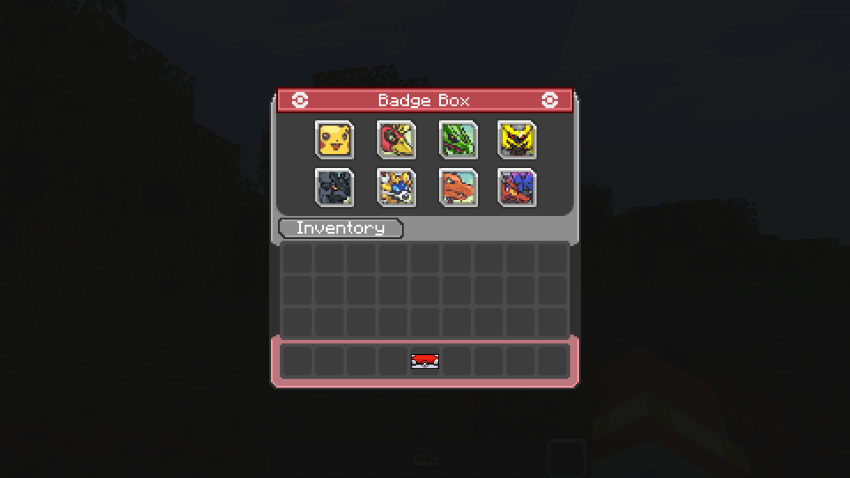
Leaders from Radical Cobblemon Trainers will drop badges from the PokeBadges mod.
by LevelsFR
Download Claim this project
36,043 downloads
0 likes
0 followers
Updated Oct 14, 2026
0 hypes
Follow0
Mod Support Utility
Advertisement Remove ads with Premium →

image

Radical Cobblemon Trainers × PokéBadges

A lightweight datapack for Radical Cobblemon Trainers that adds proper badge drops from the PokéBadges mod to gym leaders.

Each supported leader can drop their corresponding badge after being defeated, while advancement icons are also updated to match the correct badge items.


Features

  • Adds badge rewards to supported gym leaders
  • Uses the official badge items from the PokéBadges mod
  • Updates advancement icons to use the correct badge items
  • Lightweight integration with no extra gameplay changes

Requirements

  • Radical Cobblemon Trainers
  • PokéBadges

PokéBadges mod page:
https://www.curseforge.com/minecraft/mc-mods/pokebadges


How it works

This datapack patches the individual leader loot tables from Radical Cobblemon Trainers to inject the matching badge items from PokéBadges.

It also updates the related advancement icons so the progression visuals correctly reflect the badge earned.

Installation

  1. Install the required mods
  2. Place the datapack in your world's datapacks folder or on your server
  3. Use /reload or restart the game/server

Notes

This datapack is focused only on badge integration for leaders. It does not add extra mechanics, rebalance trainers, or modify unrelated systems.

RCT Badges - PokeBadges Compat 1.0
MC 1.21.1
Release 2026-03-09 Get

Requirements & install

How to use this data pack in Minecraft
Mods needed
None, works in vanilla
Minecraft
1.21.1
Install folder
saves/<world>/datapacks

How to install data packs

  1. Download the data pack .zip file (do not extract it).
  2. New world: click Data Packs on the world creation screen and drop the .zip in. Existing world: open .minecraft/saves/<world>/datapacks.
  3. Put the .zip into the datapacks folder of the world (servers: world/datapacks).
  4. Run /reload in game (or rejoin the world) and check it with /datapack list.
Browse more: Data Packs for 1.21.1 All data packs

More from LevelsFR

Advertisement Remove ads with Premium →

You Might Also Like