Mineuniverse
Data Packs
R6 Vegas 2 | Vic's Point Blank

R6 Vegas 2 | Vic's Point Blank

DATA PACK
Adds Weapons From Rainbow six Vegas 2.
by Light_lord101
Download Claim this project
Add a badge to your pageLink to R6 Vegas 2 | Vic's Point Blank from a README, website or forum post.
Preview: Badge

Badges update automatically and link to the data pack page on MineUniverse.

4,046 downloads
0 likes
0 followers
Updated Oct 14, 2026
0 hypes
Follow0
Miscellaneous Mod Support Tech Utility
Advertisement Remove ads with Premium →

Do YOU Want Custom-Made Models, But Don't Know How To Make Them? Then Look No further, BECAUSE I Will Make Them For YOU. Click The Link For More Details.

https://www.fiverr.com/s/dDKr6mY


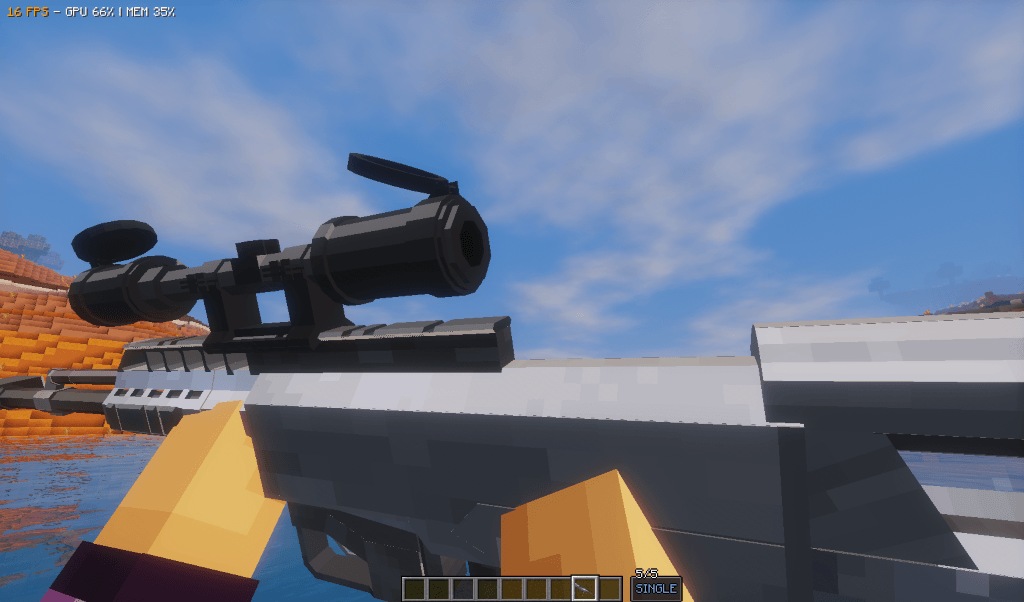
R6 Vegas 2 Arsenal for Vic Point Blank

Bring the tactical firepower of Rainbow Six: Vegas 2 into Vic Point Blank. This content pack features iconic weapons from the classic tactical shooter, faithfully recreated for smooth and immersive gameplay.

Included Weapons

Assault Rifles

  • M4A1

  • AK-47

Submachine Guns

  • MP5K

  • UMP45

  • P90

  • MP7A1

  • B&T MP9

Shotguns

  • M1014

Sniper Rifles

  • SR-25

  • PSG-1

  • AS50

  • L96 Arctic Warfare

Light Machine Guns

  • Mk. 46

Handguns

  • Beretta 92FS

  • Glock 18C

  • HK Mark 23 Mod 0

  • Desert Eagle


How to Install


  1. Open your Vic Point Blank game directory.

  2. Create a folder named pointblank.

  3. Place the content pack .zip inside it.

  4. Launch the game — done.

⚠️ Servers require all players to have the same content packs installed.


Our Other Packs


  • Just Guns
  • Hell Diver 2
  • Just Guns: The Future
  • Point Zero: Tactical Guns
r6-vegas-2-v3.0-BIG UPDATE.zip
MC 1.20.2, 1.20.1, 1.20, 1.21.1
Release 2025-06-10 Get
r6-vegas-2-v2.0
MC 1.21, 1.19.4, 1.20.1, 1.20
Release 2025-02-22 Get
R6 vegas 2 V1.3 crash-fix
MC 1.20.1, 1.21.1
Release 2024-12-08 Get
R6 vegas 2 Version1.2
MC 1.21, 1.20.1
Release 2024-12-07 Get

Requirements & install

How to use this data pack in Minecraft
Mods needed
None, works in vanilla
Minecraft
1.19.4 – 1.21.1
Install folder
saves/<world>/datapacks

How to install data packs

  1. Download the data pack .zip file (do not extract it).
  2. New world: click Data Packs on the world creation screen and drop the .zip in. Existing world: open .minecraft/saves/<world>/datapacks.
  3. Put the .zip into the datapacks folder of the world (servers: world/datapacks).
  4. Run /reload in game (or rejoin the world) and check it with /datapack list.
Browse more: Data Packs for 1.21.1 All data packs

More from Light_lord101

Advertisement Remove ads with Premium →

You Might Also Like