Mineuniverse
Data Packs
Pool and Billiards

Pool and Billiards

DATA PACK
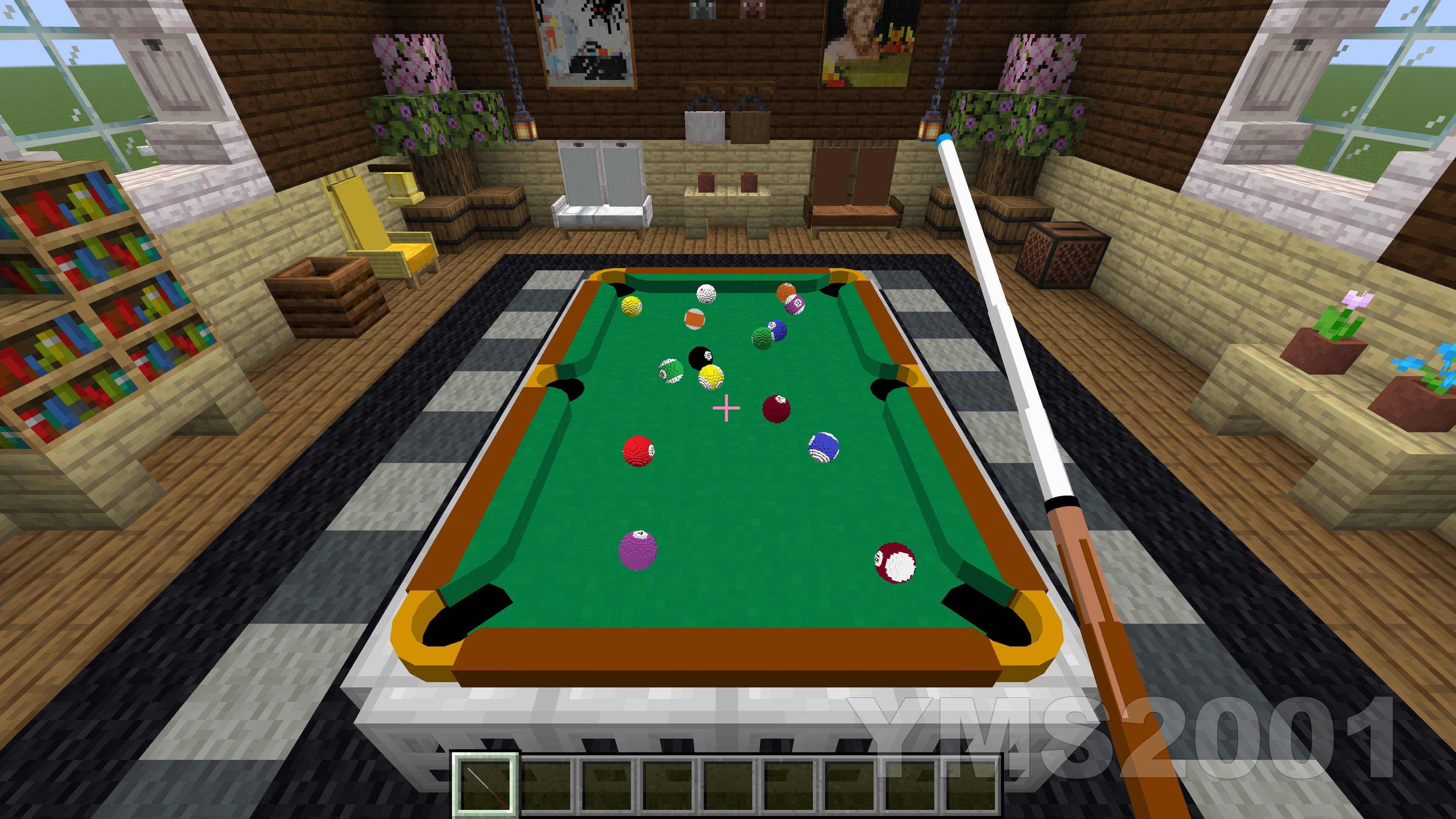
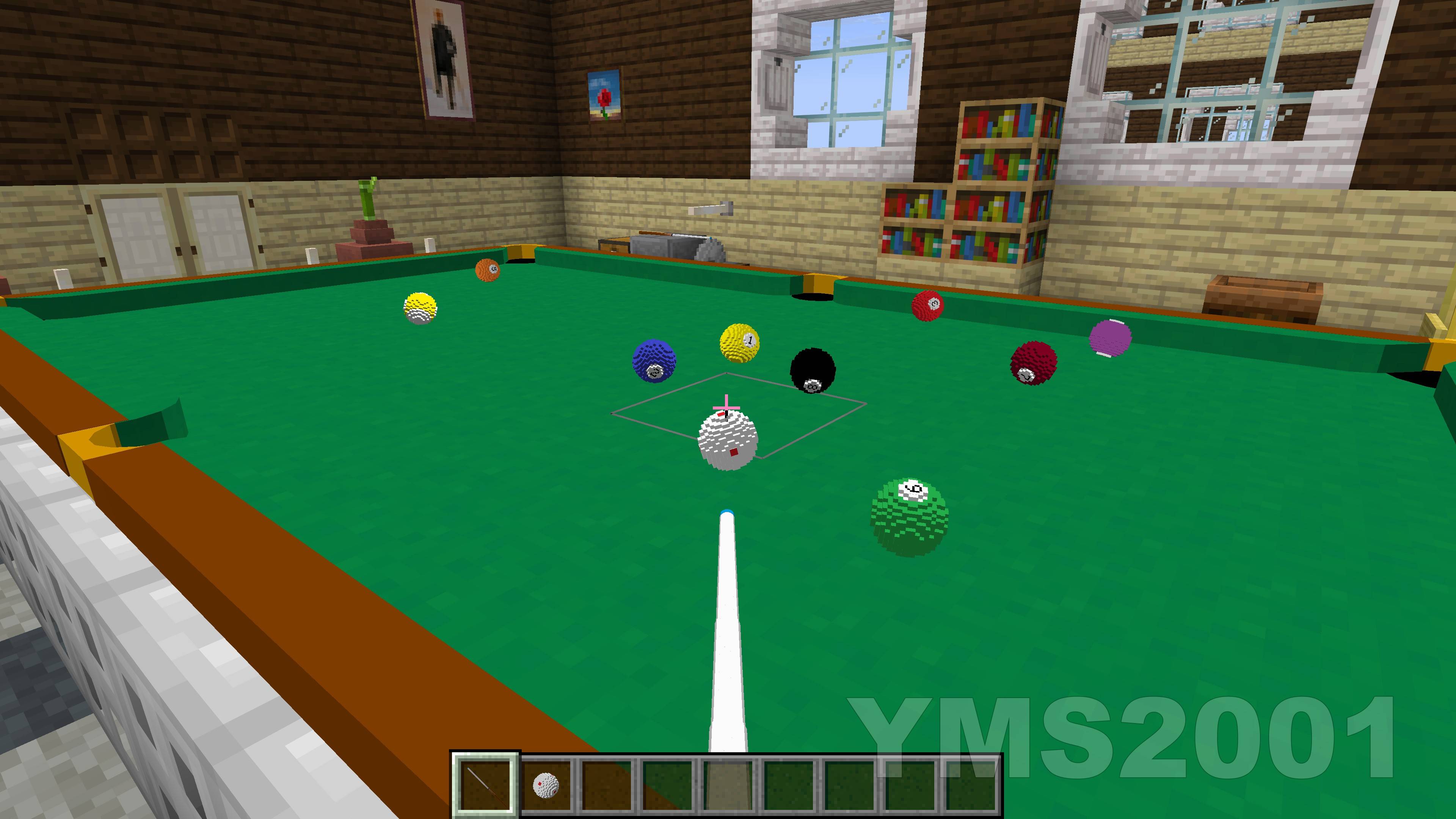
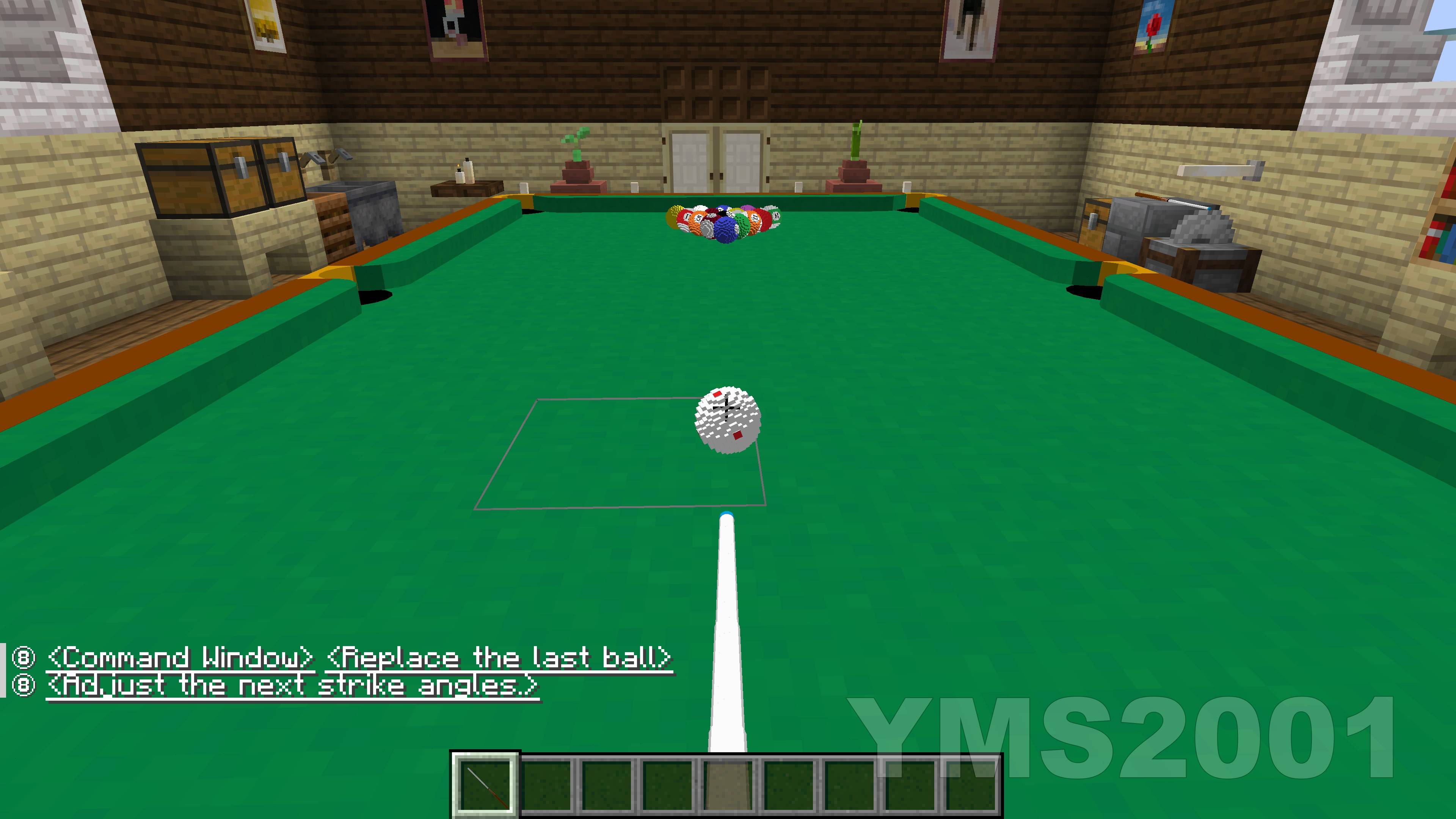
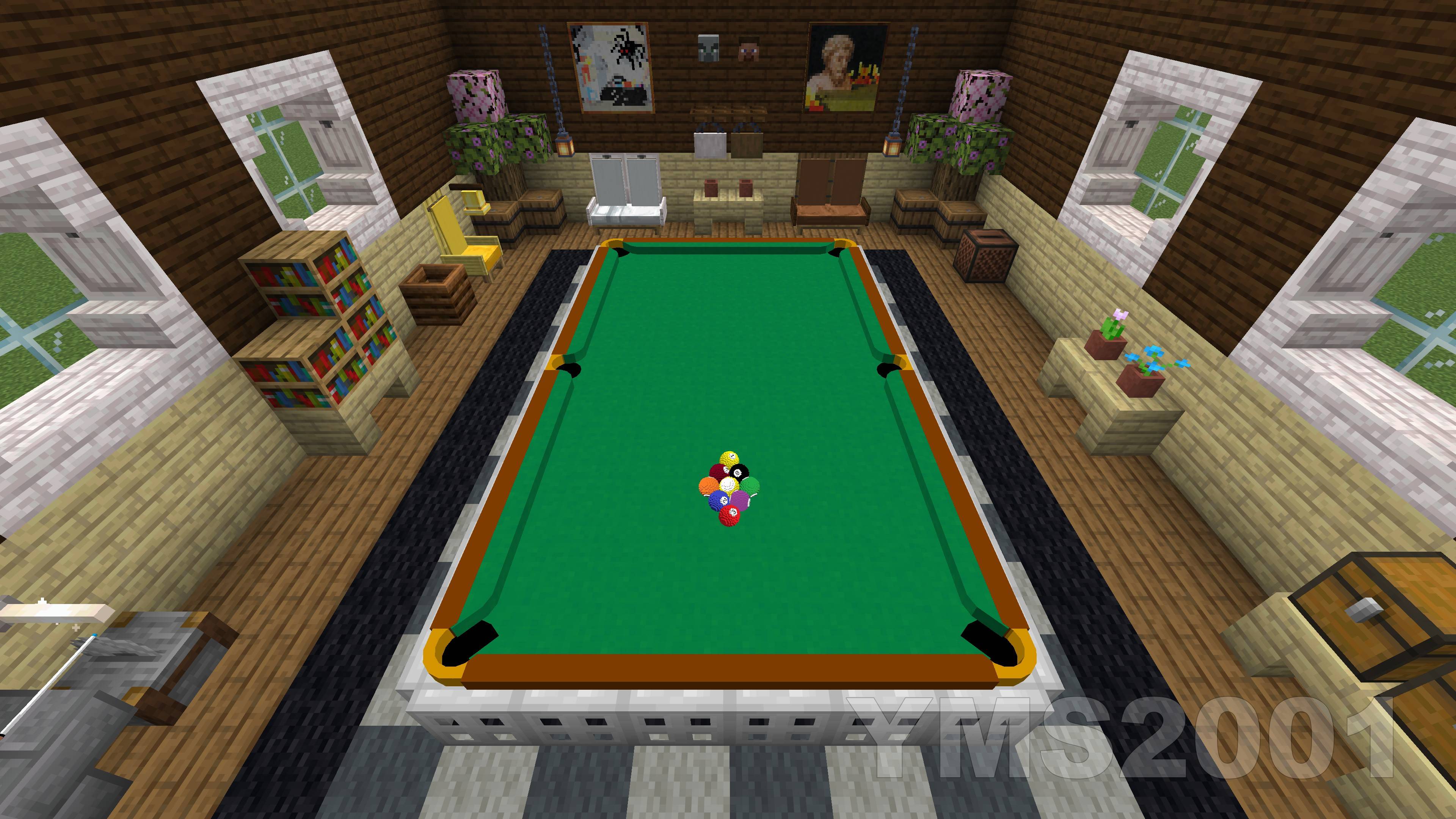
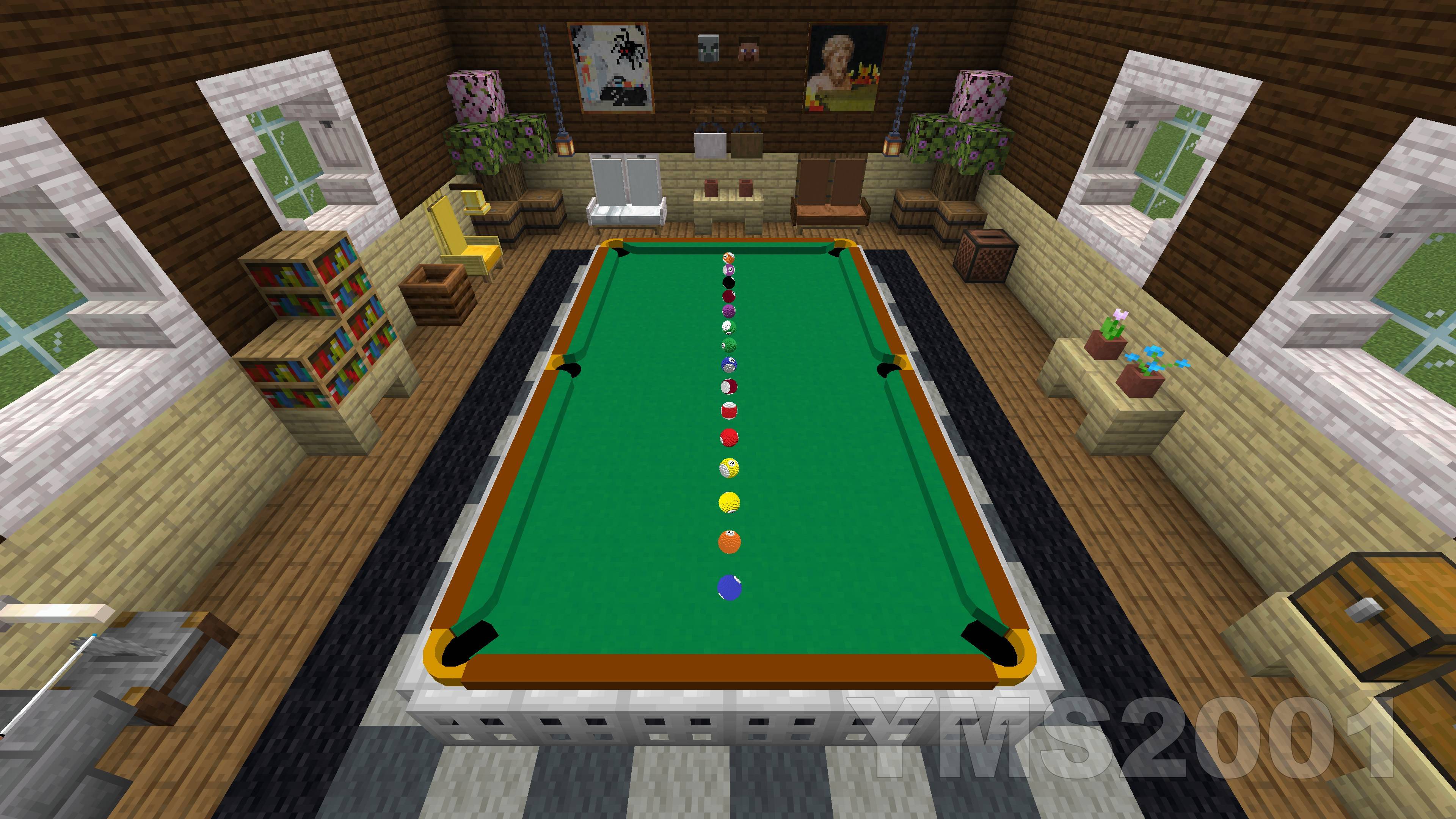
Immersive, fully playable single and multiplayer pool games built entirely in Vanilla Minecraft.
by YMS2001
Download Claim this project
2,976 downloads
0 likes
Updated Oct 14, 2026
0 hypes
Miscellaneous Tech Utility
Advertisement Remove ads with Premium →

Pool and Billiards Datapack by YMS2001

It got a website for all info you need!

项目主页

Bug Report / 报告问题

Dependencies

This datapack depends on the following components:

Make sure all required components are installed and enabled before use.

请使用GitHub链接查看中文版使用说明和近期改动总结

https://github.com/MingshiYangUIUC/Pool-Minecraft-Squid-Workshop-Project

Summary of Recent Changes


About

This datapack is designed for Minecraft players who enjoy cue sports.
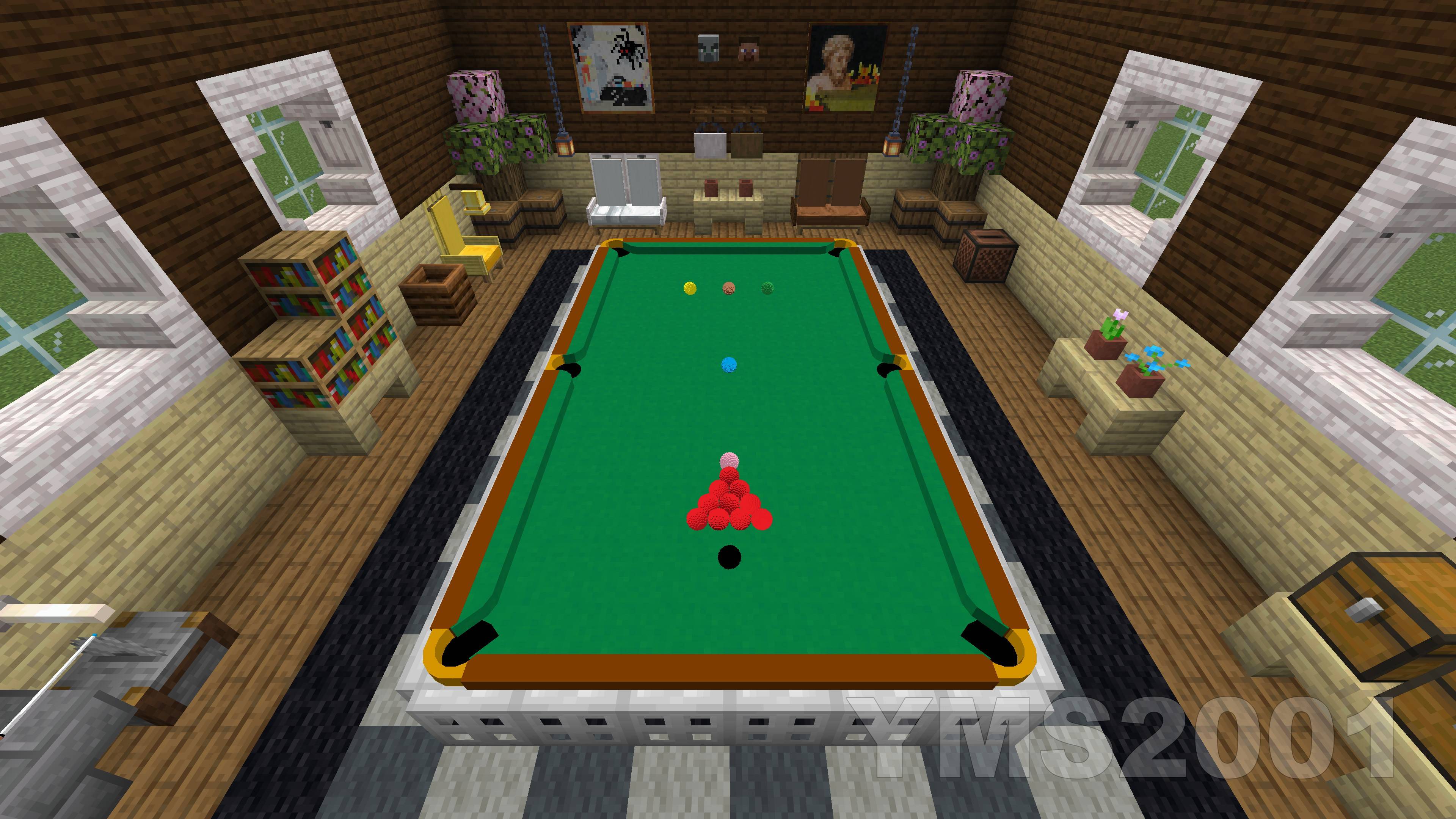
Here, pool broadly refers to cue sports including Snooker, 8-Ball, 9-Ball, and related variants.

The datapack supports single-player and two-player gameplay in Minecraft Java Edition 1.16+.

Supported game modes:

  • Snooker
  • UK 8-Ball
  • Generic 8-Ball
  • 9-Ball
  • Rule-free practice mode

Installation

1. Download the following for the correct game version

  • Pool Datapack
  • Pool and Billiards Resource Pack

2. Locate your Minecraft directory

On Windows this is usually:

C:/Users/YourUserName/AppData/Roaming/.minecraft

3. Install the resource pack

Move Pool Resource Pack into:

.minecraft/resourcepacks

4. Install the datapacks

Open the world folder where you want to install the datapacks:

.minecraft/saves/<your world>/datapacks

Move both files into this folder:

  • Pool Datapack

Each world requires its own copy of the datapacks.

5. Start Minecraft and open the world

6. Enable the resource pack

Esc -> Options -> Resource Packs

Move Pool Resource Pack to the enabled side.

7. Run the following command

/reload

8. Recommended setting

/gamerule maxCommandChainLength 131072

Or max_command_sequence_length depending on version.

9. Enjoy

Here are a few helpful commands.

  1. Open command window directly without clicking any buttons in chat.
    /function app:help/pool/commandwindow
  2. Run the loading function, in case you want to troubleshoot / check missing settings and don't want to run reload.
    /function pool:classes/main/load
  3. Terminate a game without using command window.
    /function pool:classes/lobby/terminate_helper
  4. Remove a table without using command window.
    /function pool:classes/table/clear

Included Mechanics

This datapack includes the following systems:

  • Simplified Newtonian physics simulation for pool balls
  • Neural network-based rack simulation during the break
  • Simplified match setup and game rules
  • Chat-based GUI for convenient interaction; most actions are done with the mouse
  • Support for English and 简体中文

For performance and clarity, the simulation omits some real-world effects such as friction between pockets and balls, cushion deformation, and other minor physical complexities.


Additional Information

Full documentation, installation and usage guides, and source code are available here:

https://github.com/MingshiYangUIUC/Pool-Minecraft-Squid-Workshop-Project


Compatibility Note

For Minecraft versions before 1.21, you may need to edit pack.mcmeta to remove the compatibility warning.

The datapack content is mostly identical across supported versions, so adjusting this single file is usually easier than maintaining multiple nearly identical copies.

Please refer to the Pack Format documentation and update pack.mcmeta according to your Minecraft version:

https://minecraft.fandom.com/wiki/Data_pack#Pack_format

v1.3.6-mc1.21plus
MC 1.21, 1.21.8, 1.21.5, 1.21.4, 1.21.1, 1.21.6, 1.21.3, 1.21.7, 1.21.2, 1.21.9, 1.21.10, 1.21.11, 26.1, 26.1.1, 26.1.2, 26.2, 26.3
Release 2026-09-17 Get
v1.3.5-mc1.16_1.20
MC 1.16.3, 1.17.1, 1.16.1, 1.18.1, 1.16, 1.16.5, 1.19.3, 1.20.2, 1.19.4, 1.17, 1.20.5, 1.18, 1.20.1, 1.20, 1.20.6, 1.19.1, 1.20.4, 1.18.2, 1.19.2, 1.20.3, 1.16.2, 1.16.4, 1.19
Release 2026-08-21 Get
v1.3.5-mc1.21plus
MC 1.21, 1.21.8, 1.21.5, 1.21.4, 1.21.1, 1.21.6, 1.21.3, 1.21.7, 1.21.2, 1.21.9, 1.21.10, 1.21.11, 26.1, 26.1.1, 26.1.2, 26.2
Release 2026-08-21 Get
v1.3.4-mc1.16_1.20
MC 1.16.3, 1.17.1, 1.16.1, 1.18.1, 1.16, 1.16.5, 1.19.3, 1.20.2, 1.19.4, 1.17, 1.20.5, 1.18, 1.20.1, 1.20, 1.20.6, 1.19.1, 1.20.4, 1.18.2, 1.19.2, 1.20.3, 1.16.2, 1.16.4, 1.19
Release 2026-08-08 Get
v1.3.4-mc1.21plus
MC 1.21, 1.21.8, 1.21.5, 1.21.4, 1.21.1, 1.21.6, 1.21.3, 1.21.7, 1.21.2, 1.21.9, 1.21.10, 1.21.11, 26.1, 26.1.1, 26.1.2, 26.2
Release 2026-08-08 Get
v1.3.3-mc1.16_1.20
MC 1.16.3, 1.17.1, 1.16.1, 1.18.1, 1.16, 1.16.5, 1.19.3, 1.20.2, 1.19.4, 1.17, 1.20.5, 1.18, 1.20.1, 1.20, 1.20.6, 1.19.1, 1.20.4, 1.18.2, 1.19.2, 1.20.3, 1.16.2, 1.16.4, 1.19
Release 2026-07-30 Get
v1.3.3-mc1.21plus
MC 1.21, 1.21.8, 1.21.5, 1.21.4, 1.21.1, 1.21.6, 1.21.3, 1.21.7, 1.21.2, 1.21.9, 1.21.10, 1.21.11, 26.1, 26.1.1, 26.1.2, 26.2
Release 2026-07-30 Get
v1.3.2-mc1.16_1.20
MC 1.16.3, 1.17.1, 1.16.1, 1.18.1, 1.16, 1.16.5, 1.19.3, 1.20.2, 1.19.4, 1.17, 1.20.5, 1.18, 1.20.1, 1.20, 1.20.6, 1.19.1, 1.20.4, 1.18.2, 1.19.2, 1.20.3, 1.16.2, 1.16.4, 1.19
Release 2026-07-26 Get
v1.3.2-mc1.21plus
MC 1.21, 1.21.8, 1.21.5, 1.21.4, 1.21.1, 1.21.6, 1.21.3, 1.21.7, 1.21.2, 1.21.9, 1.21.10, 1.21.11, 26.1, 26.1.1, 26.1.2, 26.2
Release 2026-07-26 Get
v1.3.1-mc1.16_1.20
MC 1.16.3, 1.17.1, 1.16.1, 1.18.1, 1.16, 1.16.5, 1.19.3, 1.20.2, 1.19.4, 1.17, 1.20.5, 1.18, 1.20.1, 1.20, 1.20.6, 1.19.1, 1.20.4, 1.18.2, 1.19.2, 1.20.3, 1.16.2, 1.16.4, 1.19
Release 2026-07-13 Get
v1.3.1-mc1.21plus
MC 1.21, 1.21.8, 1.21.5, 1.21.4, 1.21.1, 1.21.6, 1.21.3, 1.21.7, 1.21.2, 1.21.9, 1.21.10, 1.21.11, 26.1, 26.1.1, 26.1.2, 26.2
Release 2026-07-13 Get
v1.2.0-mc1.16_1.20
MC 1.16.3, 1.17.1, 1.16.1, 1.18.1, 1.16, 1.16.5, 1.19.3, 1.20.2, 1.19.4, 1.17, 1.20.5, 1.18, 1.20.1, 1.20, 1.20.6, 1.19.1, 1.20.4, 1.18.2, 1.19.2, 1.20.3, 1.16.2, 1.16.4, 1.19
Release 2026-05-07 Get
v1.2.0-mc1.21plus
MC 1.21, 1.21.8, 1.21.5, 1.21.4, 1.21.1, 1.21.6, 1.21.3, 1.21.7, 1.21.2, 1.21.9, 1.21.10, 1.21.11, 26.1, 26.1.1, 26.1.2, 26.2
Release 2026-05-07 Get
v1.1.0-mc1.16_1.20
MC 1.16.3, 1.17.1, 1.16.1, 1.18.1, 1.16, 1.16.5, 1.19.3, 1.20.2, 1.19.4, 1.17, 1.20.5, 1.18, 1.20.1, 1.20, 1.20.6, 1.19.1, 1.20.4, 1.18.2, 1.19.2, 1.20.3, 1.16.2, 1.16.4, 1.19
Release 2026-04-19 Get
v1.1.0-mc1.21plus
MC 1.21, 1.21.8, 1.21.5, 1.21.4, 1.21.1, 1.21.6, 1.21.3, 1.21.7, 1.21.2, 1.21.9, 1.21.10, 1.21.11, 26.1, 26.1.1, 26.1.2
Release 2026-04-19 Get
v1.0.0-mc1.16_1.20
MC 1.16.3, 1.17.1, 1.16.1, 1.18.1, 1.16, 1.16.5, 1.19.3, 1.20.2, 1.19.4, 1.17, 1.20.5, 1.18, 1.20.1, 1.20, 1.20.6, 1.19.1, 1.20.4, 1.18.2, 1.19.2, 1.20.3, 1.16.2, 1.16.4, 1.19
Release 2026-03-30 Get
v1.0.0-mc1.21plus
MC 1.21, 1.21.8, 1.21.5, 1.21.4, 1.21.1, 1.21.6, 1.21.3, 1.21.7, 1.21.2, 1.21.9, 1.21.10, 1.21.11, 26.1, 26.1.1, 26.1.2
Release 2026-03-30 Get

Requirements & install

How to use this data pack in Minecraft
Mods needed
None, works in vanilla
Minecraft
1.21.9 – 26.3
Install folder
saves/<world>/datapacks

How to install data packs

  1. Download the data pack .zip file (do not extract it).
  2. New world: click Data Packs on the world creation screen and drop the .zip in. Existing world: open .minecraft/saves/<world>/datapacks.
  3. Put the .zip into the datapacks folder of the world (servers: world/datapacks).
  4. Run /reload in game (or rejoin the world) and check it with /datapack list.
Browse more: Data Packs for 26.3 All data packs

More from YMS2001

Advertisement Remove ads with Premium →

You Might Also Like