Mineuniverse
Data Packs
PlayTimeStatistics

PlayTimeStatistics

DATA PACK
PlayTimeStatistics是一个可以统计玩家在线时长的数据包,并在Tab栏和玩家名称下方显示  "PlayTimeStatistics is a data pack that tracks players' online playtime and displays it in the Tab list and below the player’s name." 
by starmoonts
Download Claim this project
1,777 downloads
0 likes
Updated Oct 14, 2026
0 hypes
Utility
Advertisement Remove ads with Premium →

简介

PlayTimeStatistics是一个可以统计玩家在线时长的数据包,并在Tab栏和玩家名称下方显示
"PlayTimeStatistics is a data pack that tracks players' online playtime and displays it in the Tab list and below the player’s name."
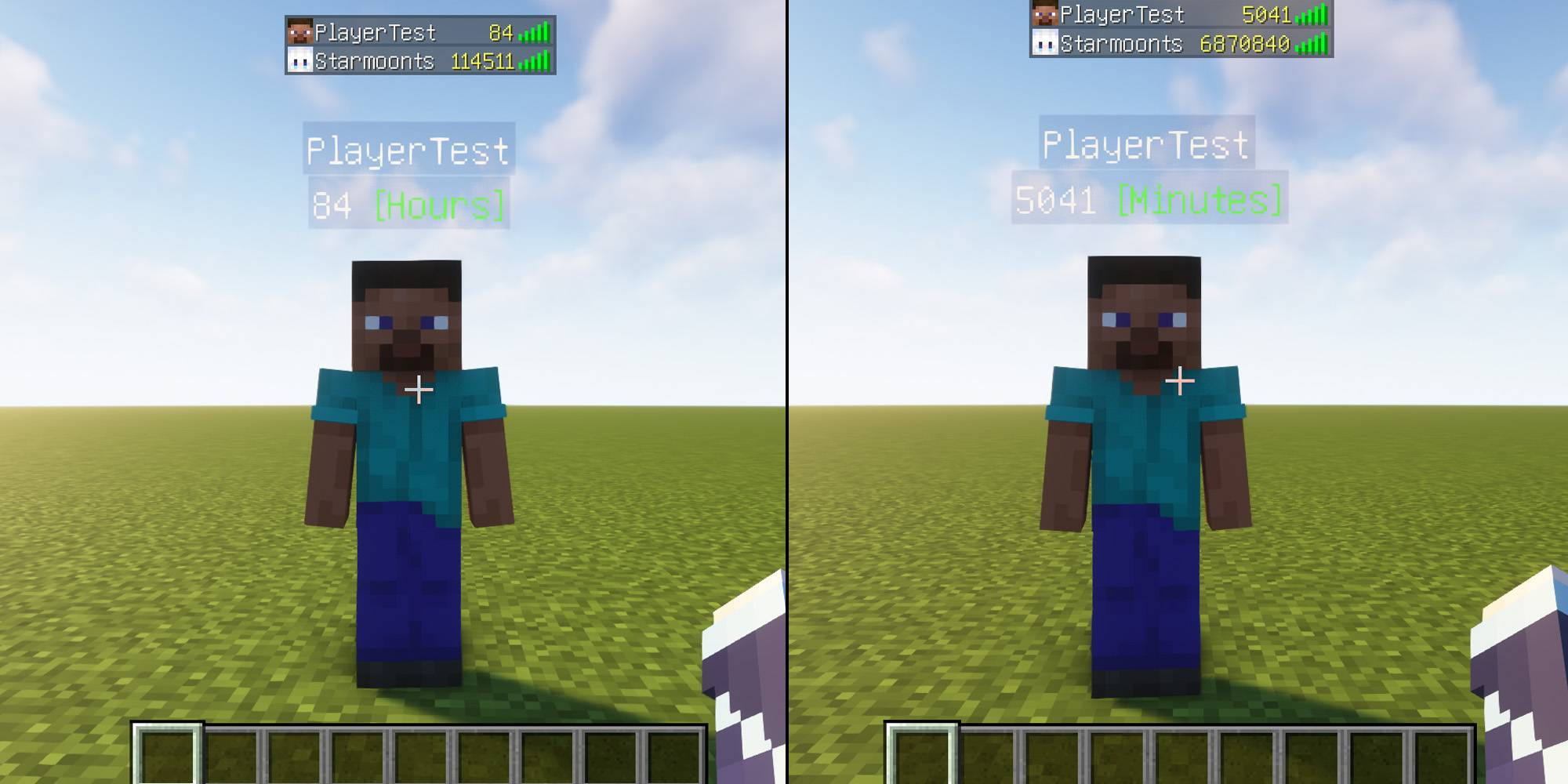
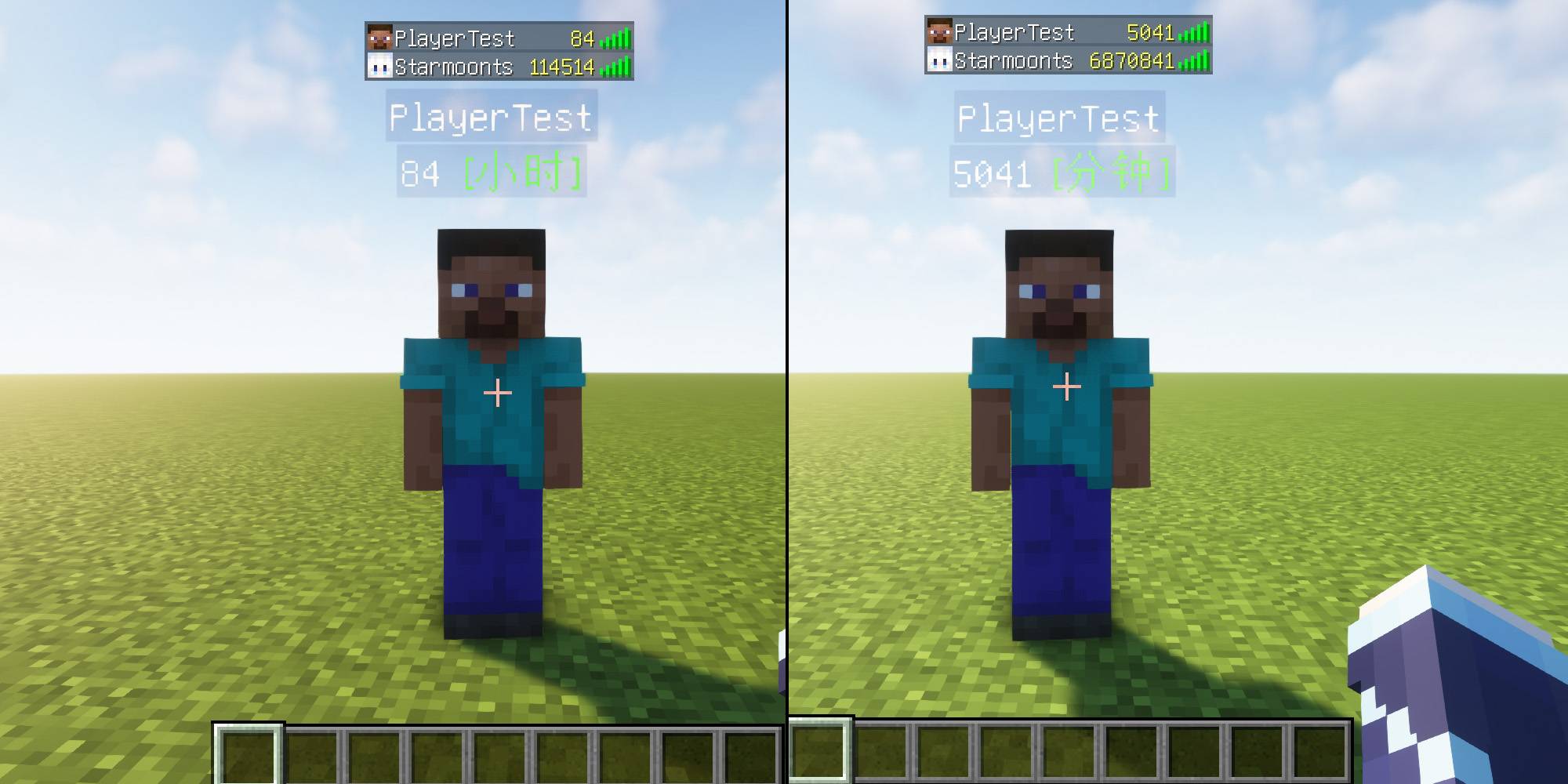
 

"Minecraft在26.2更新后,如果玩家没有记分项,则玩家标签叠加层上不再显示玩家的分数。"
 功能依旧正常,只在玩家刚进入服务器时统计还未满 1分钟或1小时 Tab栏和玩家名称下方不显示,仅在26.2及以后的版本会发生。
 
"Minecraft after update 26.2: If a player does not have any scoreboard objectives, the player's score will no longer be shown on the nametag overlay."
The functionality otherwise works as normal; it only occurs when a player first joins the server and the statistics have not yet been recorded for 1 minute or 1 hour. The score does not display in the tab list or below the player's name. This only happens in version 26.2 and later.


指令

- 玩家名称下方显示 [小时]:
- Display [hours] below the player’s name:
- /scoreboard objectives setdisplay below_name time_hours

- 玩家Tab列表显示 [小时]:
- Display [hours] in the player tab list:
- /scoreboard objectives setdisplay list time_hours

- 玩家名称下方显示 [分钟]:
- Display [minutes] below the player’s name:
- /scoreboard objectives setdisplay below_name time_minutes_persist

- 玩家Tab列表显示 [分钟]:
- Display [minutes] in the player tab list:
- /scoreboard objectives setdisplay list time_minutes_persist

- 关闭玩家名称下方显示
- Hide the display below the player’s name:
- /scoreboard objectives setdisplay below_name

- 关闭玩家Tab列表显示
- Hide the display in the player tab list:
- /scoreboard objectives setdisplay list


1.18-1.20.1
- 玩家名称下方显示 [小时]:
- Display [hours] below the player’s name:
- /scoreboard objectives setdisplay belowName time_hours

- 玩家名称下方显示 [分钟]:
- Display [minutes] below the player’s name:
- /scoreboard objectives setdisplay belowName time_minutes_persist
- 关闭玩家名称下方显示
- Hide the display below the player’s name:
- /scoreboard objectives setdisplay belowName

1.13-1.17.1
- 玩家名称下方显示 [分钟]:
- Display [minutes] below the player’s name:
- /scoreboard objectives setdisplay belowName persist

- 玩家Tab列表显示 [分钟]:

- Display [minutes] in the player tab list:
- /scoreboard objectives setdisplay list persist

- 关闭玩家名称下方显示

- Hide the display below the player’s name:
- /scoreboard objectives setdisplay belowName

1.21.x-en-US-1.0.2
MC 1.21.2-Snapshot, 1.21, 1.21.6-snapshot, 1.21.1-Snapshot, 1.21.8, 1.21.5, 1.21.4, 1.21.5-Snapshot, 1.21.1, 1.21.6, 1.21.3, 1.21.7, 1.21-Snapshot, 1.21.4-Snapshot, 1.21.2
Release 2026-07-01 Get
1.21.x-zh-CN-1.0.2
MC 1.21.2-Snapshot, 1.21, 1.21.6-snapshot, 1.21.1-Snapshot, 1.21.8, 1.21.5, 1.21.4, 1.21.5-Snapshot, 1.21.1, 1.21.6, 1.21.3, 1.21.7, 1.21-Snapshot, 1.21.4-Snapshot, 1.21.2
Release 2026-07-01 Get
26.x-en-US-1.0.1
MC 26.1, 26.1.1, 26.1.2, 26.2
Release 2026-07-01 Get
26.x-zh-CN-1.0.1
MC 26.1, 26.1.1, 26.1.2, 26.2
Release 2026-07-01 Get
1.13.x-en-US
MC 1.13.1, 1.13, 1.13-Snapshot, 1.13.2
Release 2025-04-02 Get
1.13.x-zh-CN
MC 1.13.1, 1.13, 1.13-Snapshot, 1.13.2
Release 2025-04-02 Get
1.14.x-en-US
MC 1.14.4, 1.14.1, 1.14.3, 1.14, 1.14.2, 1.14-Snapshot
Release 2025-04-02 Get
1.14.x-zh-CN
MC 1.14.4, 1.14.1, 1.14.3, 1.14, 1.14.2, 1.14-Snapshot
Release 2025-04-02 Get
1.15.x-en-US-1.0.1
MC 1.15-Snapshot, 1.15, 1.15.2, 1.15.1
Release 2025-04-02 Get
1.15.x-zh-CN-1.0.1
MC 1.15-Snapshot, 1.15, 1.15.2, 1.15.1
Release 2025-04-02 Get
1.16.x-en-US-1.0.1
MC 1.16-Snapshot, 1.16.3, 1.16.1, 1.16, 1.16.5, 1.16.4, 1.16.2
Release 2025-04-02 Get
1.16.x-zh-CN-1.0.1
MC 1.16-Snapshot, 1.16.3, 1.16.1, 1.16, 1.16.5, 1.16.4, 1.16.2
Release 2025-04-02 Get
1.17.x-en-US-1.0.1
MC 1.17.1, 1.17, 1.17-Snapshot
Release 2025-04-02 Get
1.17.x-zh-CN-1.0.1
MC 1.17.1, 1.17, 1.17-Snapshot
Release 2025-04-02 Get
1.18.x-en-US-1.0.1
MC 1.18.1, 1.18.2, 1.18, 1.18-Snapshot
Release 2025-04-02 Get
1.18.x-zh-CN-1.0.1
MC 1.18.1, 1.18.2, 1.18, 1.18-Snapshot
Release 2025-04-02 Get
1.19.x-en-US-1.0.1
MC 1.19.3, 1.19.4-Snapshot, 1.19.4, 1.19-Snapshot, 1.19.2, 1.19.1, 1.19, 1.19.3-Snapshot
Release 2025-04-02 Get
1.19.x-zh-CN-1.0.1
MC 1.19.3, 1.19.4-Snapshot, 1.19.4, 1.19-Snapshot, 1.19.2, 1.19.1, 1.19, 1.19.3-Snapshot
Release 2025-04-02 Get
1.20.x-en-US-1.0.1
MC 1.20.2, 1.20.5, 1.20.2-Snapshot, 1.20.5-Snapshot, 1.20.3-Snapshot, 1.20.3, 1.20.1, 1.20, 1.20.6, 1.20.4, 1.20-Snapshot
Release 2025-04-02 Get
1.20.x-zh-CN-1.0.1
MC 1.20.2, 1.20.5, 1.20.2-Snapshot, 1.20.5-Snapshot, 1.20.3-Snapshot, 1.20.3, 1.20.1, 1.20, 1.20.6, 1.20.4, 1.20-Snapshot
Release 2025-04-02 Get
1.21.x-en-US-1.0.1
MC 1.21.2-Snapshot, 1.21, 1.21.5, 1.21.1-Snapshot, 1.21.4, 1.21.5-Snapshot, 1.21-Snapshot, 1.21.3, 1.21.1, 1.21.4-Snapshot, 1.21.2
Release 2025-04-02 Get
1.21.x-zh-CN-1.0.1
MC 1.21.2-Snapshot, 1.21, 1.21.5, 1.21.1-Snapshot, 1.21.4, 1.21.5-Snapshot, 1.21-Snapshot, 1.21.3, 1.21.1, 1.21.4-Snapshot, 1.21.2
Release 2025-04-02 Get

Requirements & install

How to use this data pack in Minecraft
Mods needed
None, works in vanilla
Minecraft
1.21.6-snapshot – 26.2
Install folder
saves/<world>/datapacks

How to install data packs

  1. Download the data pack .zip file (do not extract it).
  2. New world: click Data Packs on the world creation screen and drop the .zip in. Existing world: open .minecraft/saves/<world>/datapacks.
  3. Put the .zip into the datapacks folder of the world (servers: world/datapacks).
  4. Run /reload in game (or rejoin the world) and check it with /datapack list.
Browse more: Data Packs for 26.2 All data packs

More from starmoonts

Advertisement Remove ads with Premium →

You Might Also Like



