Mineuniverse
Data Packs
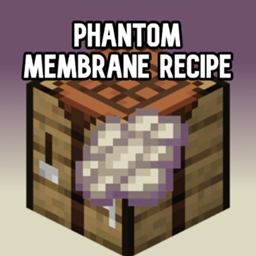
Phantom Membrane Recipe

Phantom Membrane Recipe

DATA PACK
Now you can craft your own phantom membrane
by Blueagurian_Raxture
Download Claim this project
441 downloads
0 likes
0 followers
Updated Oct 14, 2026
0 hypes
Follow0
Miscellaneous
Advertisement Remove ads with Premium →

🪽 Phantom Membrane Recipe Datapack  
Craft spectral wings—no sleepless nights or phantom fights required!  
This datapack introduces a custom recipe for Phantom Membranes, letting players convert common mob drops into Elytra repair fuel and slow-fall potion ingredients.

✨ Features  
✅ Shapeless recipe using 2 Rotten Flesh + 1 Feather + 1 White Dye
🧩 Lore-friendly integration with undead essence, avian remnants, and spectral dye infusion  
🔁 Modular JSON structure for easy editing and expansion  
🛠️ Compatible with Minecraft 1.13+  

1.13-1.14
MC 1.13.1, 1.14.3, 1.13, 1.14.4, 1.14.1, 1.14, 1.13-Snapshot, 1.14-Snapshot, 1.13.2, 1.14.2
Release 2026-05-30 Get
1.15-1.16
MC 1.16.3, 1.16-Snapshot, 1.15-Snapshot, 1.16.1, 1.15, 1.16, 1.16.5, 1.15.2, 1.16.2, 1.15.1, 1.16.4
Release 2026-05-30 Get
1.17
MC 1.17.1, 1.17, 1.17-Snapshot
Release 2026-05-30 Get
1.18
MC 1.18.1, 1.18, 1.18.2, 1.18-Snapshot
Release 2026-05-30 Get
1.21.2-1.21.8
MC 1.21.2-Snapshot, 1.21.6-snapshot, 1.21.8, 1.21.5, 1.21.4, 1.21.5-Snapshot, 1.21.6, 1.21.3, 1.21.7, 1.21.4-Snapshot, 1.21.2
Release 2026-05-30 Get
1.21.9-26.1
MC 1.21.9-snapshot, 1.21.9, 1.21.10, 1.21.11-snapshot, 1.21.11, 26.1, 26.1.1, 26.1.2
Release 2026-05-30 Get
1.19
MC 1.19-Snapshot, 1.19.3, 1.19.4, 1.19.4-Snapshot, 1.19.1, 1.19.2, 1.19, 1.19.3-Snapshot
Release 2026-05-30 Get
1.21.1
MC 1.21, 1.21.1-Snapshot, 1.21.1, 1.21-Snapshot
Release 2026-05-30 Get
1.20
MC 1.20.2-Snapshot, 1.20.2, 1.20.1, 1.20, 1.20-Snapshot, 1.20.4, 1.20.3-Snapshot, 1.20.3
Release 2026-05-30 Get

Requirements & install

How to use this data pack in Minecraft
Mods needed
None, works in vanilla
Minecraft
1.21.9-snapshot – 26.1.2
Install folder
saves/<world>/datapacks

How to install data packs

  1. Download the data pack .zip file (do not extract it).
  2. New world: click Data Packs on the world creation screen and drop the .zip in. Existing world: open .minecraft/saves/<world>/datapacks.
  3. Put the .zip into the datapacks folder of the world (servers: world/datapacks).
  4. Run /reload in game (or rejoin the world) and check it with /datapack list.
Browse more: Data Packs for 26.1.2 All data packs

More from Blueagurian_Raxture

Advertisement Remove ads with Premium →

You Might Also Like