Mineuniverse
Data Packs
Ore Detector Compass

Ore Detector Compass

DATA PACK
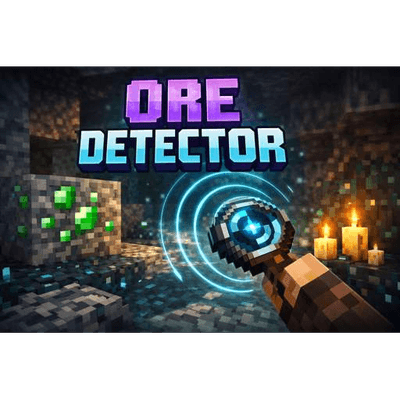
This adds an Ore Detector into the game
by morticiandrigby
Download Claim this project
435 downloads
0 likes
Updated Oct 14, 2026
0 hypes
Tech Utility
Advertisement Remove ads with Premium →

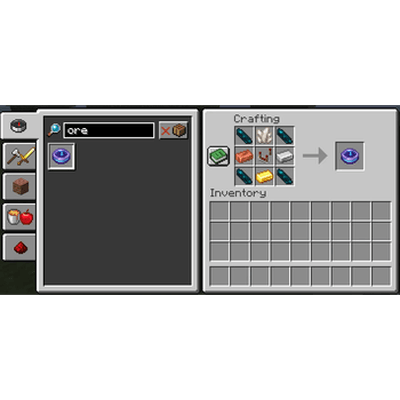
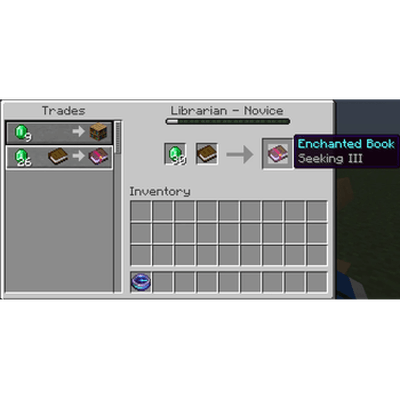
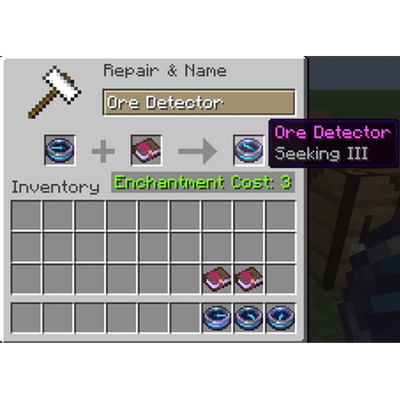
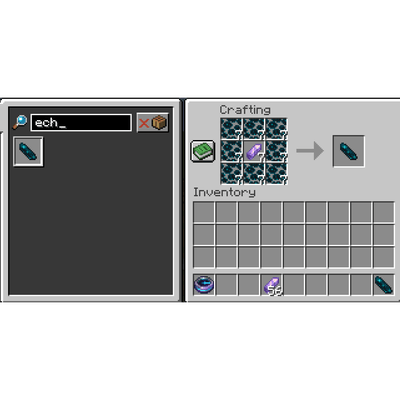
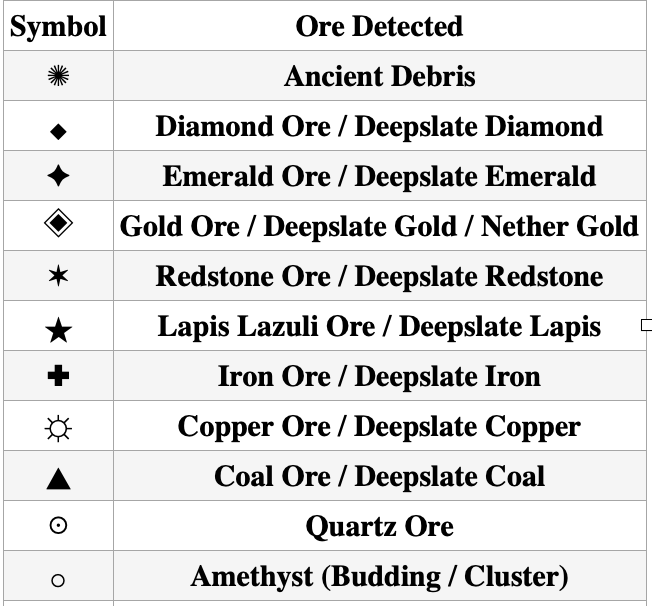
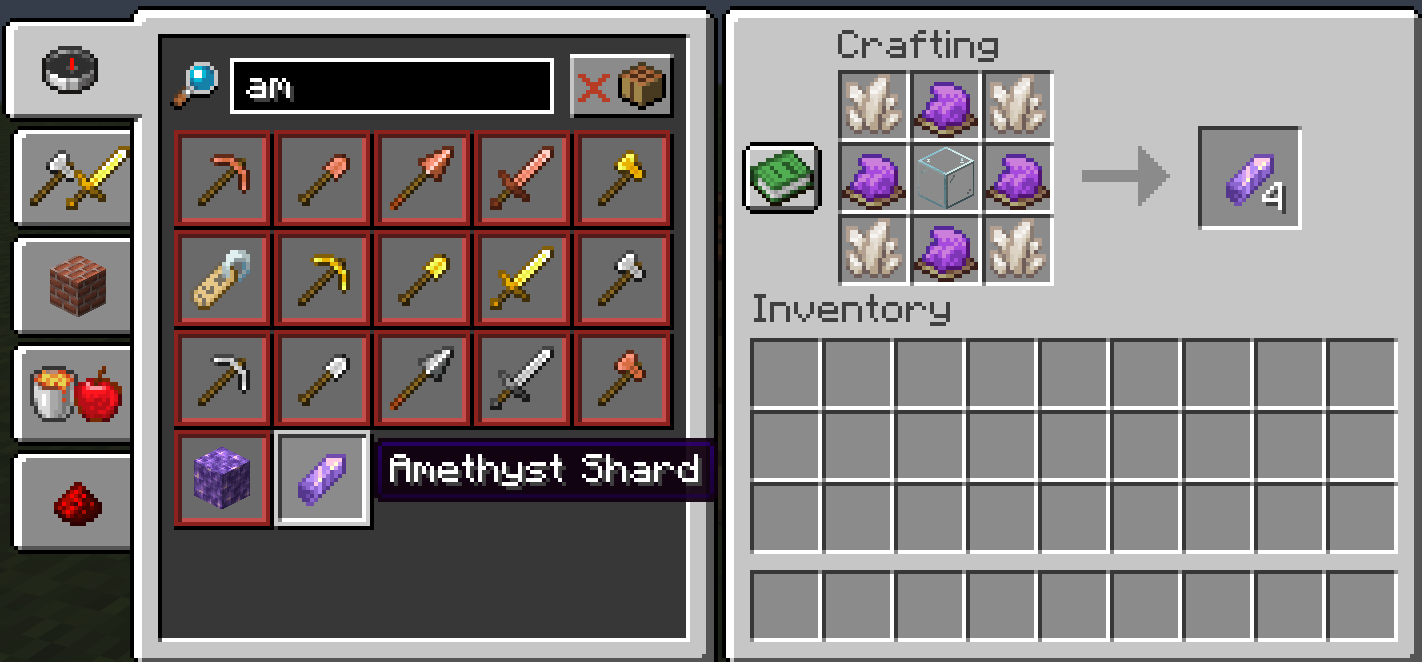
Ore Detector is a progression-based mining tool that helps players locate nearby ores using directional guidance instead of X-ray or block highlighting. When not enchanted, it scans a short area and spawns particles pointing toward the nearest ore. Enchanting the detector with Seeking I–III increases its range and unlocks additional feedback, including ore-type symbols and signal strength or how close the ore is to the player (LOW / MED / HIGH). Each enchanting level reduces the cool down for the ore detector. Enchanted books can be found or traded for though the librarians. There are two ways to get the Ore detector. Defeat the warden with a looting 3 sword for a chance to get it as a drop or craft it. Additionally you can craft echo shards using the custom crafting recipe.

Key features:

- Directional particle guidance toward nearby ores
- Seeking I–III enchantments unlock ore type symbols and distance from the nearest ore.
- Seeking books obtained from librarians or loot
- Ore detector obtainable through crafting or as a possible drop for the Warden
- Echo shards are now cartable
- Craftable book called Ore Detector guide, shows up in recipes when you get the sculk vein


Ore_Detector_Compass_2.1.2.zip
MC 26.1, 26.1.1
Release 2026-04-03 Get
Ore_Detector_Compass_2.1.0.zip
MC 26.1
Release 2026-03-31 Get
Ore_Detector_Compass_2.1.1.zip
MC 26.1
Release 2026-03-31 Get
Ore_Detector_Compass_1.1.7.zip
MC 1.21.11
Release 2026-03-08 Get
Ore_Detector_Compass_1.0.7.zip
MC 1.21.10
Release 2026-03-08 Get
Ore_Detector_Compass_1.0.6.zip
MC 1.21.10
Release 2026-02-28 Get
Ore_Detector_Compass_1.1.5.zip
MC 1.21.11
Release 2026-02-28 Get

Requirements & install

How to use this data pack in Minecraft
Mods needed
None, works in vanilla
Minecraft
1.21.10 – 26.1.1
Install folder
saves/<world>/datapacks

How to install data packs

  1. Download the data pack .zip file (do not extract it).
  2. New world: click Data Packs on the world creation screen and drop the .zip in. Existing world: open .minecraft/saves/<world>/datapacks.
  3. Put the .zip into the datapacks folder of the world (servers: world/datapacks).
  4. Run /reload in game (or rejoin the world) and check it with /datapack list.
Browse more: Data Packs for 26.1.1 All data packs

More from morticiandrigby

Advertisement Remove ads with Premium →

You Might Also Like