Mineuniverse
Data Packs
Orbital wither cannnon

Orbital wither cannnon

DATA PACK
It is a orbital wither cannnon
by user_w3xsx1zkptqgo5im
Download Claim this project
212 downloads
0 likes
Updated Oct 14, 2026
0 hypes
Utility
Advertisement Remove ads with Premium →

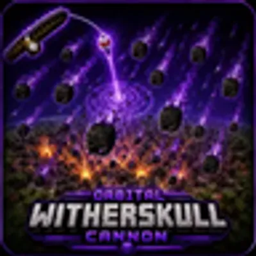
Unleash devastating orbital destruction with the Orbital Witherskull Cannon! This datapack summons .thousands of dangerous wither skulls high above the target, creating a massive bombardment that rains down in perfectly spaced concentric rings. The result is an enormous explosion capable of carving huge craters and even destroying obsidian, making it one of the most powerful weapons available in vanilla Minecraft.

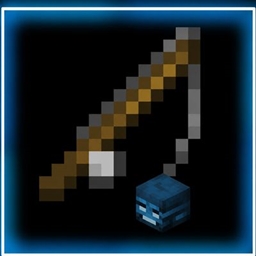
The cannon is activated using a Fishing Rod, making it quick and easy to deploy during survival adventures, multiplayer battles, or creative demonstrations.

Commands

Gives Normal Wither-Skull-Cannon activation fishing rod

/function wither_skull_cannon:give/wither_aim_1

Gives a Fishing Rod that summons the orbital witherskull cannon at the block you are looking at.

Gives Wither stabshot activation fishing rod

/function wither_skull_cannon:give/wither_stab_aim_1

Gives a Fishing Rod that summons the Stabshot attack but by using witherskulls.

Features

  • Massive orbital bombardment using dangerous wither skulls
  • Thousands of wither skulls arranged in a circular strike pattern
  • Creates huge craters with spectacular explosion effects
  • Powerful enough to destroy obsidian
  • Easy activation using a Fishing Rod
  • Multiplayer compatible

Prepare for total devastation and call down an orbital strike unlike anything you've seen before!

 

wither_skull_cannon_V1.1.0.zip
MC 1.21.11
Release 2026-09-02 Get

Requirements & install

How to use this data pack in Minecraft
Mods needed
None, works in vanilla
Minecraft
1.21.11
Install folder
saves/<world>/datapacks

How to install data packs

  1. Download the data pack .zip file (do not extract it).
  2. New world: click Data Packs on the world creation screen and drop the .zip in. Existing world: open .minecraft/saves/<world>/datapacks.
  3. Put the .zip into the datapacks folder of the world (servers: world/datapacks).
  4. Run /reload in game (or rejoin the world) and check it with /datapack list.
Browse more: Data Packs for 1.21.11 All data packs

More from user_w3xsx1zkptqgo5im

Advertisement Remove ads with Premium →

You Might Also Like