Mineuniverse
Data Packs
Old Cocoa Bean Crafting

Old Cocoa Bean Crafting

DATA PACK
Datapack version of my Old Cocoa Bean Crafting mod for players who prefer datapacks instead of mods.
by The_wither_storm_fan
Download Claim this project
43 downloads
0 likes
Updated Oct 14, 2026
0 hypes
Utility
Advertisement Remove ads with Premium →

Old Cocoa Bean Crafting – Datapack Edition

This is the datapack version of my Old Cocoa Bean Crafting mod, made for players who want the recipe as a datapack instead of installing the mod.

Recipe

Craft together:

  • 1 Ink Sac

  • 1 Red Dye

  • 1 Yellow Dye

To receive:

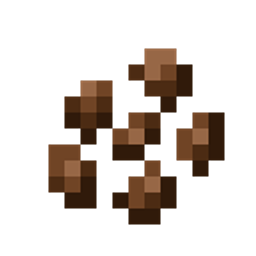
2 Cocoa Beans

Why a Datapack Version?

I originally released this recipe as a mod. This version gives players another option if they would rather use a datapack.

It's great for players who:

  • Prefer datapacks instead of mods

  • Don't want to install a mod loader

  • Want the recipe in a vanilla world

  • Want something lightweight and simple to install

Features

  • Restores the Cocoa Bean crafting recipe

  • Uses only vanilla ingredients

  • Produces 2 Cocoa Beans

  • No mod loader required

  • Lightweight

  • Versions available from Minecraft 1.13 through 26.3

Just download the file for your Minecraft version and place it in your world's datapacks folder.

This is the datapack edition of my existing mod. If you prefer using mods, you can continue using the original mod version.

Created by the_wither_storm_fan.

Note

On Modrinth, the datapack and mod versions are combined into the same project, so you can choose whichever version you prefer from the project files.

On CurseForge and Planet Minecraft, the datapack and mod versions are listed as separate projects because those platforms do not allow me to combine the mod and datapack versions into a single project.

They are still versions of the same project—the separate listings are only due to the platform requirements.

Old_Cocoa_Bean_Crafting_1.13-1.14.4.zip
MC 1.13.1, 1.14.3, 1.13, 1.14.4, 1.14.1, 1.14, 1.13-Snapshot, 1.14-Snapshot, 1.13.2, 1.14.2
Release 2026-10-01 Get
Old_Cocoa_Bean_Crafting_1.15-1.16.1.zip
MC 1.16-Snapshot, 1.15-Snapshot, 1.16.1, 1.15, 1.16, 1.15.2, 1.15.1
Release 2026-10-01 Get
Old_Cocoa_Bean_Crafting_1.16.2-1.16.5.zip
MC 1.16.3, 1.16.5, 1.16.2, 1.16.4
Release 2026-10-01 Get
Old_Cocoa_Bean_Crafting_1.17-1.17.1.zip
MC 1.17.1, 1.17, 1.17-Snapshot
Release 2026-10-01 Get
Old_Cocoa_Bean_Crafting_1.18-1.18.1.zip
MC 1.18.1, 1.18, 1.18-Snapshot
Release 2026-10-01 Get
Old_Cocoa_Bean_Crafting_1.18.2.zip
MC 1.18.2
Release 2026-10-01 Get
Old_Cocoa_Bean_Crafting_1.19-1.19.3.zip
MC 1.19-Snapshot, 1.19.3, 1.19.1, 1.19.2, 1.19, 1.19.3-Snapshot
Release 2026-10-01 Get
Old_Cocoa_Bean_Crafting_1.19.4.zip
MC 1.19.4, 1.19.4-Snapshot
Release 2026-10-01 Get
Old_Cocoa_Bean_Crafting_1.20-1.20.1.zip
MC 1.20.1, 1.20, 1.20-Snapshot
Release 2026-10-01 Get
Old_Cocoa_Bean_Crafting_1.20.2.zip
MC 1.20.2-Snapshot, 1.20.2
Release 2026-10-01 Get
Old_Cocoa_Bean_Crafting_1.20.3-1.20.4.zip
MC 1.20.4, 1.20.3-Snapshot, 1.20.3
Release 2026-10-01 Get
Old_Cocoa_Bean_Crafting_1.20.5-1.20.6.zip
MC 1.20.5-Snapshot, 1.20.5, 1.20.6
Release 2026-10-01 Get
Old_Cocoa_Bean_Crafting_1.21-1.21.1.zip
MC 1.21, 1.21.1-Snapshot, 1.21.1, 1.21-Snapshot
Release 2026-10-01 Get
Old_Cocoa_Bean_Crafting_1.21.2-1.21.3.zip
MC 1.21.2-Snapshot, 1.21.3, 1.21.2
Release 2026-10-01 Get
Old_Cocoa_Bean_Crafting_1.21.4.zip
MC 1.21.4, 1.21.4-Snapshot
Release 2026-10-01 Get
Old_Cocoa_Bean_Crafting_1.21.5.zip
MC 1.21.5, 1.21.5-Snapshot
Release 2026-10-01 Get
Old_Cocoa_Bean_Crafting_1.21.6-1.21.8.zip
MC 1.21.6-snapshot, 1.21.8, 1.21.6, 1.21.7
Release 2026-10-01 Get
Old_Cocoa_Bean_Crafting_26.1-26.3.zip
MC 26.1, 26.1.1, 26.1.2, 26.2, 26.3
Release 2026-10-01 Get
Old_Cocoa_Bean_Crafting_26.2.zip
MC 26.2
Release 2026-10-01 Get

Requirements & install

How to use this data pack in Minecraft
Mods needed
None, works in vanilla
Minecraft
1.21.6 – 26.3
Install folder
saves/<world>/datapacks

How to install data packs

  1. Download the data pack .zip file (do not extract it).
  2. New world: click Data Packs on the world creation screen and drop the .zip in. Existing world: open .minecraft/saves/<world>/datapacks.
  3. Put the .zip into the datapacks folder of the world (servers: world/datapacks).
  4. Run /reload in game (or rejoin the world) and check it with /datapack list.
Browse more: Data Packs for 26.3 All data packs

More from The_wither_storm_fan

Advertisement Remove ads with Premium →

You Might Also Like