Mineuniverse
Data Packs
No more mistake

No more mistake

DATA PACK
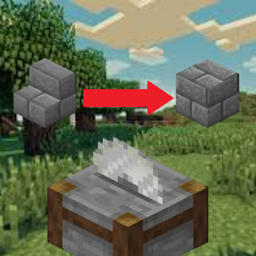
this data_pack allows to change stairs, walls back to blocks and more
by RollsRoyce
Download Claim this project
1,178 downloads
0 likes
0 followers
Updated Oct 14, 2026
0 hypes
Follow0
Miscellaneous Tech Utility
Advertisement Remove ads with Premium →


No more mistake


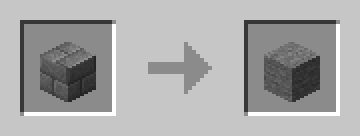
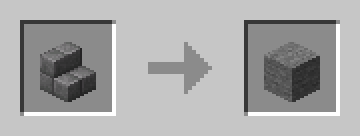
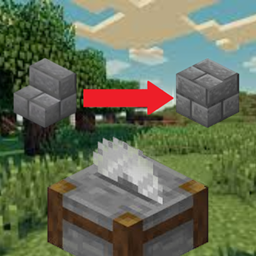
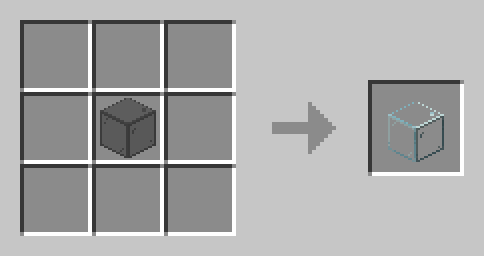
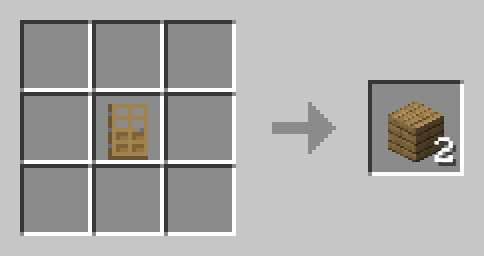
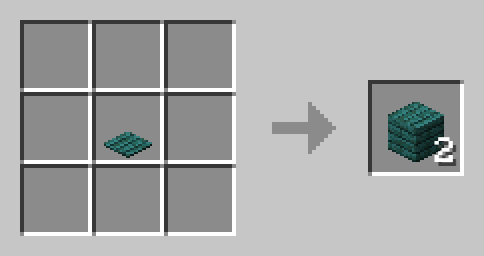
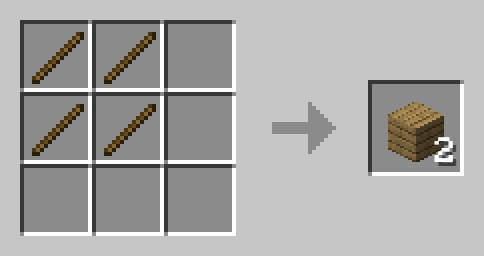
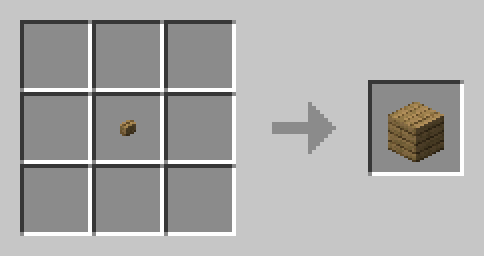
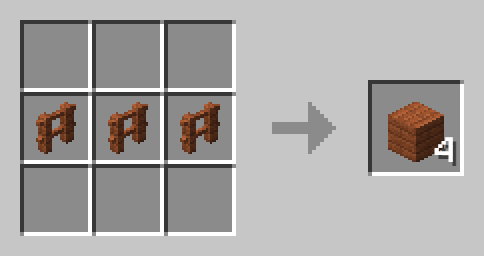
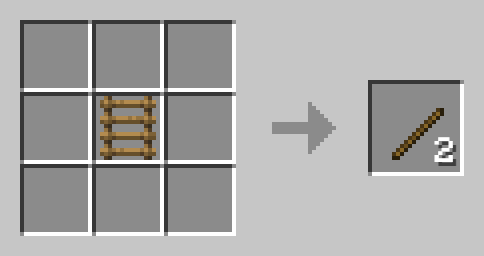
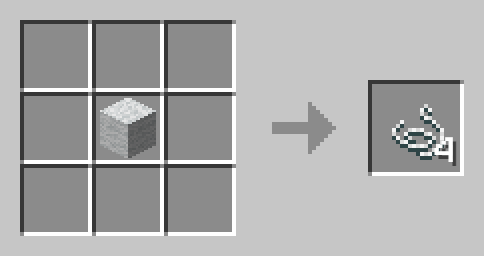
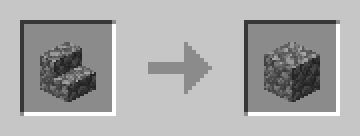
This data pack brings the ability to change stair walls and more back to the block in stone cutter. Perfect for those who often make the mistake of doing the wrong block stair or somthing else.


example


Installation Instructions:

  1. Download the data pack and place it into the datapacks folder of your Minecraft world.
  2. Run the /reload command in your Minecraft world to activate the data pack.

 

  • Works with Minecraft version [from1.20 to 1.13 ].
no more mistake(3.0)(1.13x-1.20x).zip
MC 1.16-Snapshot, 1.17.1, 1.16.3, 1.13.1, 1.19.3, 1.20.2, 1.16.1, 1.18.1, 1.19.4-Snapshot, 1.20.5, 1.14.4, 1.14.1, 1.17, 1.20.2-Snapshot, 1.20.5-Snapshot, 1.14.3, 1.15, 1.16, 1.13
Release 2024-10-10 Get
no more mistake(2.0)(1.13x-1.20x).zip
MC 1.16-Snapshot, 1.17.1, 1.16.3, 1.13.1, 1.19.3, 1.20.2, 1.15-Snapshot, 1.16.1, 1.18.1, 1.19.4-Snapshot, 1.20.5, 1.14.4, 1.14.1, 1.17, 1.20.2-Snapshot, 1.20.5-Snapshot, 1.14.3, 1.15
Release 2024-09-27 Get
no more mistake(1.0)(1.13x-1.20x).zip
MC 1.16-Snapshot, 1.17.1, 1.16.3, 1.13.1, 1.19.3, 1.20.2, 1.15-Snapshot, 1.16.1, 1.18.1, 1.19.4-Snapshot, 1.20.5, 1.14.4, 1.14.1, 1.17, 1.20.2-Snapshot, 1.20.5-Snapshot, 1.14.3, 1.15
Release 2024-09-24 Get
no more mistake(1.13x-1.20x).zip
MC 1.16-Snapshot, 1.17.1, 1.16.3, 1.13.1, 1.19.3, 1.20.2, 1.15-Snapshot, 1.16.1, 1.18.1, 1.19.4-Snapshot, 1.20.5, 1.14.4, 1.14.1, 1.17, 1.20.2-Snapshot, 1.20.5-Snapshot, 1.14.3, 1.15
Release 2024-09-14 Get

Requirements & install

How to use this data pack in Minecraft
Mods needed
None, works in vanilla
Minecraft
1.17.1 – 1.20.5
Install folder
saves/<world>/datapacks

How to install data packs

  1. Download the data pack .zip file (do not extract it).
  2. New world: click Data Packs on the world creation screen and drop the .zip in. Existing world: open .minecraft/saves/<world>/datapacks.
  3. Put the .zip into the datapacks folder of the world (servers: world/datapacks).
  4. Run /reload in game (or rejoin the world) and check it with /datapack list.
Browse more: Data Packs for 1.20.5 All data packs

More from RollsRoyce

Advertisement Remove ads with Premium →

You Might Also Like