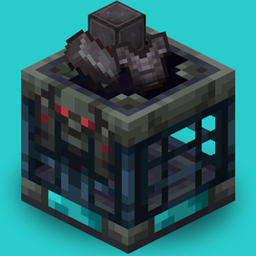
Enhance your Ominous Vault loot with a chance to obtain valuable Netherite items without replacing primary methods in the nether.
This datapack/mod adds a variety of Netherite-related loot—including Ancient Debris, Netherite Scraps, Netherite Ingots, Netherite equipment, and even the extremely rare Netherite Block—to the Ominous Vault loot table. Every item has its own independent drop chance, making every vault opening more exciting.
Materials
| Item | Type | Chance | Weight |
|---|---|---|---|
| Ancient Debris | Material | 10.0% | 4 |
| Netherite Block | Material | 0.3% | 1 |
| Netherite Ingot | Material | 2.5% | 2 |
| Netherite Scrap | Material | 8.0% | 3 |
| Netherite Helmet | Armor | 2.0% | 1 |
| Netherite Chestplate | Armor | 1.5% | 2 |
| Netherite Leggings | Armor | 1.5% | 1 |
| Netherite Boots | Armor | 2.0% | 2 |
| Netherite Sword | Weapon | 1.5% | 1 |
| Netherite Axe | Tool & Weapon | 1.5% | 1 |
| Netherite Pickaxe | Tool | 2.0% | 1 |
| Netherite Spear | Weapon | 15.0% | 5 |
| Netherite Hoe | Tool | 20.0% | 5 |
| Netherite Shovel | Tool | 20.0% | 5 |
Weight determines how likely an item is to be selected relative to other items within the loot pool. Higher weights increase the probability of being chosen.
Datapack
Win + R.%appdata%\.minecraft and press Enter.saves.datapacks folder..zip file inside.Mod
Win + R.%appdata%\.minecraft and press Enter.mods folder..jar file inside.Datapack
Cmd + Shift + G.~/Library/Application Support/minecraft.saves → your world folder → datapacks..zip file inside.Mod
Cmd + Shift + G.~/Library/Application Support/minecraft.mods folder..jar file inside.Datapack
~/.minecraft/saves/[Your World Name]/datapacks..zip file inside.Mod
~/.minecraft/mods..jar file inside.