Mineuniverse
Data Packs
Name Tag Mobs To Be Friends

Name Tag Mobs To Be Friends

DATA PACK
Name Mobs "Friend" to Make them Friendly Towards Players
by Juni_Knytt
Download Claim this project
Add a badge to your pageLink to Name Tag Mobs To Be Friends from a README, website or forum post.
Preview: Badge

Badges update automatically and link to the data pack page on MineUniverse.

245 downloads
0 likes
0 followers
Updated Oct 14, 2026
0 hypes
Follow0
Miscellaneous Utility
Advertisement Remove ads with Premium →

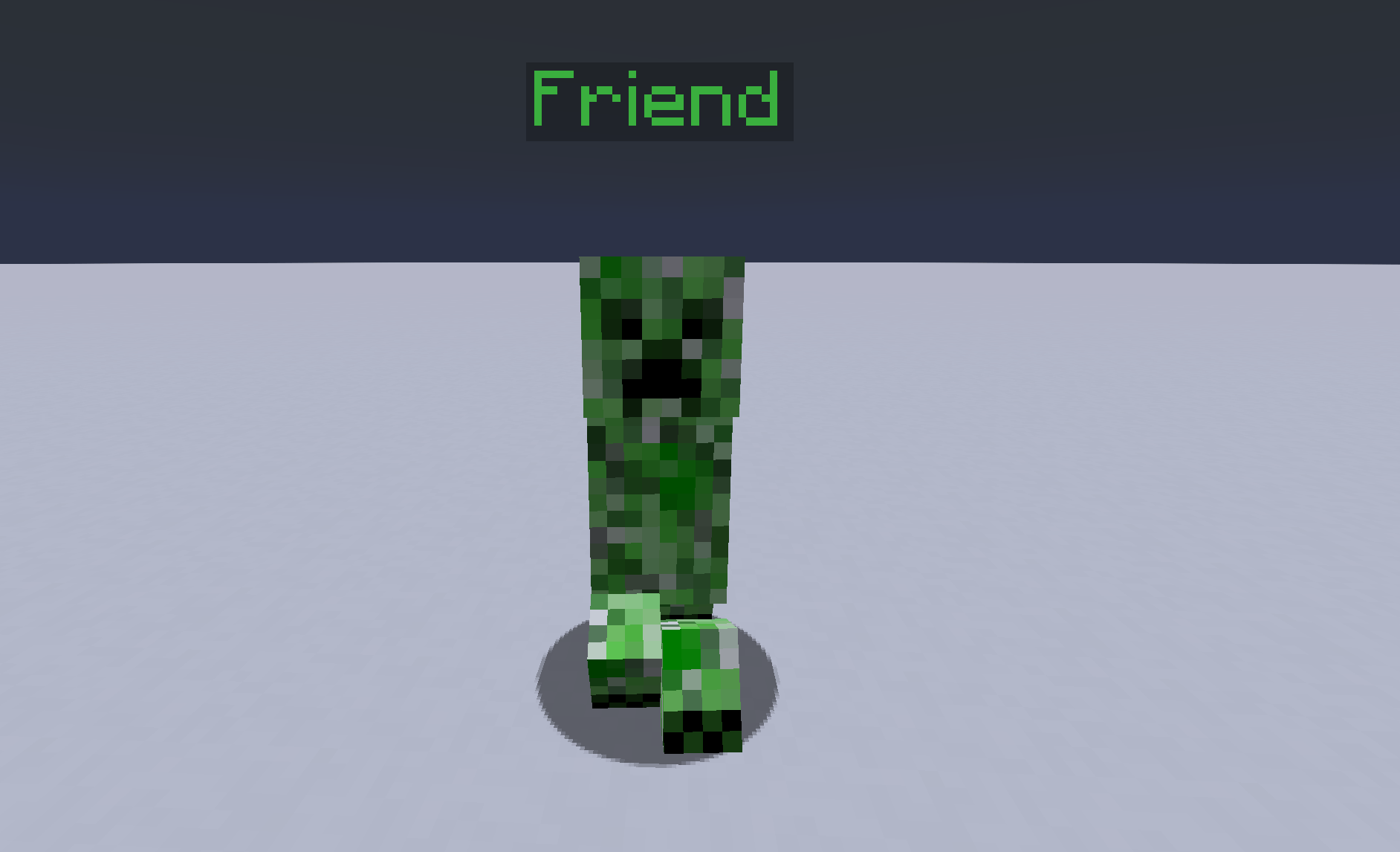
A Very Basic Datapack that lets players name hostile or neutral mobs "friend" to turn them passive towards players.

Useful for roleplay, companionship, or adding life to builds without endangering players.
- Mobs can be renamed without becoming hostile.
- Removes items from the friended mob's hands.
- Prevents friended mobs from burning in sunlight or being zombified.
- Bosses cannot be converted.
- Friended mobs do not drop anything.

This system works using Minecraft's team commands.

friendly mobs v1.0.5 (MC 1.21.1-1.21.8).zip
MC 1.21, 1.21.8, 1.21.5, 1.21.4, 1.21.1, 1.21.6, 1.21.3, 1.21.7, 1.21.2, 1.21.9, 1.21.10, 1.21.11, 26.1, 26.1.1, 26.1.2
Release 2026-05-09 Get

Requirements & install

How to use this data pack in Minecraft
Mods needed
None, works in vanilla
Minecraft
1.21.7 – 26.1.2
Install folder
saves/<world>/datapacks

How to install data packs

  1. Download the data pack .zip file (do not extract it).
  2. New world: click Data Packs on the world creation screen and drop the .zip in. Existing world: open .minecraft/saves/<world>/datapacks.
  3. Put the .zip into the datapacks folder of the world (servers: world/datapacks).
  4. Run /reload in game (or rejoin the world) and check it with /datapack list.
Browse more: Data Packs for 26.1.2 All data packs

More from Juni_Knytt

Advertisement Remove ads with Premium →

You Might Also Like