A fully customizable action bar datapack - display world info your way.
Transform your action bar into a personal HUD with real-time stats, a stunning dynamic color system, and per-player customization - no mods required.
Home Page: Visit
Online Configurator: Visit
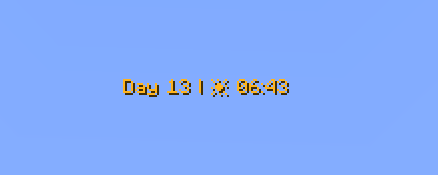
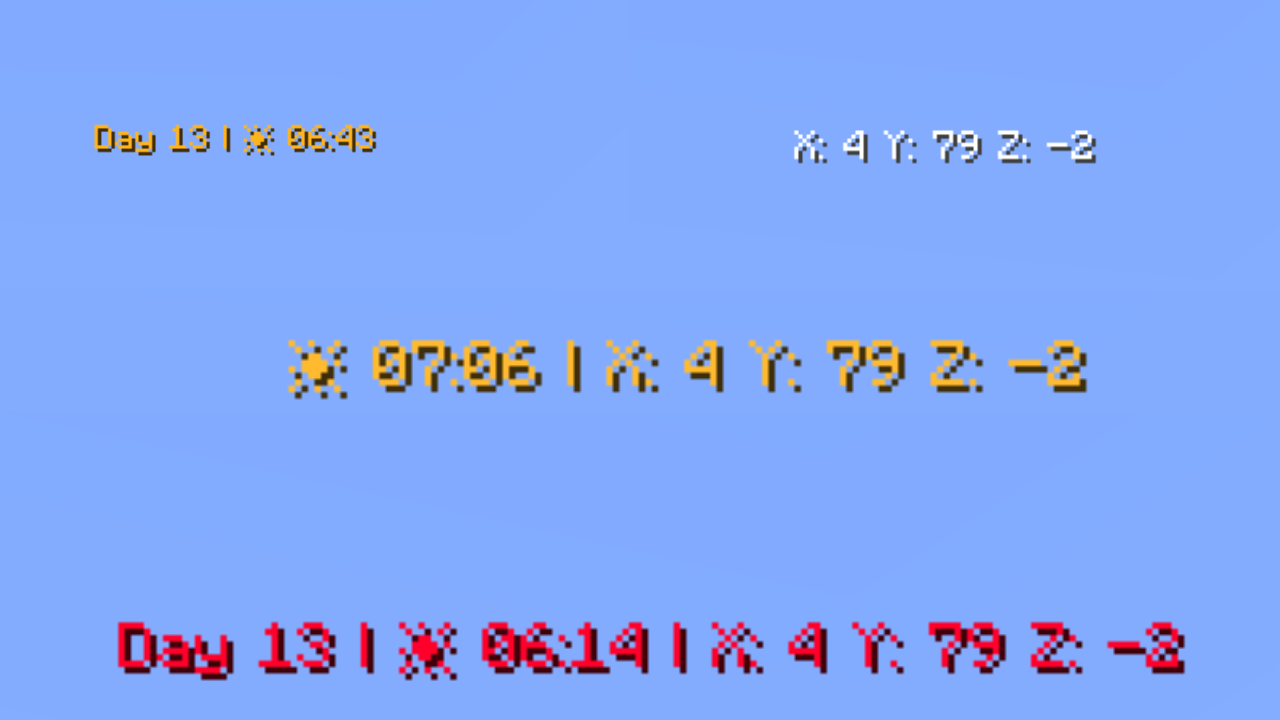
Shows the current in-game day number. Toggle the Day prefix on or off to suit your style.
Displays the current weather in one of two modes:
Icon mode (default) — uses intuitive icons:
Text mode — displays weather as plain text:
SunRainThunderSnowSnow ThunderHidden automatically in the Nether and End, where weather doesn't apply.
Displays the current in-game time in two available formats:
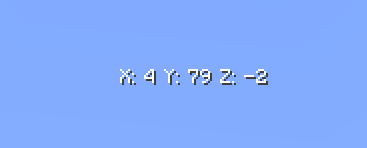
14:302:30 PMShows your current X, Y, Z position. Toggle the coordinate prefix on or off independently.
Shows which direction you're currently looking. Supports full names (e.g. West), abbreviated names (e.g. W), and optional intercardinal directions (e.g. North-East / NE).
Displays your player head icon inside the action bar for a personalized touch.
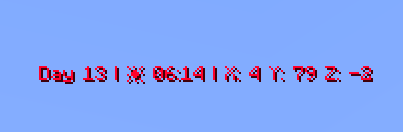
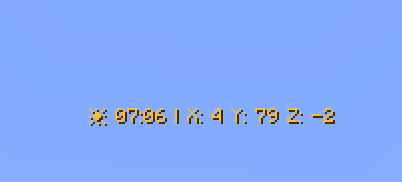
The action bar text color smoothly transitions based on the in-game time shown on the clock. The chart below shows the full 24-hour color cycle:

00:00 → 04:00 — Deep purple/indigo (late night) 04:00 → 08:00 — Warm golden yellow (sunrise) 08:00 → 12:00 — Fading into bright white (morning) 12:00 — Pure white (noon peak) 12:00 → 16:00 — Shifting into warm orange (afternoon) 16:00 → 20:00 — Deep orange-red (sunset) 20:00 → 23:59 — Fading back to cool blue/purple (night)
Fun fact: Every single hour and minute has its own individually defined color — that's 1,440 unique color values declared in total!
Every player can personalize their own action bar using /trigger commands — no operator permissions needed.
| Command | Description | Default |
|---|---|---|
/trigger version |
Display the current datapack version | - |
/trigger default |
Reset all settings to default | - |
/trigger random |
Randomize all action bar settings | - |
/trigger show |
Toggle the action bar on/off | Shown |
/trigger show_days |
Toggle the day counter | Shown |
/trigger show_weather_info |
Toggle the weather indicator | Shown |
/trigger weather_info_type |
Switch weather display mode | Icon mode |
/trigger show_clock |
Toggle the clock | Shown |
/trigger time_format |
Switch clock between 24h and 12h | 24-hour |
/trigger show_cordinates |
Toggle coordinates | Hidden |
/trigger show_days_prefix |
Toggle the "Day X" prefix text | Shown |
/trigger show_cordinates_prefix |
Toggle the coordinate prefix labels | Shown |
/trigger show_facing_direction |
Toggle the facing direction indicator | Hidden |
/trigger facing_direction_type |
Switch between full and abbreviated direction names | Full |
/trigger facing_direction_advanced |
Toggle intercardinal directions (e.g. North-East) | Disabled |
/trigger show_player_head |
Toggle the player head icon | Hidden |
/trigger dynamic_clock_color |
Toggle the dynamic gradient color | Enabled |
/trigger set_color |
Set a static solid color (requires dynamic color OFF) | Default color |
/trigger text_style |
Set the text formatting style | Default |
/trigger separators |
Change the separator character between elements | • |
/trigger external_separators |
Change or enable outer separators at start/end of bar | Disabled |
/trigger display_order |
Change the display order of elements | Default |
/trigger weather_info_type)set 0 — icon mode (default)set 1 — text mode/trigger time_format)set 0 — 24-hour format (default)set 1 — 12-hour format/trigger facing_direction_type)set 0 — full names, e.g. West (default)set 1 — abbreviated names, e.g. W/trigger facing_direction_advanced)set 0 — cardinal directions only (default)set 1 — include intercardinal directions, e.g. North-East / NE/trigger text_style)Choose from 13 formatting styles for the action bar text:
set 0 — default formatting (default)set 1 — underlineset 2 — boldset 3 — bold + underlineset 4 — italicset 5 — italic + boldset 6 — italic + underlineset 7 — italic + bold + underlineset 8 — strikethroughset 9 — strikethrough + boldset 10 — strikethrough + underlineset 11 — strikethrough + italicset 12 — strikethrough + underline + italic + bold/trigger separators)Change the character that separates elements in the action bar.
/trigger separators set 0 — use the default • character/trigger separators set <1–64> — pick a specific separator/trigger separators add <value> — offset from your current separatorSee the full separator palette on the website
/trigger external_separators)Add decorative separators at the very beginning and end of the action bar.
/trigger external_separators set 0 — disable outer separators (default)/trigger external_separators set <1–64> — pick a specific outer separator style/trigger external_separators add <value> — offset from your current selection/trigger display_order)Rearrange the order in which elements appear in the action bar.
/trigger display_order set 0 — restore default order (default)/trigger display_order set <1–719> — choose one of the available orderings/trigger display_order add <value> — offset from your current order/trigger set_color)When dynamic color is disabled, choose from 64 handpicked colors organized by palette:
White (1–6) → Red (7–11) → Orange (12–15) → Yellow (16–21) → Green (22–28) → Cyan (29–32) → Blue (33–42) → Purple (43–47) → Pink (48–52) → Brown (53–56) → Other (57–64)
/trigger set_color set <1–64> — pick a specific color/trigger set_color add <value> — offset from your current color/trigger set_color (alone) — cycle to the next color/trigger set_color set 0 — revert to default colorSee the full color palette on the website
All commands follow the same toggle/set pattern:
set 1 → enable/showset 0 → disable/hide or reset to default/trigger show) → toggles between statesCreator: MrKazanek
Thank you to everyone who supported this project! ❤️