Mineuniverse
Data Packs
MT Vegan

MT Vegan

DATA PACK
Simple datapack for vegan-free survival, adds Rotten Flash recycling to Leather
by MEGATREX4
Download Claim this project
1,319 downloads
0 likes
Updated Oct 14, 2026
0 hypes
Miscellaneous Utility
Advertisement Remove ads with Premium →

Full logo

Introducing "MT Vegan," the ultimate datapack for Minecraft survivalists who value compassion and sustainability in their gameplay. With "MT Vegan," you can enjoy all the features of traditional survival mode while making ethical choices that support a cruelty-free virtual world.
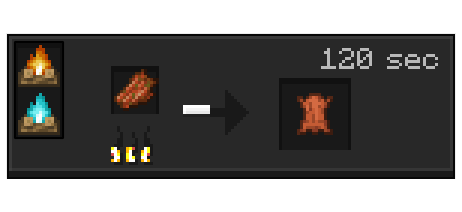
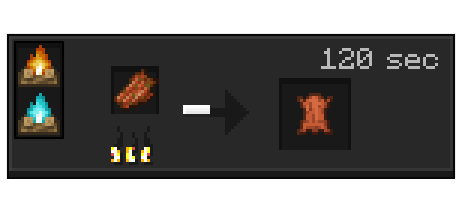
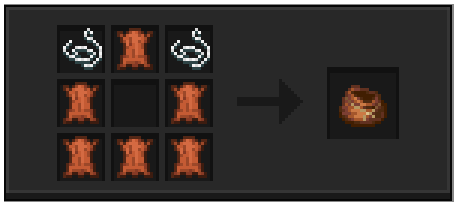
leather

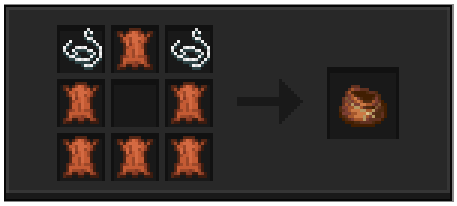
Crafting Leather has never been more humane. Simply recycle Rotten Flesh on a campfire to obtain Leather, eliminating the need for animal products in your crafting endeavors. This eco-friendly alternative ensures that no creature is harmed in the process of obtaining essential materials for armor, books, and more.
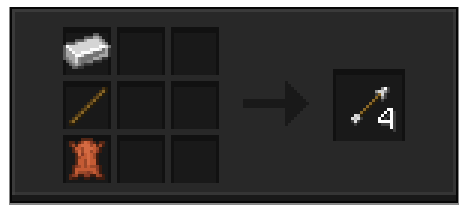
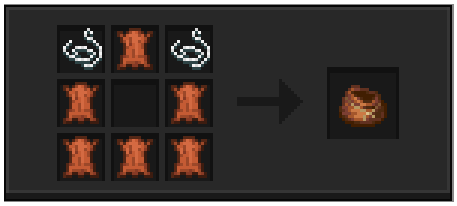
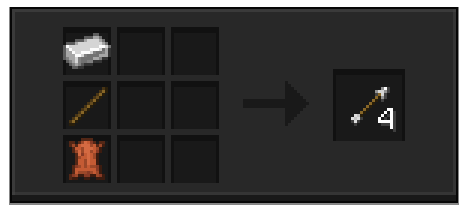
Arrows

Leather

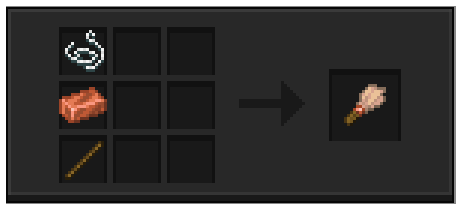
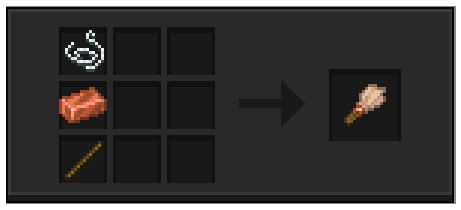
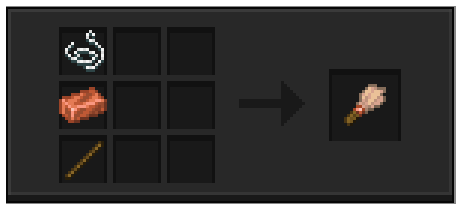
Brush

But the benefits of "MT Vegan" don't stop there. Say goodbye to the reliance on feathers for crafting arrows, written book. Instead.
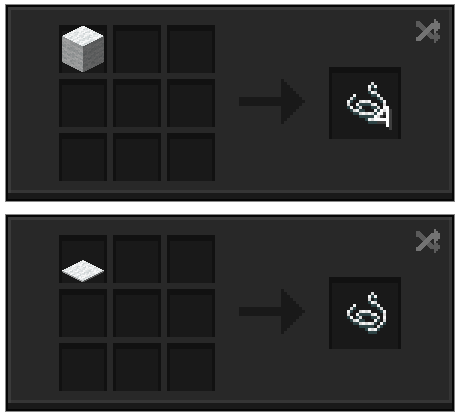
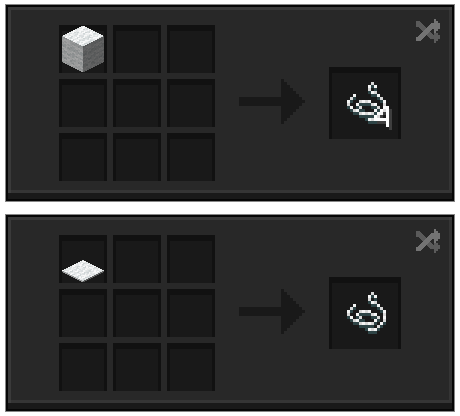
Strings

Moreover, Wool can now be recycled into Strings, providing a renewable source of material for all your crafting needs. Even Wool Carpets can be repurposed into Strings, minimizing waste and maximizing resource efficiency.

And let's not forget about brush! With "MT Vegan," you can craft this essential tool using strings instead of feathers, embracing a cruelty-free approach to your artistic endeavors.

Join the movement towards ethical gaming and embrace the spirit of compassion with "MT Vegan." Experience the satisfaction of sustainable survival and make a positive impact on your virtual world today.

MTVegan 1.0.2
MC 1.16-Snapshot, 1.17.1, 1.16.3, 1.13.1, 1.19.3, 1.20.2, 1.15-Snapshot, 1.16.1, 1.18.1, 1.19.4-Snapshot, 1.14.4, 1.14.1, 1.17, 1.20.2-Snapshot, 1.14.3, 1.15, 1.16, 1.13, 1.19.4
Release 2024-04-29 Get
LeatherCraft 1.0
MC 1.16-Snapshot, 1.17.1, 1.16.3, 1.13.1, 1.19.3, 1.20.2, 1.15-Snapshot, 1.16.1, 1.18.1, 1.19.4-Snapshot, 1.14.4, 1.14.1, 1.17, 1.20.2-Snapshot, 1.14.3, 1.15, 1.16, 1.13, 1.19.4
Release 2024-04-26 Get

Requirements & install

How to use this data pack in Minecraft
Mods needed
None, works in vanilla
Minecraft
1.17 – 1.20.2
Install folder
saves/<world>/datapacks

How to install data packs

  1. Download the data pack .zip file (do not extract it).
  2. New world: click Data Packs on the world creation screen and drop the .zip in. Existing world: open .minecraft/saves/<world>/datapacks.
  3. Put the .zip into the datapacks folder of the world (servers: world/datapacks).
  4. Run /reload in game (or rejoin the world) and check it with /datapack list.
Browse more: Data Packs for 1.20.2 All data packs

More from MEGATREX4

Advertisement Remove ads with Premium →

You Might Also Like