
Features
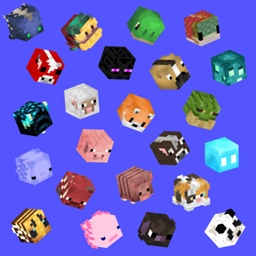
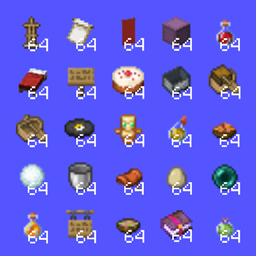
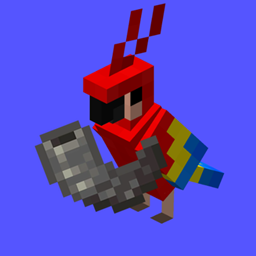
1. 500+ unique heads --> every mob, baby and variant in the game
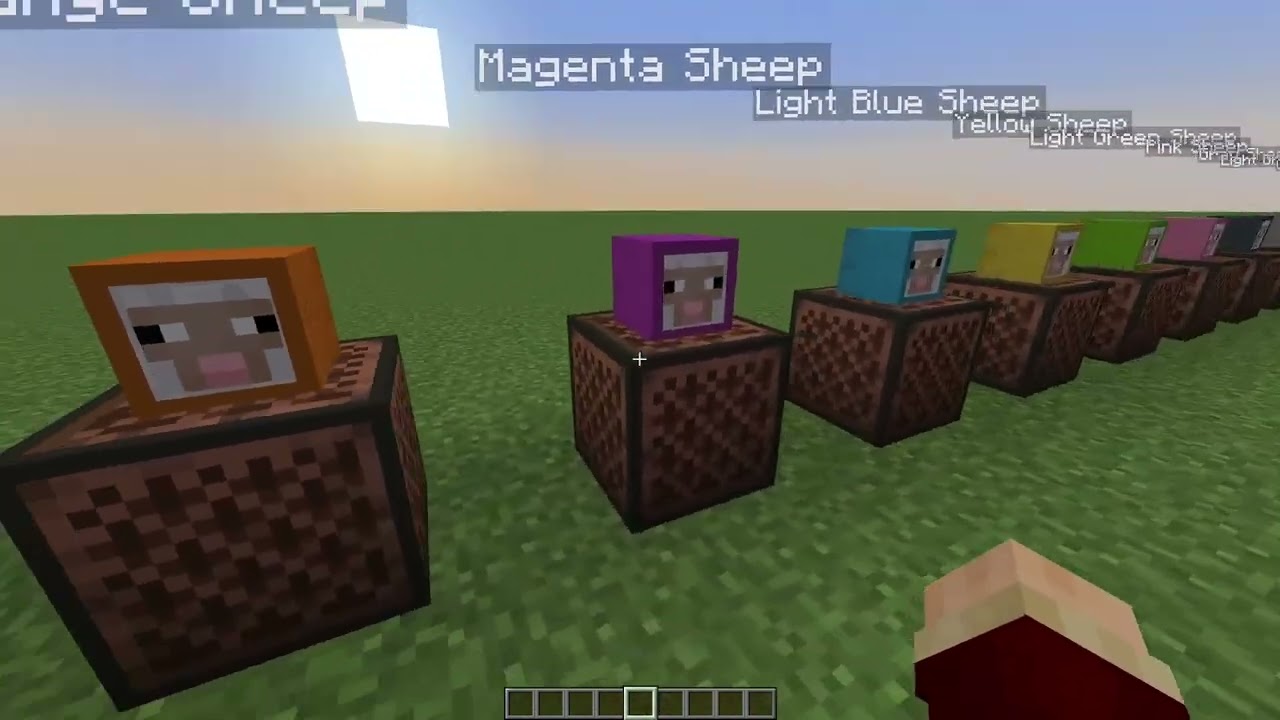
2. Custom note block sounds for all heads
3. Advancement collection to track your progress
4. Chat notifications when a head drops
5. Fully translated with my
Jodeks translations Resourecpack (German, French, Spanish, Japan, Chinese, Russian)
Config
Run ingame:
/trigger mob_heads.config
- Choose between player kill or charged creeper drops
- Adjust drop rates
- Change drop messages
If you want to give yourself a head:
/trigger get_mob_head
Looting does not affect drop rates
Latest Update
Default drop rates
| # |
Mob |
Drop Rate |
| 1 |
Allay |
5% |
| 2 |
Armadillo |
5% |
| 3 |
Axolotl |
5% |
| 4 |
Blue Axolotl |
10% |
| 5 |
Bat |
5% |
| 6 |
Bee |
5% |
| 7 |
Blaze |
3% |
| 8 |
Bogged |
5% |
| 9 |
Breeze |
5% |
| 10 |
Camel |
5% |
| 11 |
Camel Husk |
7% |
| 12 |
Cat |
5% |
| 13 |
Cave Spider |
3% |
| 14 |
Chicken |
2% |
| 15 |
Cod |
2% |
| 16 |
Copper Golem |
3% |
| 17 |
Cow |
2% |
| 18 |
Creaking |
5% |
| 19 |
Creeper |
2% |
| 20 |
Charged Creeper |
10% |
| 21 |
Dolphin |
5% |
| 22 |
Donkey |
5% |
| 23 |
Drowned |
2% |
| 24 |
Elder Guardian |
15% |
| 25 |
Ender Dragon |
20% |
| 26 |
Enderman |
2% |
| 27 |
Endermite |
5% |
| 28 |
Evoker |
5% |
| 29 |
Fox |
5% |
| 30 |
Frog |
5% |
| 31 |
Ghast |
3% |
| 32 |
Glow Squid |
5% |
| 33 |
Goat |
5% |
| 34 |
Guardian |
2% |
| 35 |
Happy Ghast |
5% |
| 36 |
Hoglin |
3% |
| 37 |
Horse |
5% |
| 38 |
Husk |
3% |
| 39 |
Illusioner |
5% |
| 40 |
Iron Golem |
3% |
| 41 |
Llama |
5% |
| 42 |
Magma Cube |
5% |
| 43 |
Mooshroom |
5% |
| 44 |
Brown Mooshroom |
10% |
| 45 |
Mule |
5% |
| 46 |
Nautilus |
5% |
| 47 |
Ozelot |
5% |
| 48 |
Normal & Weak Panda |
5% |
| 49 |
Lazy, Brown, Playful, Aggressive, Worried Panda |
10% |
| 50 |
Parched |
5% |
| 51 |
Parrot |
5% |
| 52 |
Phantom |
3% |
| 53 |
Pig |
2% |
| 54 |
Pilgin Brute |
10% |
| 55 |
Piglin |
3% |
| 56 |
Pillager |
2% |
| 57 |
Polar Bear |
5% |
| 58 |
Pufferfish |
5% |
| 59 |
Rabbit |
5% |
| 60 |
Ravager |
5% |
| 61 |
Salmon |
3% |
| 62 |
Sheep |
2% |
| 63 |
Shulker |
5% |
| 64 |
Silverfish |
2% |
| 65 |
Skeleton Horse |
10% |
| 66 |
Skeleton |
2% |
| 67 |
Slime |
2% |
| 68 |
Sniffer |
5% |
| 69 |
Snow Golem |
2% |
| 70 |
Spider |
2% |
| 71 |
Squid |
3% |
| 72 |
Stray |
3% |
| 73 |
Strider |
5% |
| 73.5 |
Sulfur Cube |
5% |
| 74 |
Tadpole |
5% |
| 75 |
Trader Llama |
3% |
| 76 |
Tropical Fish |
5% |
| 77 |
Turtle |
5% |
| 78 |
Vex |
5% |
| 79 |
Villager |
5% |
| 80 |
Vindicator |
3% |
| 81 |
Wandering Trader |
5% |
| 82 |
Warden |
15% |
| 83 |
Witch |
2% |
| 84 |
Wither |
20% |
| 85 |
Special Wither Skull |
5% |
| 86 |
Wolf |
5% |
| 87 |
Zoglin |
5% |
| 88 |
Zombie Horse |
5% |
| 89 |
Zombie Nautilus |
5% |
| 90 |
Zombie Villager |
7% |
| 91 |
Zombie |
2% |
| 92 |
Zombified Piglin |
2% |
Config [1.21.5 and below] To change drop rates, rarities and drop messages
make sure to unzip the datapack before
Head to:
MobHeads/data/mobheads/function/config
and then edit the specific file (drop _rates.mcfunction , rarity.mcfunction , drop_messages.mcfunction)
don't forget to save the file and run /reload afterwards
For anything pre (before) 1.21
<details>
<summary>Drop chances for 1.20.4 and 1.20.5-6</summary>
You can use <kbd>Ctrl</kbd> + <kbd>F</kbd> to search
Common = 0.02 = 2%
- Chicken (1.21.5+: temperate, warm, cold)
- Cow (1.21.5+: temperate, warm, cold)
- Cave Spider
- Creeper
- Pig (1.21.5+: temperate, warm, cold)
- Sheep (different heads for all colors)
- Skeleton
- Spider
- Zombie
- Snow Golem
- Iron Golem
Rare = 0.1 = 10 %
- Bat
- Bee
- Blaze
- Bogged
- Cod
- Donkey
- Drowned
- Enderman
- Evoker
- Frog (variants: cold, temperate, warm)
- Glow Squid
- Guardian
- Hoglin
- Horse (variants: white, creamy, chestnut, brown, black, gray, dark_brown)
- Husk
- Llama (variants: white, creamy, gray, bronw)
- Magma Cube
- Mooshroom (variants: red, brown)
- Mule
- Phantom
- Piglin
- Pillager
- Pufferfish
- Salmon
- Slime
- Squid
- Tropical Fish
- Villager (snow, savanna, plains, desert, jungle, taiga)
- Witch
- Wolf (woods, spotted, striped, snowy, rusty, pale, chestnut, black, ashen)
Epic 0.2 = 20 %
- Armadillo
- Allay
- Axolotl (variants: pink, wild, gold, cyan, blue)
- Breeze (1.20.5)
- Camel
- Cat (variants: all black, black, british shorthair, calico, jellie, persian, ragdoll, red, siamese, tabby, white)
- Dolphin
- Elder Guardian
- Endermite
- Fox (variants: red, snow)
- Ghast
- Goat
- Illusioner (not in game)
- Ocelot
- Parrot (variants: red, blue, cyan, gray, green)
- Piglin Brute
- Polar Bear
- Rabbit (variants: brown, white, gold, salt, black, white splotched, evil)
- Ravager
- Shulker
- Silverfish
- Skeleton Horse
- Stray
- Strider
- Trader Llama (variants: white, creamy, gray, bronw)
- Turtle
- Vex
- Vindicator
- Wandering Trader
- Zoglin
- Zombie Horse
- Zombie Villager
- Zombified Piglin
Legendary 0.3 = 30%
- Sniffer
- Warden
- Panda (variants: normal, lazy, worried, playful, weak, aggressive)
Mythic 0.5 = 50%
- Enderdragon
- Wither
- Brown Panda
</details>
##
In the datapack, you can edit these chances by changing the value in:
data/minecraft/loot_tables/entities/entity.json
in there, look for "conditions" and the condition "random_chance" and change the "chance" to the value in % you want the head to drop
#
<picture>
<source media="(prefers-color-scheme: light)" srcset="
" rel="noopener nofollow" target="_blank">https://raw.githubusercontent.com/Mqxx/GitHub-Markdown/main/blockquotes/badge/light-theme/info.svg">

</picture>
Bug Fix for when you place down the heads, destroy them, and pick them up again:
Keep Head Names Mod
This bug is fixed in 1.20.5