Mineuniverse
Data Packs
MJCoordinates

MJCoordinates

DATA PACK
MJCoordinates is a clean, performance-friendly Minecraft datapack that displays your real-time X, Y, Z coordinates, the current world day count, and your cardinal facing direction directly on the action bar.
by MJTech46
Download Claim this project
148 downloads
0 likes
Updated Oct 14, 2026
0 hypes
Tech Utility
Advertisement Remove ads with Premium →
MJCoordinates Icon

MJCoordinates

A lightweight, accurate actionbar coordinate display datapack for Minecraft.


📖 Overview

MJCoordinates is a clean, performance-friendly Minecraft datapack that displays your real-time X, Y, Z coordinates, the current world day count, and your cardinal facing direction directly on the action bar.

Unlike basic data get setups, MJCoordinates includes smart negative coordinate rounding corrections so your actionbar coordinates perfectly match the F3 debug screen across all dimensions.


🎬 Preview & Media

📸 Screenshots

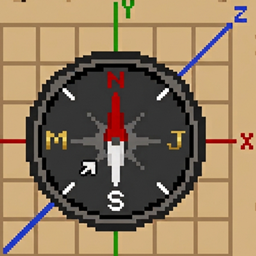
Compass & Direction Display In-Game Gameplay View

✨ Features

  • 📍 Real-time Actionbar HUD: Shows X, Y, Z coordinates, world day count, and facing direction without cluttering your screen.
  • 🛠️ Negative Coordinate Truncation Fix: Corrects the standard Java integer truncation bug where negative coordinates are off by +1.
  • 🧭 Full 360° Compass: Accurately maps player yaw angles (-180° to 180°) across all 8 cardinal directions (N, NE, E, SE, S, SW, W, NW).
  • ⚡ Optimized Performance: Runs efficiently every tick with minimal score calculations and single-tick tag initialization.
  • 🔄 Multi-Version Support: Built natively using Datapack Overlays to support Minecraft versions 1.19 through 26.2 in a single file.

🎯 Supported Versions

  • Minecraft Java Edition: 1.19 – 26.2
  • Note on Incompatibility Warning: When loading on versions higher than 1.19, Minecraft may show a warning saying the pack is "Made for an older/newer version of Minecraft". You can safely ignore this warning—the native overlays system automatically loads the correct syntax and folders for your game version!

🚀 Installation

  1. Go to the MJCoordinates Releases page on GitHub.
  2. Download the latest release file: MJCoordinates_v2.0.0_MCv1.19-1.26.zip.
  3. Open your Minecraft world folder:
    • Windows: %appdata%\.minecraft\saves<your-world-name>\datapacks\
    • macOS: ~/Library/Application Support/minecraft/saves/<your-world-name>/datapacks/
    • Linux: ~/.minecraft/saves/<your-world-name>/datapacks/
  4. Place MJCoordinates_v2.0.0_MCv1.19-1.26.zip directly into the datapacks folder.
  5. Open your world in Minecraft and run:
   /reload

📄 License

This project is open-source and free to use or modify for your own worlds and servers.

MJCoordinates_v2.0.0_MCv1.19-1.26.zip
MC 1.21, 1.19.3, 1.20.2, 1.19.4, 1.21.8, 1.20.5, 1.21.5, 1.21.4, 1.20.1, 1.20, 1.20.6, 1.21.1, 1.21.6, 1.21.3, 1.21.7, 1.19.1, 1.20.4, 1.19.2, 1.20.3, 1.19, 1.21.2, 1.21.9
Release 2026-08-21 Get

Requirements & install

How to use this data pack in Minecraft
Mods needed
None, works in vanilla
Minecraft
1.21.2 – 1.21.9
Install folder
saves/<world>/datapacks

How to install data packs

  1. Download the data pack .zip file (do not extract it).
  2. New world: click Data Packs on the world creation screen and drop the .zip in. Existing world: open .minecraft/saves/<world>/datapacks.
  3. Put the .zip into the datapacks folder of the world (servers: world/datapacks).
  4. Run /reload in game (or rejoin the world) and check it with /datapack list.
Browse more: Data Packs for 1.21.9 All data packs
Advertisement Remove ads with Premium →

You Might Also Like