Mineuniverse
Data Packs
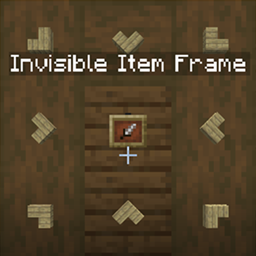
Invisible Item Frames

Invisible Item Frames

DATA PACK
Make your table look good. [Allows non-OP players to turn their frames invisible.]
by SweetLittleAngel
Download Claim this project
122 downloads
0 likes
Updated Oct 14, 2026
0 hypes
Adventure Miscellaneous Utility
Advertisement Remove ads with Premium →

Very simple and lightweight datapack for roleplay or quick server utils.

Write /trigger makeFramesInvisible to turn all frames in radius of 3 block invisible.

makeFramesVisible does the exact opposite.

giveInvFrame add/set [number] gives you the number of custom invisible item frames. Make sure your regular item frame is placed at the utmost left upper side of your inventory or hotbar, otherwise you'll be able to only give yourself one frame at a time before placing it.

That's quite all. Quite lazy but makes it more accessible anyways.

InvFr1.0FIX
MC 1.20.1, 1.20
Release 2026-07-15 Get
InvFr1.0
MC 1.20.1, 1.20
Beta 2026-07-15 Get

Requirements & install

How to use this data pack in Minecraft
Mods needed
None, works in vanilla
Minecraft
1.20 – 1.20.1
Install folder
saves/<world>/datapacks

How to install data packs

  1. Download the data pack .zip file (do not extract it).
  2. New world: click Data Packs on the world creation screen and drop the .zip in. Existing world: open .minecraft/saves/<world>/datapacks.
  3. Put the .zip into the datapacks folder of the world (servers: world/datapacks).
  4. Run /reload in game (or rejoin the world) and check it with /datapack list.
Browse more: Data Packs for 1.20.1 All data packs

More from SweetLittleAngel

Advertisement Remove ads with Premium →

You Might Also Like