Mineuniverse
Data Packs
If you wear armor you die!!

If you wear armor you die!!

DATA PACK
You die if you wear armor!!! It's a challenge
by DJjougo
Download Claim this project
Add a badge to your pageLink to If you wear armor you die!! from a README, website or forum post.
Preview: Badge

Badges update automatically and link to the data pack page on MineUniverse.

24 downloads
0 likes
0 followers
Updated Oct 14, 2026
0 hypes
Follow0
Miscellaneous Utility
Advertisement Remove ads with Premium →

Description

Think you’re a Minecraft pro? Put your survival skills to the ultimate test. This datapack introduces a simple but deadly rule: If you wear even a single piece of armor, you die instantly. No helmets, no chestplates, no leggings, and no boots. Whether it’s leather or netherite, the moment it touches your skin, it’s game over. This forces you to rethink your entire strategy—sneaking past skeletons, avoiding falls, and mastering the art of the shield.


Key Features


Instant Enforcement:
Uses high-performance tick detection to ensure no one cheats the system.

Full Coverage: Detects all four armor slots simultaneously.

Lightweight: Minimal impact on server performance, written specifically for the 1.21.4 folder structure and command syntax.

Multiplayer Compatible: Works for every player on the server.


How to Use

  1. Install: Drop the folder into your world’s datapacks folder.

  2. Activate: Run /reload in-game.

  3. Verify: Type /datapack list to ensure "No Armor Challenge" is green.

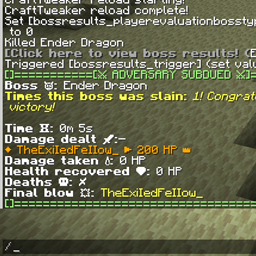
  4. Challenge: Try to beat the Ender Dragon while remaining completely unarmored!


Warning: This datapack is unforgiving. If you have "Auto-Equip" mods or accidentally right-click armor in your hotbar, you will meet your maker. Good luck!

no_armor_datapack.zip
MC 1.21.8, 1.21.5, 1.21.4, 1.21.1, 1.21.6, 1.21.7, 1.21.2, 1.21.9, 1.21.10, 1.21.11
Release 2026-04-14 Get

Requirements & install

How to use this data pack in Minecraft
Mods needed
None, works in vanilla
Minecraft
1.21.4 – 1.21.11
Install folder
saves/<world>/datapacks

How to install data packs

  1. Download the data pack .zip file (do not extract it).
  2. New world: click Data Packs on the world creation screen and drop the .zip in. Existing world: open .minecraft/saves/<world>/datapacks.
  3. Put the .zip into the datapacks folder of the world (servers: world/datapacks).
  4. Run /reload in game (or rejoin the world) and check it with /datapack list.
Browse more: Data Packs for 1.21.11 All data packs

More from DJjougo

Advertisement Remove ads with Premium →

You Might Also Like