Mineuniverse
Data Packs
If you touch grass, you die!

If you touch grass, you die!

DATA PACK
If you touch grass you die.. It may be grass block,, grass or even tall grass.
by DJjougo
Download Claim this project
Add a badge to your pageLink to If you touch grass, you die! from a README, website or forum post.
Preview: Badge

Badges update automatically and link to the data pack page on MineUniverse.

124 downloads
0 likes
0 followers
Updated Oct 14, 2026
0 hypes
Follow0
Adventure Fantasy Miscellaneous Utility
Advertisement Remove ads with Premium →

Touch Grass = Instant Death

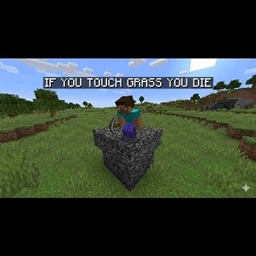
This brutal challenge datapack turns one of the most common blocks in Minecraft into your worst enemy. The moment your character touches any grass block… you die instantly. No warnings. No second chances.

You spawn directly on a bedrock platform when you first join the world

This datapack is perfect for:

Hardcore survival challenges Skill-based gameplay Testing your movement precision and planning

VERY IMPORTANT READ THIS BEFORE USING THE DATAPACK Before creating your world or server, you MUST set the spawn radius to 0. If you don’t do this, players may spawn on grass and die immediately, making the game unplayable.

no_grass_fixed_
MC 1.21.8, 1.21.5, 1.21.4, 1.21.6, 1.21.3, 1.21.7, 1.21.2, 1.21.9, 1.21.10, 1.21.11
Release 2026-04-29 Get

Requirements & install

How to use this data pack in Minecraft
Mods needed
None, works in vanilla
Minecraft
1.21.4 – 1.21.11
Install folder
saves/<world>/datapacks

How to install data packs

  1. Download the data pack .zip file (do not extract it).
  2. New world: click Data Packs on the world creation screen and drop the .zip in. Existing world: open .minecraft/saves/<world>/datapacks.
  3. Put the .zip into the datapacks folder of the world (servers: world/datapacks).
  4. Run /reload in game (or rejoin the world) and check it with /datapack list.
Browse more: Data Packs for 1.21.11 All data packs

More from DJjougo

Advertisement Remove ads with Premium →

You Might Also Like