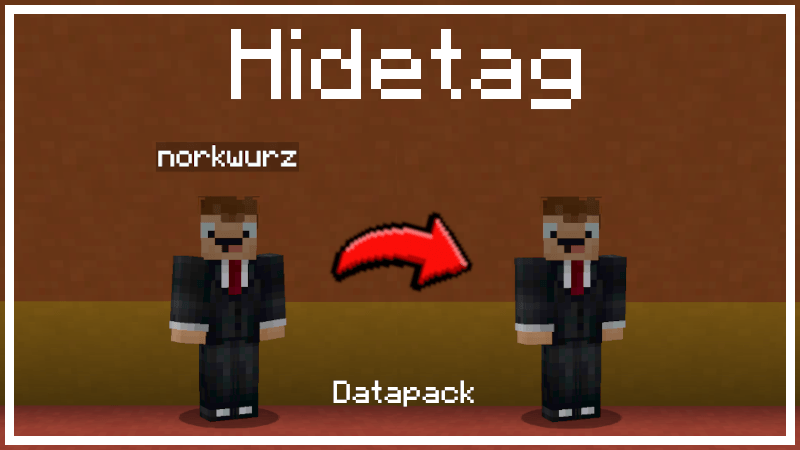
Hide Nametags / Nameplate / Playertag / Nickname / Displayname.
Make names invisible. This data pack hides player names. You can hide the nameplate of everyone or any individual player including yourself. On a server, new players will automatically have their nametag hidden. In time mode, nametags will only be hidden at either day or night for players in the overworld. In dimension mode, nametags will only be hidden in the selected dimensions.
Switch nametags on for everyone:
/function hidetag:stop
Switch nametags off for everyone:
/function hidetag:start
/function hidetag:mode/normal
Switch nametags off for everyone during the day in the overworld:
/function hidetag:mode/time/day
Switch nametags off for everyone during the night in the overworld:
/function hidetag:mode/time/night
Switch nametags off for everyone in the selected dimension(s):
/function hidetag:mode/dimension/overworld
/function hidetag:mode/dimension/nether
/function hidetag:mode/dimension/end
/function hidetag:mode/dimension/overworld_nether
/function hidetag:mode/dimension/overworld_end
/function hidetag:mode/dimension/nether_end
The nametag of any player can be set permanently on or off regardless of what visibility mode every other player has. Make the nametag of a player named "Steve" invisible:
/execute as Steve run function hidetag:disable_individual
Make the nametag of a player named "Alex" visible:
/execute as Alex run function hidetag:enable_individual
Reset "Notch" to the server default nametag visibility:
/execute as Notch run function hidetag:reset_individual
Show the current mode:
/function hidetag:status
Remove datapack artefacts:
/function hidetag:unload_datapack
by norkwurz