Mineuniverse
Data Packs
HCT Collectibles Core Engine

HCT Collectibles Core Engine

DATA PACK
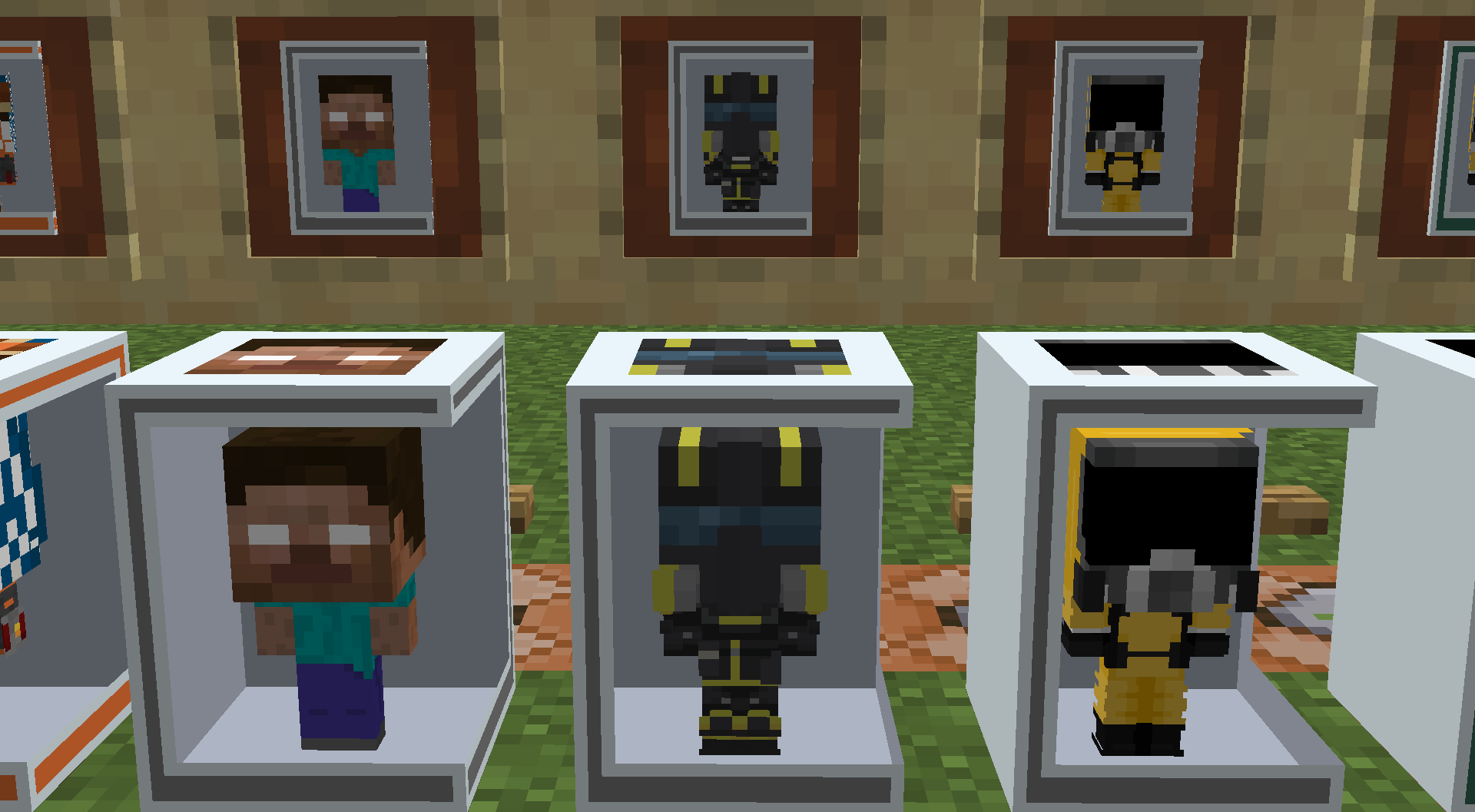
Drives the server-side injection logic, custom loot tables, and structures required to dynamically spawn collectible figures across the Minecraft world.
by HCTSon
Download Claim this project
24 downloads
0 likes
0 followers
Updated Oct 14, 2026
0 hypes
Follow0
Adventure
Advertisement Remove ads with Premium →

Overview

HCT Collectibles Core Engine is the structural backbone of the HCT Collectibles framework. Operating entirely on server-side logic, this data-driven engine overrides and injects custom reward pools directly into world generation parameters without modifying base vanilla code or causing structural incompatibilities.

Core Functionality & Systems

  • Dynamic Loot Injection: Utilizes advanced loot modifiers to cleanly append custom collectible drops directly to existing, world-generated storage containers.
  • Targeted Environments: Seamlessly alters the item generation tables specifically for Vanilla Monster Spawner Dungeons (Simple Dungeons) and Trial Chamber Reward Vaults.
  • Mathematical Rarity Curve: Hardcodes strict random-chance predicates alongside custom empty-slot weights to protect the drop-rate integrity of ultra-rare collectible figure variants.

Operational Execution

This data architecture runs fully native server logic. In multiplayer environments, it requires server-side installation only, executing fluidly without demanding code-execution client updates from joining players. Operators can run the vanilla /reload command at any time to instantly flush out old registry caches and load updated drop configurations mid-session.

HCT Collectibles Core Engine.zip
MC 1.21.1
Release 2026-05-28 Get
HCT Collectibles Core Engine.zip
MC 1.21.1
Release 2026-05-23 Get
HCT Collectibles Core Engine.zip
MC 1.21.1
Release 2026-05-23 Get

Requirements & install

How to use this data pack in Minecraft
Mods needed
None, works in vanilla
Minecraft
1.21.1
Install folder
saves/<world>/datapacks

How to install data packs

  1. Download the data pack .zip file (do not extract it).
  2. New world: click Data Packs on the world creation screen and drop the .zip in. Existing world: open .minecraft/saves/<world>/datapacks.
  3. Put the .zip into the datapacks folder of the world (servers: world/datapacks).
  4. Run /reload in game (or rejoin the world) and check it with /datapack list.
Browse more: Data Packs for 1.21.1 All data packs

More from HCTSon

Advertisement Remove ads with Premium →

You Might Also Like