Mineuniverse
Data Packs
❄️ Frostbound Protocol

❄️ Frostbound Protocol

DATA PACK
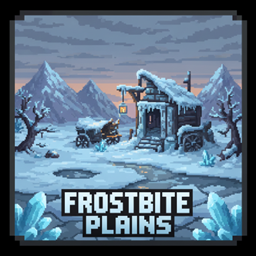
Survive extreme cold and raging blizzards! Manage your body temperature, seek shelter, and endure harsh winters in this immersive 1.20+ Minecraft datapack.
by Danny_Shorties
Download Claim this project
149 downloads
0 likes
Updated Oct 14, 2026
0 hypes
Adventure Miscellaneous
Advertisement Remove ads with Premium →

Looking for custom Minecraft-style assets or stylized low-poly models? I specialize in creating high-quality, optimized 3D models, items, weapons, and characters using Blockbench. Check it out:

https://www.fiverr.com/s/5rWozN3


https://www.fiverr.com/s/XLGADl5


❄️ Frostbound Protocol

Version: 1.5 | Minecraft: 1.20+


🌨 About

Step into the harsh world of Frostbound Protocol, an immersive cold survival datapack. Survive extreme temperatures, blizzards, and the biting cold while exploring snowy biomes.


🔥 Features

  • 🌡 Temperature HUD – See your cold level in real time.
  • ⛺ Spawn Shelter & Loot – Start with a basic shelter, campfire, and survival gear.
  • ❄ Random Blizzards – Blizzard events with screen shake, snow particles, and sound effects.
  • 🐺 Immersive Atmosphere – Snow accumulates, winds howl, and blizzards feel real.
  • 🔥 Campfire & Furnace Heat – Stay warm and survive longer.

⚡ Usage

  • Stand in snowy biomes to accumulate cold.
  • Use campfires or furnaces to reduce cold.
  • HUD shows your temperature in real-time.
  • Blizzard events occur randomly; seek shelter to survive.
  • Use /function frostbound:spawn/shelter to respawn your starter shelter if needed.
  • To test blizzards manually: /function frostbound:blizzard/start

frostbound_protocol_v1.5_1.20+
MC 1.21, 1.20.2, 1.20.5, 1.20.1, 1.20, 1.20.6, 1.21.1, 1.20.4, 1.20.3
Release 2026-01-30 Get

Requirements & install

How to use this data pack in Minecraft
Mods needed
None, works in vanilla
Minecraft
1.20.1 – 1.21.1
Install folder
saves/<world>/datapacks

How to install data packs

  1. Download the data pack .zip file (do not extract it).
  2. New world: click Data Packs on the world creation screen and drop the .zip in. Existing world: open .minecraft/saves/<world>/datapacks.
  3. Put the .zip into the datapacks folder of the world (servers: world/datapacks).
  4. Run /reload in game (or rejoin the world) and check it with /datapack list.
Browse more: Data Packs for 1.21.1 All data packs

More from Danny_Shorties

Advertisement Remove ads with Premium →

You Might Also Like