Mineuniverse
Resource Packs
Dan's GUI HUD Pack

Dan's GUI HUD Pack

RESOURCE PACK
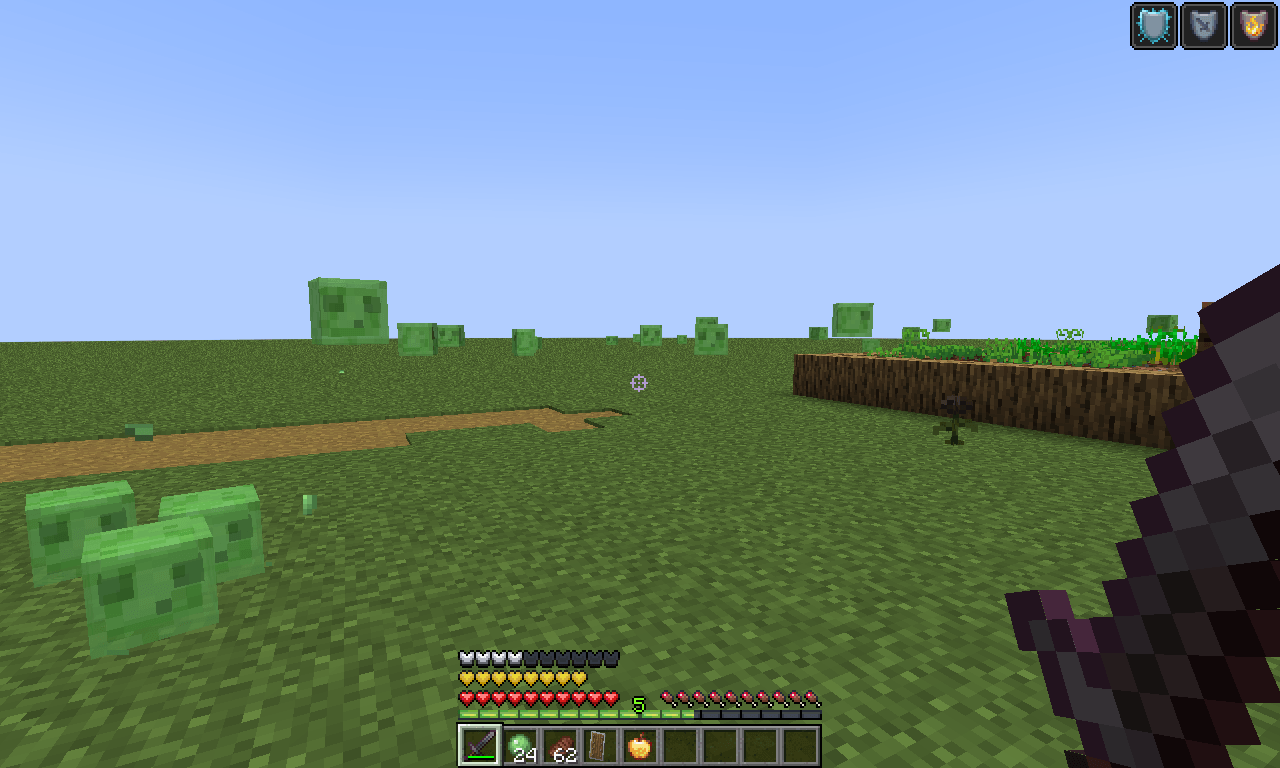
Dan's GUI HUD Pack — a lightweight patch that restores the vanilla Minecraft HUD & Crosshair.
by Danny_Shorties
Download Claim this project
86 downloads
0 likes
0 followers
Updated Oct 14, 2026
0 hypes
Follow0
16x Data Packs Miscellaneous Modern Traditional
Advertisement Remove ads with Premium →


Dan's GUI HUD Pack

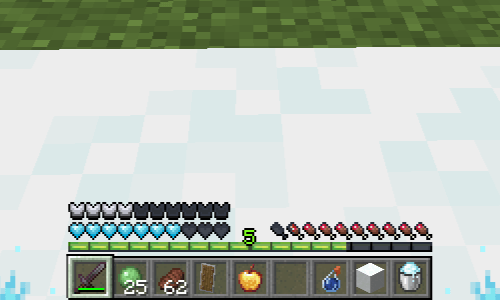
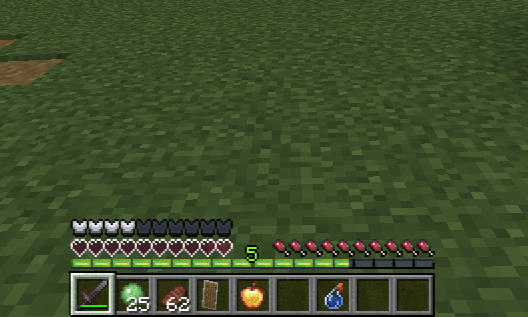
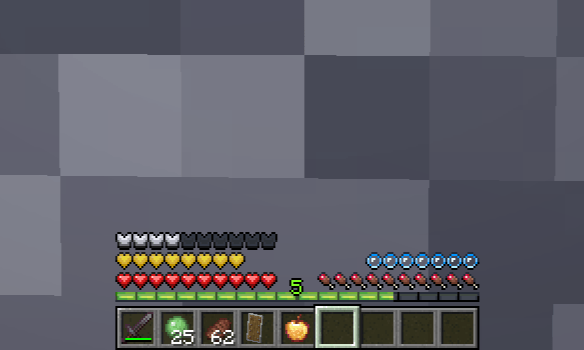
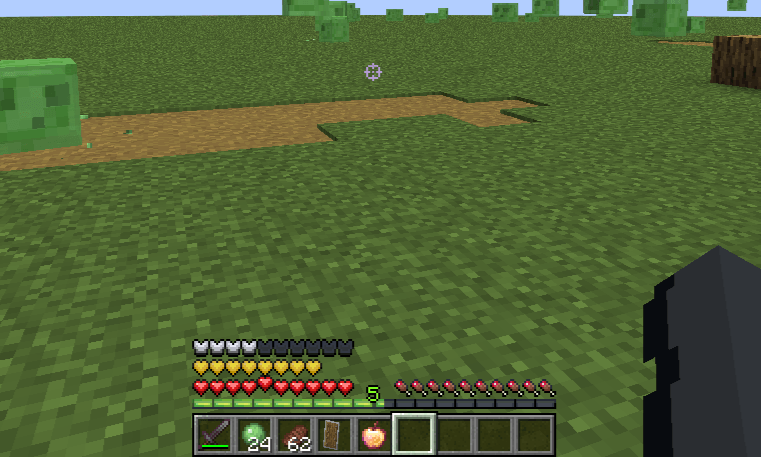
Custom retexture for crosshair, hearts, hunger, armor, XP bar, air bubbles, potion effects & other effects on hearts, and the mount/jump bar. Clean, consistent HUD overhaul — no mods needed.

Built for: Minecraft 1.20.1 (may work on nearby versions, though not guaranteed)


Looking for custom Minecraft-style assets or stylized low-poly models? I specialize in creating high-quality, optimized 3D models, items, weapons, and characters using Blockbench. Check it out:

https://www.fiverr.com/s/5rWozN3


https://www.fiverr.com/s/XLGADl5

Dan's GUI Crosshair_v3
MC 1.17.1, 1.18.1, 1.16.5, 1.19.3, 1.19.4, 1.17, 1.18, 1.20.1, 1.20, 1.19.1, 1.18.2, 1.19.2, 1.19
Release 2026-07-14 Get
Dan's GUI HUD Pack_v2
MC 1.17.1, 1.18.1, 1.16.5, 1.19.3, 1.19.4, 1.17, 1.18, 1.20.1, 1.20, 1.18.2, 1.19.2, 1.19
Release 2026-07-08 Get
Dan's GUI HUD Pack 1.20–1.20.1
MC 1.20.1, 1.20
Release 2026-07-05 Get

Requirements & install

How to use this resource pack in Minecraft
Resolution
16x
Minecraft
1.18.2 – 1.20.1
Install folder
.minecraft/resourcepacks

How to install resource packs

  1. Download the resource pack .zip file (do not extract it).
  2. In Minecraft open Options → Resource Packs → Open Pack Folder.
  3. Drop the .zip into the resourcepacks folder (.minecraft/resourcepacks).
  4. Move the pack to the Selected column and click Done.
Browse more: 16x resource packs 32x resource packs 64x resource packs 128x resource packs 256x resource packs 512x+ resource packs Resource Packs for 1.20.1 All resource packs

More from Danny_Shorties

Advertisement Remove ads with Premium →

You Might Also Like