Mineuniverse
Data Packs
Friendly Mob Craftables Data Pack

Friendly Mob Craftables Data Pack

DATA PACK
Craftable drops so you don't have to kill friendly mobs!
by MainKitty
Download Claim this project
49 downloads
0 likes
Updated Oct 14, 2026
0 hypes
Miscellaneous Utility
Advertisement Remove ads with Premium →

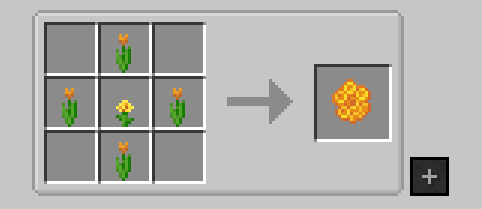
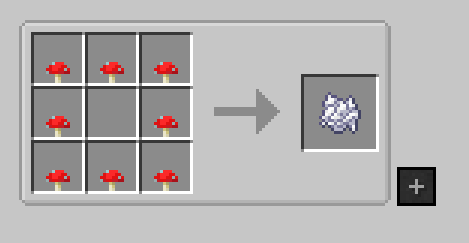
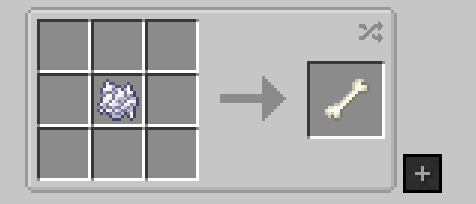
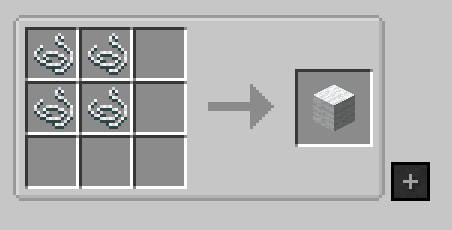
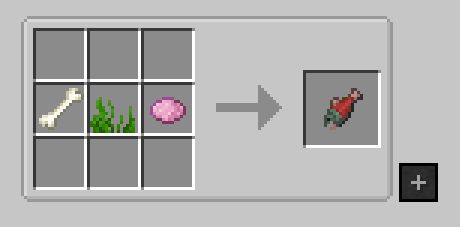
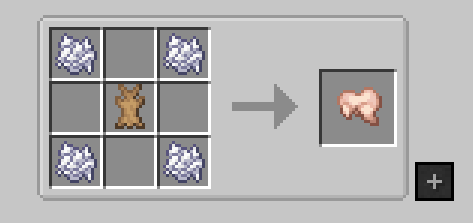
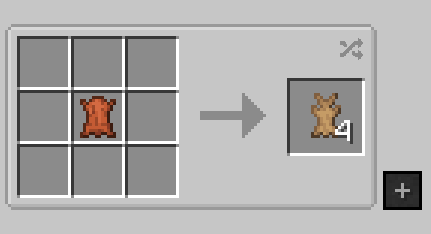
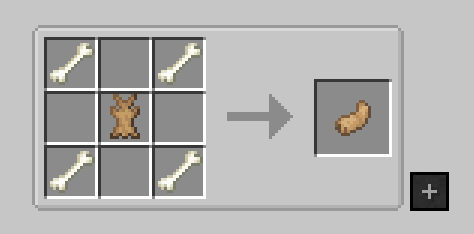
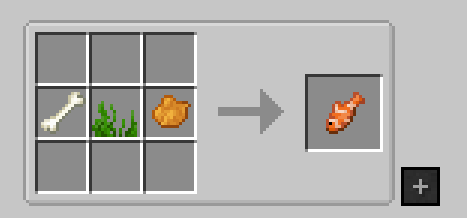
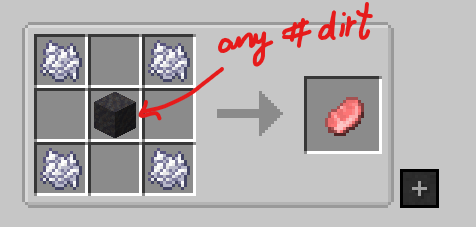
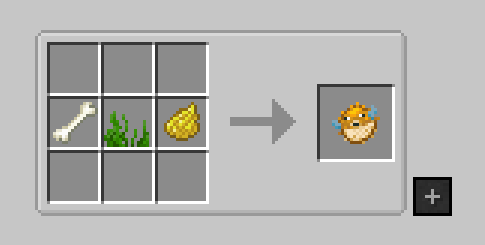
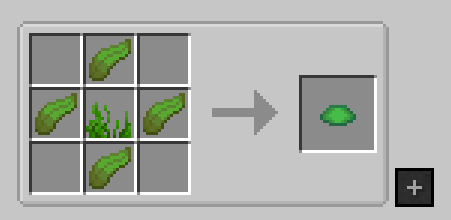
I couldn't find a data pack that had friendly (cows, sheep, etc.) mob drop crafting recipes for 1.19.2. So, I made one.  All recipes can be found in the Gallery section or through JEI. 

---

TLDR

This is only a data pack and it's only for 1.19.2. This is my first data pack.
Current state: Beta (tested and working!) 
I may or may not update it once finished. Feedback is welcome. Made with MCreator.

---

Suggestions
I always use JEI to find my recipes. This data pack is compatible.

I recommend using Polymorph for recipe conflicts. 

Use Peaceful Recipes if you want the complete experience in peaceful mode with added hostile mob drops.

Here is some info on how to install a datapack: https://minecraft.fandom.com/wiki/Tutorials/Installing_a_data_pack

Because this is an individual datapack, you will have to manually install the file and move it to your saved world folder.

Manual installation:

  • Download the datapack file. 
  • Navigate to your Minecraft world directory. 
  • Place the datapack file in the "datapacks" folder within your world directory. 

---

Please don't repost this as your own. Don't repost outside of Curseforge. You can use it in your modpack if the creator credit remains the same.


FriendlyMobCraftables_DP_Beta.zip
MC 1.19.2
Release 2025-03-06 Get
Friendly Mob Craftables Data Pack
MC 1.19.2
Alpha 2025-03-05 Get

Requirements & install

How to use this data pack in Minecraft
Mods needed
None, works in vanilla
Minecraft
1.19.2
Install folder
saves/<world>/datapacks

How to install data packs

  1. Download the data pack .zip file (do not extract it).
  2. New world: click Data Packs on the world creation screen and drop the .zip in. Existing world: open .minecraft/saves/<world>/datapacks.
  3. Put the .zip into the datapacks folder of the world (servers: world/datapacks).
  4. Run /reload in game (or rejoin the world) and check it with /datapack list.
Browse more: Data Packs for 1.19.2 All data packs

More from MainKitty

Advertisement Remove ads with Premium →

You Might Also Like