Tired of converting silk touched ores to fortune by hand? (And still getting a luck based result)
Now you have the Fortune Forge !!!
Convert ore blocks (even ancient debris) to a huge amount of results. The result is the maximum of how much fortune 3 can give in vanilla minecraft. (And 4 for Ancient Debris)
This is a datapack and hence can be used in vanilla minecraft.
Place the zip file in datapacks folder of your world and resourcepacks folder.
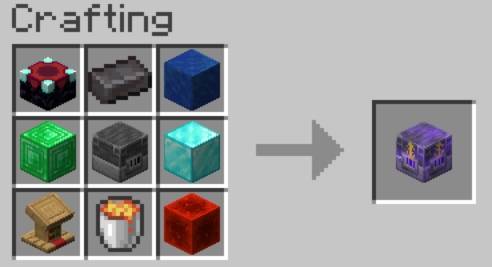
Craft the Fortune Furnace.
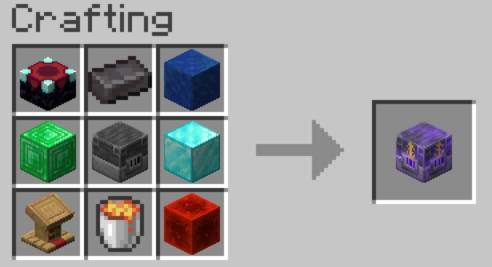
(It may seems expensive, but once you craft one, its very easy to get resources)
Place it with barrel blocks above and below. Your Fortune Forge is READY !

Put ore blocks and some of the following fuels in the barrel above to smelt them. The result will be deposited in the barrel below after 5 seconds (for each ore). The consumption of fuel is uniform for all supported fuels :1 fuel per 1 ore block.
Fuels: coal, charcoal, dried kelp block, blaze rod.
Make sure there is atleast one free slot in the result barrel always or you may lose the results. Recommend adding hopper system to transfer the results to a storage system as some of the ores like lapis gives huge amount of results.
Breaking the fortune furnace will only give you an obsidian back, so place them carefully !
The resource pack alone is avaliable at Fortune Forge Resource Pack.
Please lett me know if there are any bugs.