Mineuniverse
Data Packs
Forged in Blocks

Forged in Blocks

DATA PACK
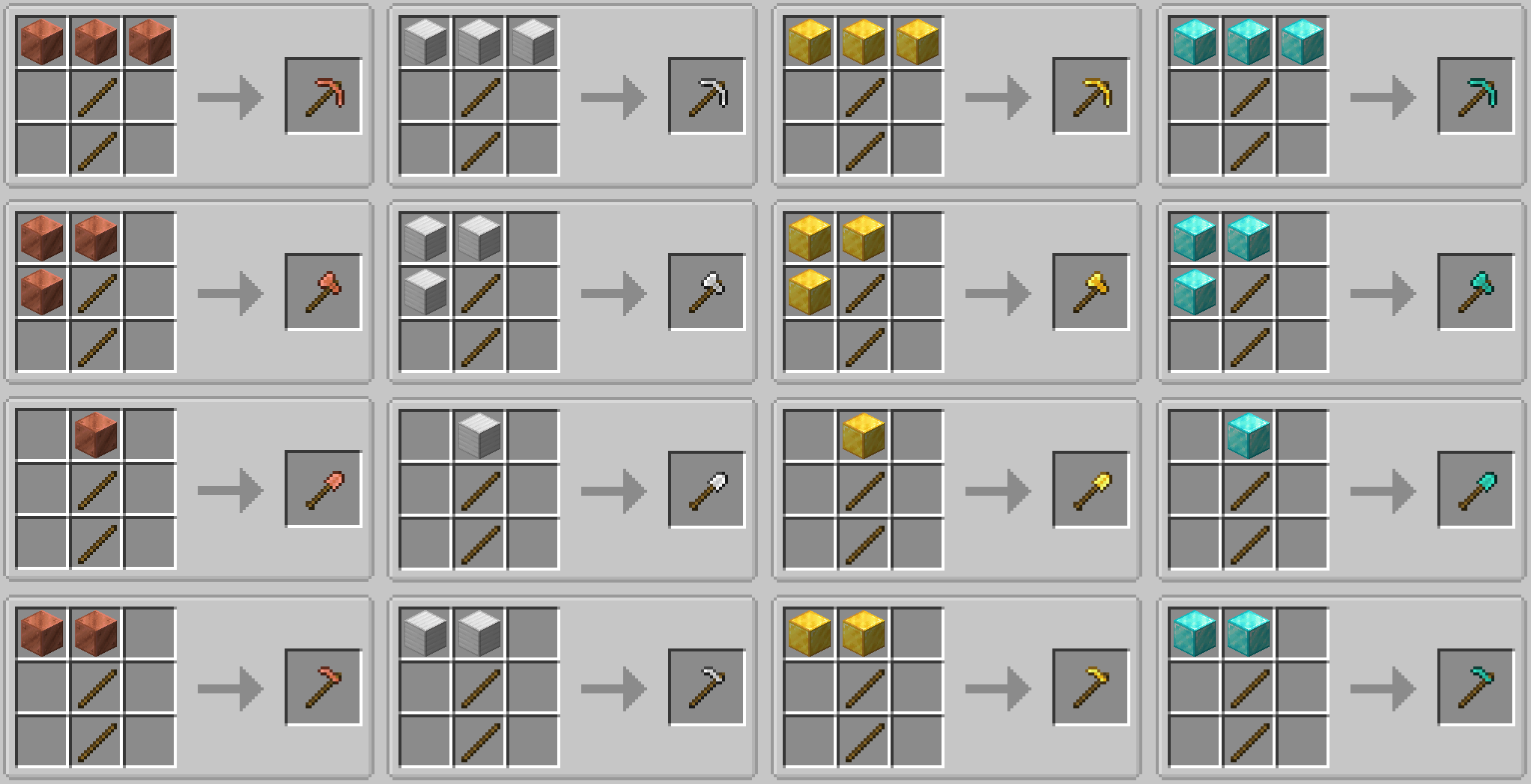
With this datapack — copper, iron, golden and diamond equipment is forged from blocks, not ingots.
by nightkosh
Download Claim this project
64 downloads
0 likes
0 followers
Updated Oct 14, 2026
0 hypes
Follow0
Miscellaneous
Advertisement Remove ads with Premium →

With this datapack — copper, iron, golden and diamond equipment is forged from blocks, not ingots.


Forged in Blocks is a datapack that rethinks early-game progression in Minecraft, making equipment crafting more deliberate and meaningful.

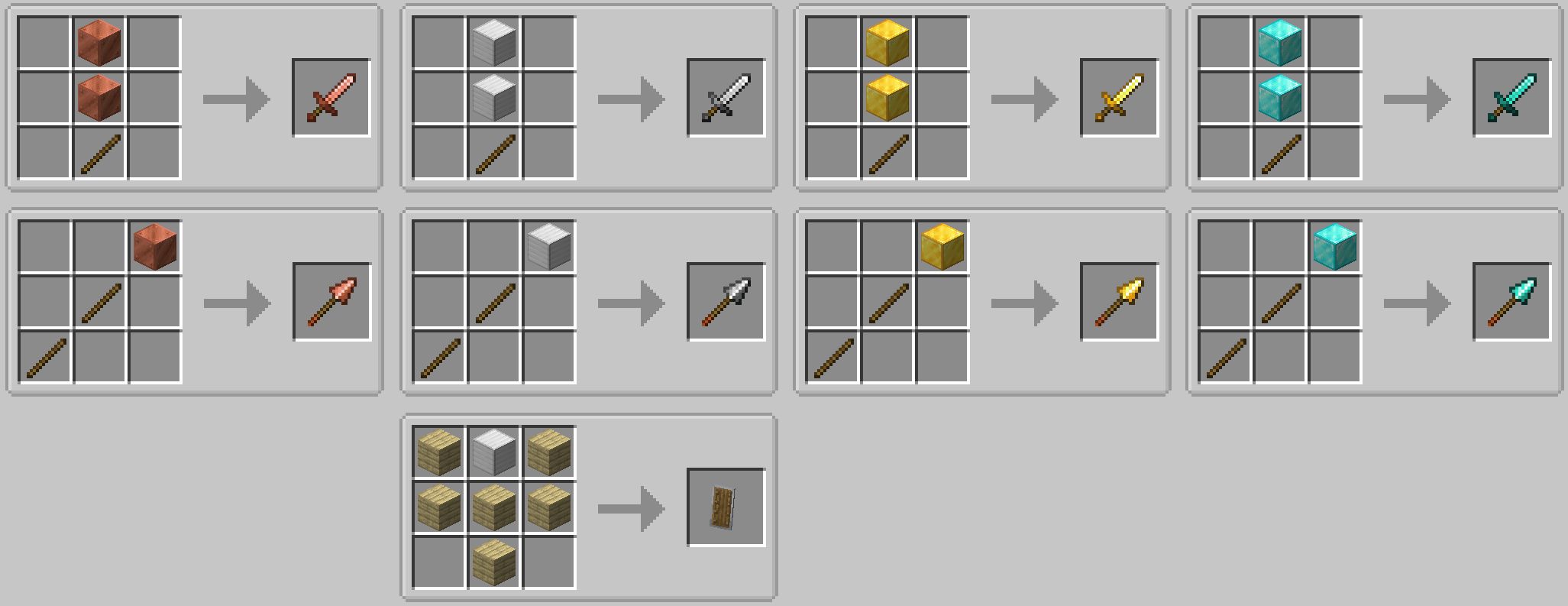
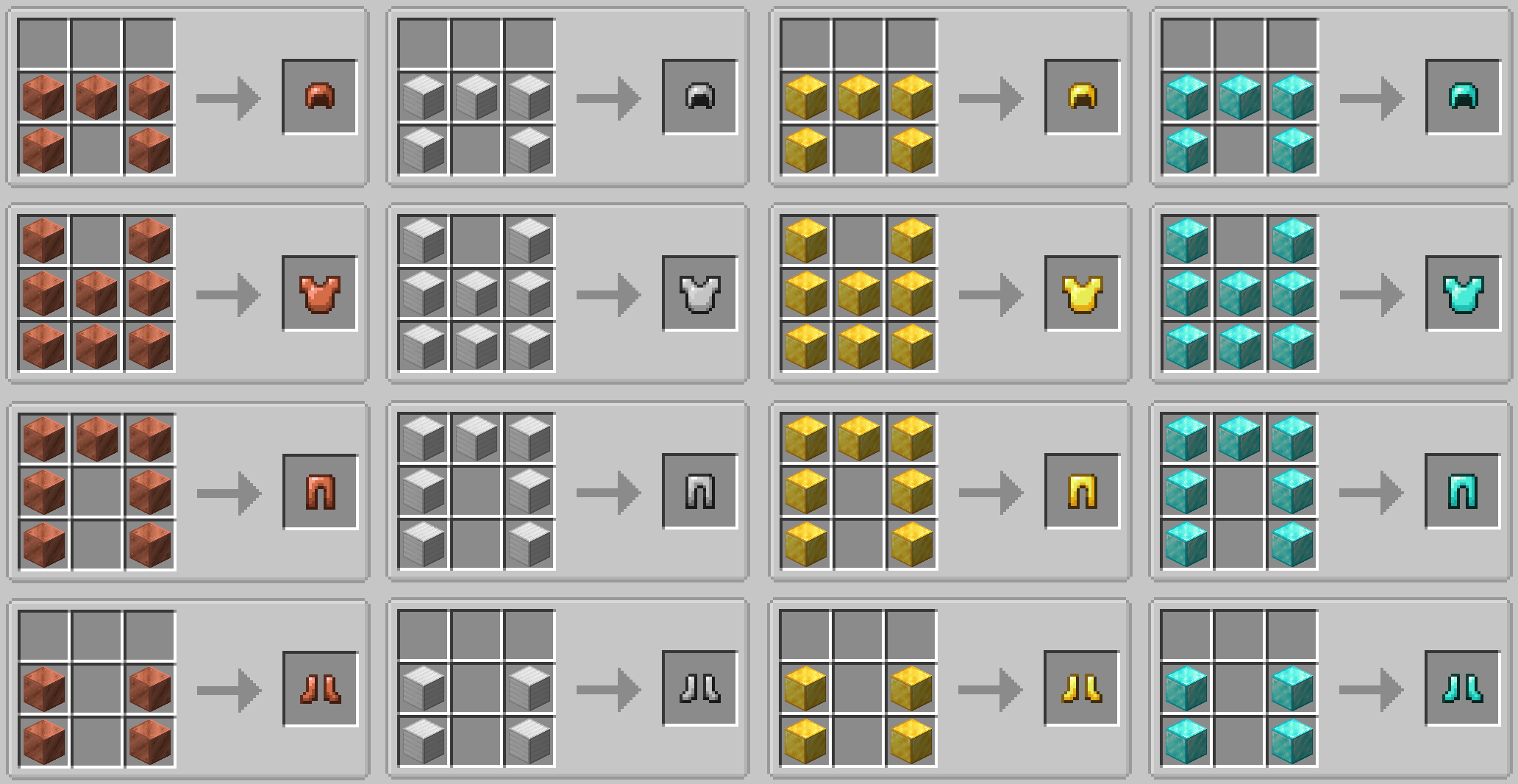
Instead of crafting armor, weapons, and tools from ingots, their recipes now require metal blocks. Equipment is no longer an instant upgrade — it becomes the result of a significant investment of resources.

What changes

  • Armor, tools, weapons, and shields made of copper, iron, gold, and diamond are now crafted from blocks instead of ingots.
  • Early-game progression is slowed in a natural, organic way.
  • Leather armor and alternative early equipment remain useful for longer.
  • Anvils and item repair gain real importance.
  • The Mending enchantment becomes far more valuable.

Design philosophy

Forged in Blocks is not about making the game harder for the sake of difficulty.
Its goal is to restore weight and meaning to player decisions:

  • Good equipment should be forged, not assembled from a handful of ingots.

The datapack fits perfectly into vanilla-plus modpacks, hardcore survival worlds, and any setup where resource management and thoughtful progression matter.

Compatibility

  • Does not add new items.
  • Works by overriding vanilla crafting recipes.
  • May conflict with other datapacks or mods that modify the same recipes (priority is determined by load order).


In case you'd like to use mod instead of datapack - here it is - https://www.curseforge.com/minecraft/mc-mods/forged-in-blocks

forged_in_blocks_1.0.1
MC 1.21.9, 1.21.10
Release 2026-01-29 Get
forged_in_blocks_1.0.1
MC 1.21.11
Release 2026-01-24 Get
forged_in_blocks_1.0.0
MC 1.21.11
Release 2026-01-23 Get

Requirements & install

How to use this data pack in Minecraft
Mods needed
None, works in vanilla
Minecraft
1.21.9 – 1.21.11
Install folder
saves/<world>/datapacks

How to install data packs

  1. Download the data pack .zip file (do not extract it).
  2. New world: click Data Packs on the world creation screen and drop the .zip in. Existing world: open .minecraft/saves/<world>/datapacks.
  3. Put the .zip into the datapacks folder of the world (servers: world/datapacks).
  4. Run /reload in game (or rejoin the world) and check it with /datapack list.
Browse more: Data Packs for 1.21.11 All data packs

More from nightkosh

Advertisement Remove ads with Premium →

You Might Also Like