Mineuniverse
Data Packs
Fish Find Love - Fish Breeding

Fish Find Love - Fish Breeding

DATA PACK
A Minecraft Java Edition datapack that adds fish breeding mechanics to the game
by KrakenKutlas
Download Claim this project
757 downloads
0 likes
0 followers
Updated Oct 14, 2026
0 hypes
Follow0
Miscellaneous Utility
Advertisement Remove ads with Premium →

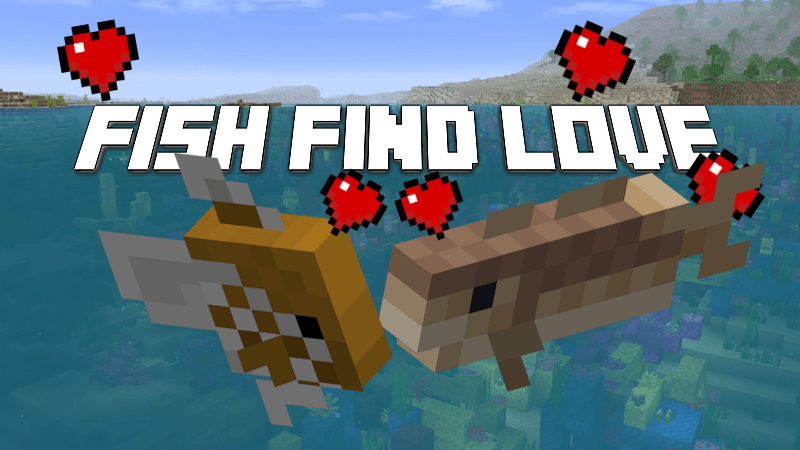
🐟 Fish Find Love

Breed fish, dolphins, squids, and glow squids — because vanilla Minecraft forgot about them.

Modrinth CurseForge Planet Minecraft


🌿 Fish Breeding

Drop kelp near two fish of the same species and watch the magic happen.

  • Supports all four vanilla species: Cod, Salmon, Pufferfish, Tropical Fish
  • Fish must be within 5 blocks of the dropped kelp
  • Tropical fish have variant inheritance — 80% chance to look like a parent, 20% random
  • Heart particles + XP orbs on successful breeding
  • Stack-friendly — only 1 kelp consumed per breed
  • 5 minute breeding cooldown | 30 minute maturation cooldown

🐬 Dolphin Breeding (disabled by default)

Vanilla-style love mode breeding for dolphins.

  • Right-click an adult dolphin with tropical fish to enter love mode (60 seconds)
  • Two love-mode dolphins within 3 blocks breed automatically
  • Baby dolphins grow naturally using vanilla mechanics
  • Tropical fish not consumed in creative mode
  • 5 minute breeding cooldown

🦑 Squid & Glow Squid Breeding (disabled by default, 26.1+)

Drop-based breeding for the ocean's forgotten mobs.

  • Drop raw cod near squids, or glow lichen near glow squids to trigger love mode
  • Two love-mode squids of the same type within 3 blocks breed automatically
  • Squids and glow squids cannot cross-breed
  • Baby squids grow naturally using vanilla mechanics
  • Stack-friendly — only 1 item consumed per feeding
  • 5 minute breeding cooldown

⚙️ Configuration

Open the config panel anytime:

/function ffl:config/show_config
 

The panel shows clickable [ENABLED] / [DISABLED] toggles for each system, plus [ENABLE ALL] and [DISABLE ALL] buttons.

Command Description
/function ffl:config/toggle_fish_breeding Toggle fish breeding on/off
/function ffl:config/enable_fish_breeding Enable fish breeding
/function ffl:config/disable_fish_breeding Disable fish breeding
/function ffl:config/toggle_dolphin_breeding Toggle dolphin breeding on/off
/function ffl:config/enable_dolphin_breeding Enable dolphin breeding
/function ffl:config/disable_dolphin_breeding Disable dolphin breeding
/function ffl:config/toggle_squid_breeding Toggle squid breeding on/off
/function ffl:config/enable_squid_breeding Enable squid & glow squid breeding
/function ffl:config/disable_squid_breeding Disable squid & glow squid breeding
/function ffl:config/enable_all_breeding Enable all systems at once
/function ffl:config/disable_all_breeding Disable all systems at once

All settings persist across reloads and restarts.


📦 Installation

  1. Download the fish_breeding folder
  2. Place it in your world's datapacks directory:
    • Singleplayer: .minecraft/saves/<world_name>/datapacks/
    • Server: <server_directory>/world/datapacks/
  3. Run /reload in-game

🔧 Technical

  • Namespace: ffl
  • Pack format: Minecraft 26.1+ (supports 1.21.1 and above)
  • Performance: Schedule-based tick system, item checks skipped when no relevant items are present

Created by KrakenKutlass and TechBrat
Fish-Find-Love-v1.2.zip
MC 1.21.11, 26.1
Release 2026-03-27 Get
Fish-Find-Love-v1.1.zip
MC 1.21.2-Snapshot, 1.21, 1.21.6-snapshot, 1.21.1-Snapshot, 1.21.8, 1.21.5, 1.21.4, 1.21.5-Snapshot, 1.21.1, 1.21.6, 1.21.3, 1.21.7, 1.21.4-Snapshot, 1.21.2, 1.21.9-snapshot, 1.21.9
Release 2026-01-19 Get
fish_breeding.zip
MC 1.21.2-Snapshot, 1.21, 1.21.6-snapshot, 1.21.1-Snapshot, 1.21.8, 1.21.5, 1.21.4, 1.21.5-Snapshot, 1.21.1, 1.21.6, 1.21.3, 1.21.7, 1.21.4-Snapshot, 1.21.2, 1.21.9-snapshot, 1.21.9
Release 2026-01-17 Get

Requirements & install

How to use this data pack in Minecraft
Mods needed
None, works in vanilla
Minecraft
1.21.6-snapshot – 26.1
Install folder
saves/<world>/datapacks

How to install data packs

  1. Download the data pack .zip file (do not extract it).
  2. New world: click Data Packs on the world creation screen and drop the .zip in. Existing world: open .minecraft/saves/<world>/datapacks.
  3. Put the .zip into the datapacks folder of the world (servers: world/datapacks).
  4. Run /reload in game (or rejoin the world) and check it with /datapack list.
Browse more: Data Packs for 26.1 All data packs
Advertisement Remove ads with Premium →

You Might Also Like