Mineuniverse
Data Packs
FallingTrees Enchantment

FallingTrees Enchantment

DATA PACK
Extension to the datapack FallingTrees to make it an enchant.
by Sheepearrr
Download Claim this project
255 downloads
0 likes
Updated Oct 14, 2026
0 hypes
Miscellaneous
Advertisement Remove ads with Premium →

📖 FallingTrees Enchantment

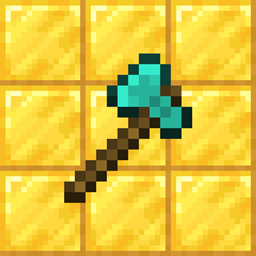
The enchantment extension to the FallingTrees datapack, which allows you to break trees instantly. This datapack makes that only available with the new custom enchant Chopping on an axe.

Important

  • FallingTrees needs to be installed in order for this datapack to work.
  • Only use the 2.0+ versions of the datapacks with the respective version of the other, because if an older version is used, compatibility is non-existant

Showcase

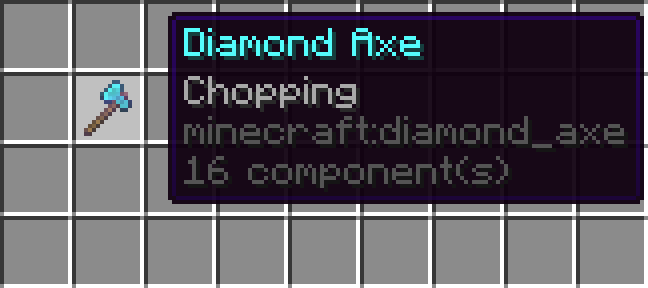
An axe with the enchantment in an inventory with it's tooltip showing.


Settings

To configure the enchantment cost, open the zip file and open data/sheepearrr/enchantment/chopping.json and edit to your liking by modifying the following values.

ID Default Description
weight 10 How often the enchantment appears (higher -> more common)
min_cost 4 At which level the enchantment appears in table
max_cost 15 At which level the enchantment stops appearing in table
anvil_cost 3 How much level combining in anvil costs (stacked with others)

The enchantment name is Chopping and can be translated with such key.


Uninstallation

To uninstall, run /function sheepearrr:fte/uninstall.

ko-fi

FallingTrees Enchantment 2.0
MC 26.1, 26.1.1, 26.1.2, 26.2
Release 2026-07-27 Get
FallingTrees Enchantment 1.0.3
MC 1.21.9, 1.21.10, 1.21.11, 26.1, 26.1.1, 26.1.2, 26.2
Release 2026-07-08 Get

Requirements & install

How to use this data pack in Minecraft
Mods needed
None, works in vanilla
Minecraft
1.21.9 – 26.2
Install folder
saves/<world>/datapacks

How to install data packs

  1. Download the data pack .zip file (do not extract it).
  2. New world: click Data Packs on the world creation screen and drop the .zip in. Existing world: open .minecraft/saves/<world>/datapacks.
  3. Put the .zip into the datapacks folder of the world (servers: world/datapacks).
  4. Run /reload in game (or rejoin the world) and check it with /datapack list.
Browse more: Data Packs for 26.2 All data packs

More from Sheepearrr

Advertisement Remove ads with Premium →

You Might Also Like