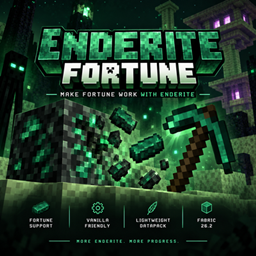
# Enderite Fortune
Make Fortune work with Enderite!
Enderite Fortune is a lightweight datapack that adds Fortune enchantment support to the Enderite Mod.
## Features
- Fortune now works with Cracked Enderite Ore
- Supports Fortune I, II and III
- Increases Enderite drops when using Fortune
- Keeps the original Enderite mining mechanics
- No additional mods required
- Lightweight and performance-friendly
- Designed for Minecraft 26.2
## How It Works
The Enderite Mod requires Enderite Ore to be cracked before it can be mined.
With this datapack installed, Fortune can affect the drops from Cracked Enderite Ore.
Simply use a Fortune-enchanted pickaxe to mine Cracked Enderite Ore and receive additional Enderite.
## Requirements
- Minecraft 26.2
- Fabric
- Enderite Mod
## Installation
1. Download the datapack.
2. Place the ZIP file into your world's `datapacks` folder.
3. Enter your world.
4. Run `/reload` if the world was already running.
That's it!
## Compatibility
This datapack is specifically designed to work with the Enderite Mod.
It only modifies the loot table of Cracked Enderite Ore and does not change vanilla ores or other Enderite features.
## Credits
Created as a compatibility datapack for the Enderite Mod.
All original Enderite content belongs to the respective Enderite Mod author.
If you enjoy the datapack, consider supporting the original Enderite Mod project.