This data pack makes the difficulty of collecting the required End Portal Eyes somewhere between vanilla and base End Remastered.
Some have found that, in some niche cases, getting all of the required End Portal Eyes in End Remastered pushes back reaching The End to a point where it hinders the progression and experience of other mods in a modpack that it is included in.
This data pack aims to fix this by tweaking End Remastered to make getting enough Eyes to get to The End a little bit easier, while keeping in place what makes End Remastered so awesome!
Here are the changes that this data pack makes:
Eye Recipes:
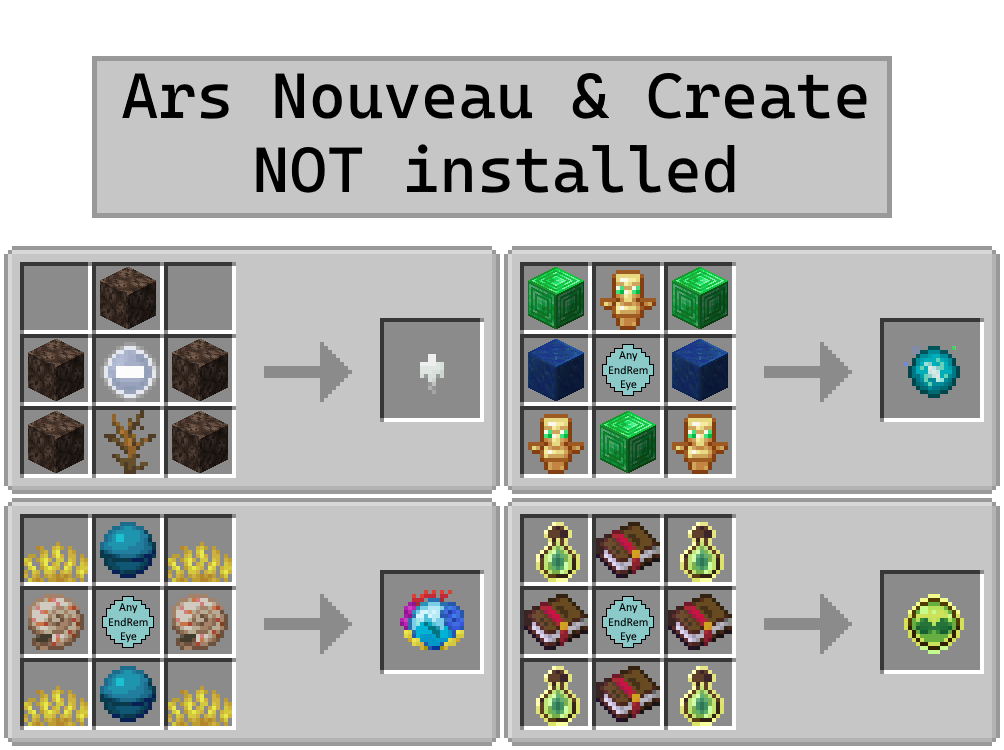
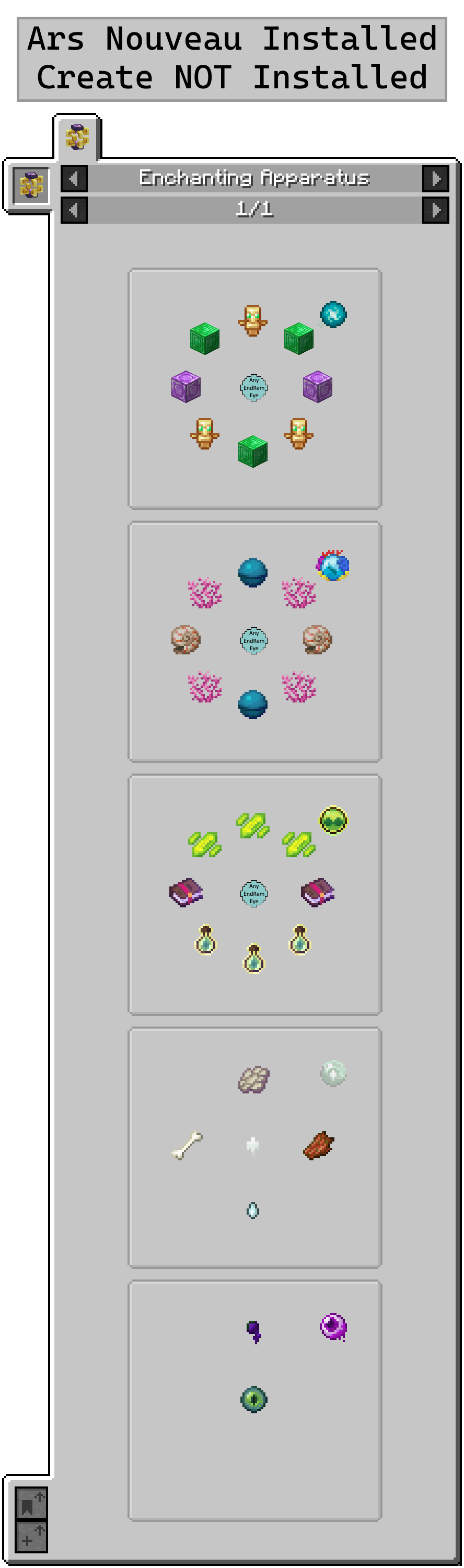
Changed Exotic Eye recipe
Added recipe for Cryptic Eye (still obtainable normally)
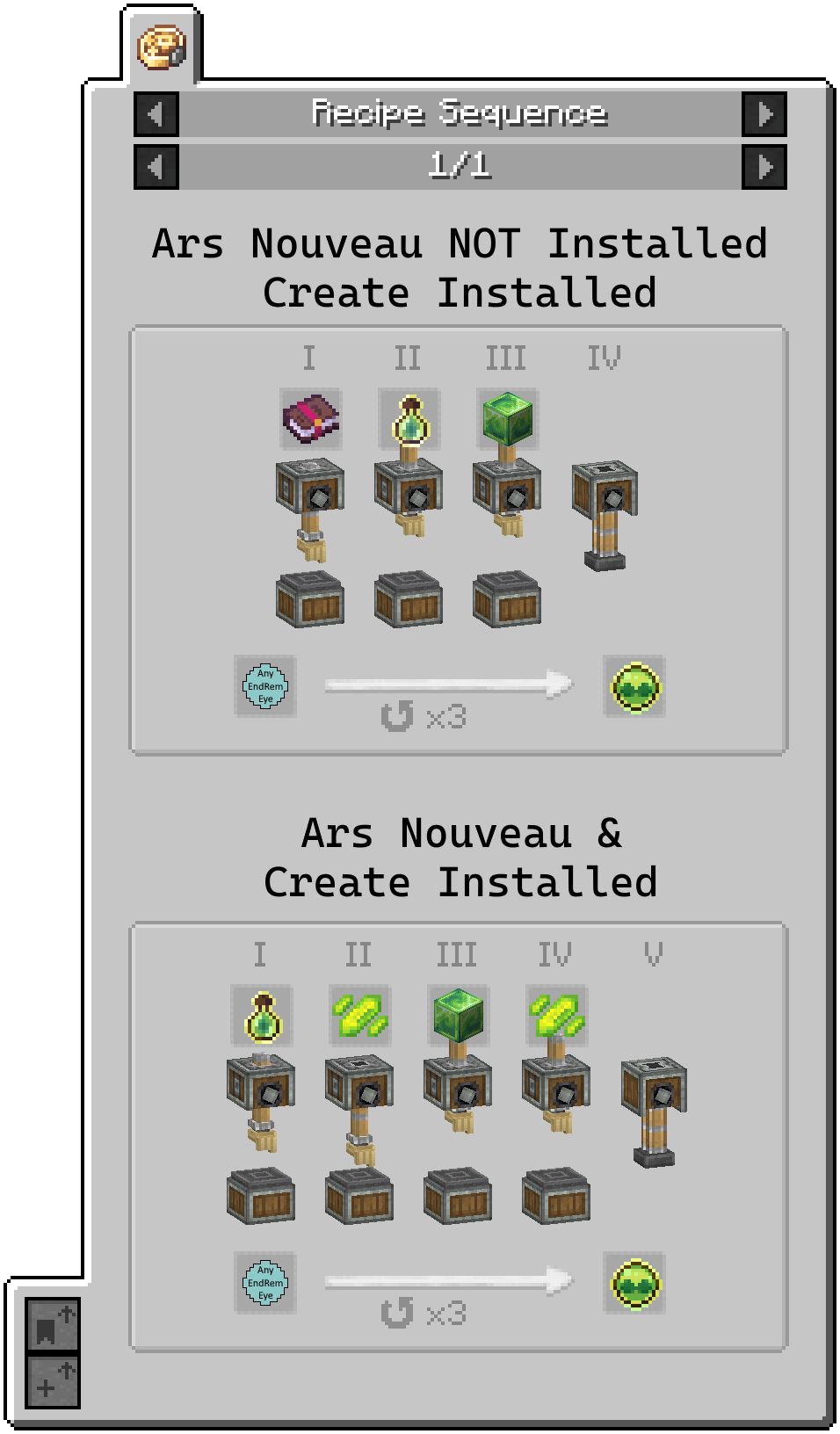
Added recipe for Magical Eye (still obtainable normally)
Added End Crystal recipe using End Remastered eyes
Obtaining Undead Soul:
Added crafting recipe for Undead Soul (when Ars Nouveau is absent)
Ars Nouveau's "Summon Animals" ritual can now be augmented with a saddle to summon 3 horses. (Chances: Normal Horse 60%, Skeleton Horse, 30%, Zombie Horse 10%.)
Eye Spawn Rate Changes:
Guardian Eye (Elder Guardian): 30% → 33%
Magical Eye (Evoker): 5% → 15%
Undead Soul (Skeleton Horse): 25% → 100%
Wither Eye (Wither): 2 Roll/90% → 1 Roll/100%
Corrupted Eye (Pillager Outpost): 30% → 45%
Cold Eye (Igloo Chest): 70% → 100%
Black Eye (Buried Treasure): 30% → 40%
Lost Eye (Mineshaft): 20% → 30%
Rogue Eye (Jungle Temple): 40% → 50%
Nether Eye (Nether Fortress): 30% → 40%
Mod Compatibility:
Ars Nouveau - Recipes & Summoning
Create - Recipes
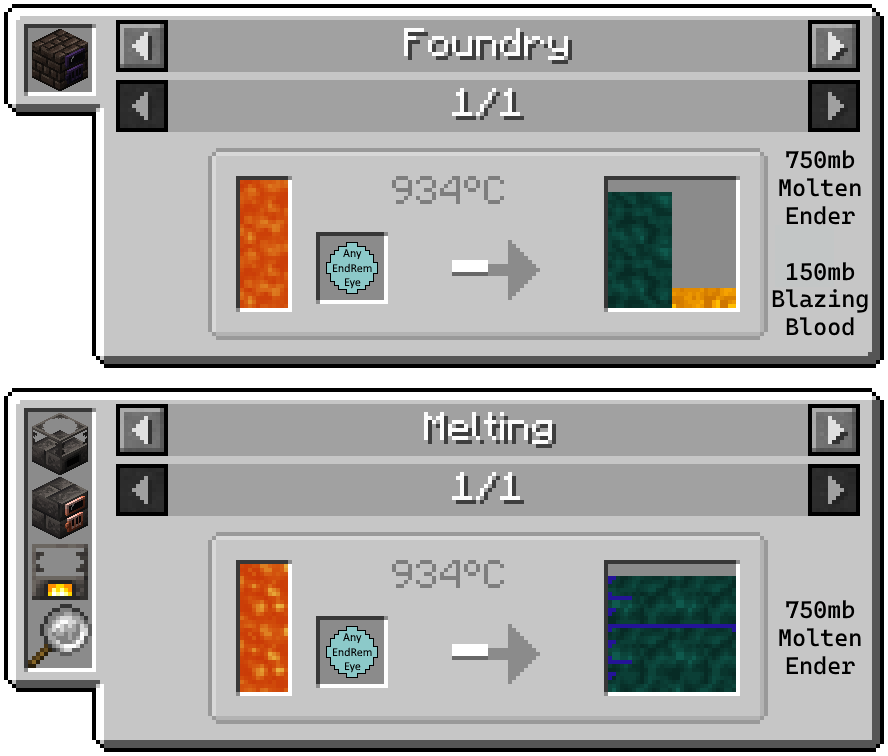
Tinkers’ Construct - Smelt Soul & Eyes