Mineuniverse
Data Packs
Enchantable Crimson Black Keys of Proximity Projection

Enchantable Crimson Black Keys of Proximity Projection

DATA PACK
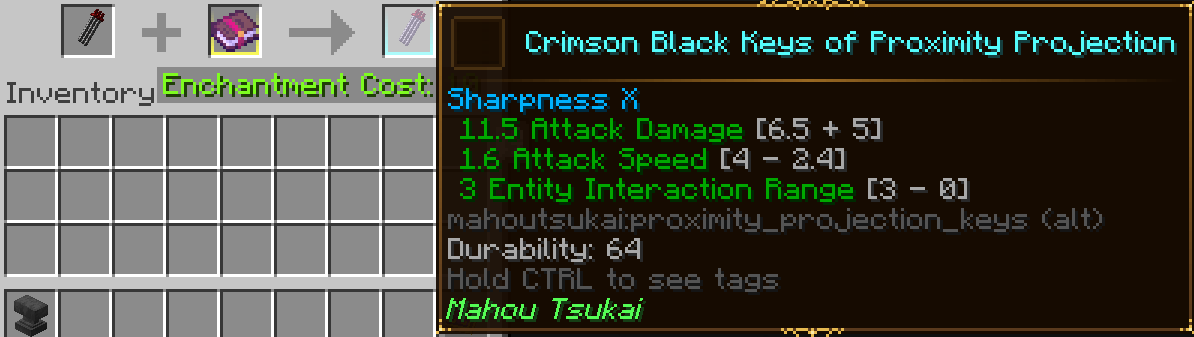
Allows applying sword enchants to the Crimson Black Keys of Proximity Projection from Mahou Tsukai.
by GoblinGamerMC
Download Claim this project
Add a badge to your pageLink to Enchantable Crimson Black Keys of Proximity Projection from a README, website or forum post.
Preview: Badge

Badges update automatically and link to the data pack page on MineUniverse.

116 downloads
0 likes
0 followers
Updated Oct 14, 2026
0 hypes
Follow0
Fantasy Magic Miscellaneous
Advertisement Remove ads with Premium →

Enables the Crimson Black Keys of Proximity Projection from Mahou Tsukai to accept sword enchants.

Use something like https://www.curseforge.com/minecraft/mc-mods/globalpacks to automatically load this datapack.

These are my favorite weapons from the mod, far range teleport attacks are great if it weren't for the fact they only did 6 damage a hit. Now you can apply Looting, Sharpness, Knockback(Knockback II is on the weapon by default), Sweeping Edge, and any other vanilla/modded enchant you may have for swords.

Rejoice, your wish shall finally be granted.

Feel free to use/modify this file as you see fit.


Enchantable Crimson Black Keys of Proximity Projection.zip
MC 1.21.1
Release 2025-09-25 Get

Requirements & install

How to use this data pack in Minecraft
Mods needed
None, works in vanilla
Minecraft
1.21.1
Install folder
saves/<world>/datapacks

How to install data packs

  1. Download the data pack .zip file (do not extract it).
  2. New world: click Data Packs on the world creation screen and drop the .zip in. Existing world: open .minecraft/saves/<world>/datapacks.
  3. Put the .zip into the datapacks folder of the world (servers: world/datapacks).
  4. Run /reload in game (or rejoin the world) and check it with /datapack list.
Browse more: Data Packs for 1.21.1 All data packs

More from GoblinGamerMC

Advertisement Remove ads with Premium →

You Might Also Like