Mineuniverse
Data Packs
DMCW: Shadows Of V

DMCW: Shadows Of V

DATA PACK
He handles summons in the same way as the character V from the game DMC 5
by Benjamin_Nicro
Download Claim this project
Add a badge to your pageLink to DMCW: Shadows Of V from a README, website or forum post.
Preview: Badge

Badges update automatically and link to the data pack page on MineUniverse.

9 downloads
0 likes
0 followers
Updated Oct 14, 2026
0 hypes
Follow0
Fantasy Magic
Advertisement Remove ads with Premium →

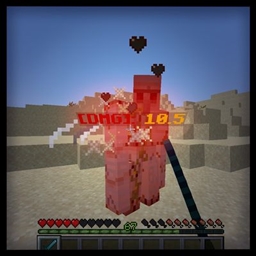
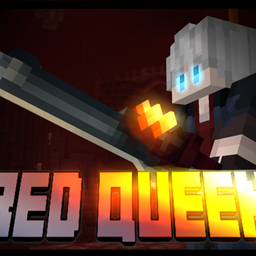
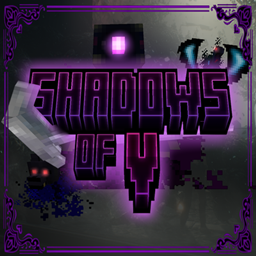
This project is inspired by the character V from the game Devil May Cry 5, adding his staff, which allows you to control Shadow, Griffon, and Nightmare by defeating them as mini-bosses. Once you have them, you can summon them using the staff's controls. The summons are controlled the same as in the game: [Left Click and W, S, W+S] to control Shadow, [Right Click and W, S, W+S] to control Griffon, and F to summon and ride Nightmare. The summons have their own health and cooldowns when defeated. The player has an SD gauge that fills up when attacking enemies with the summons, and faithfully to the game, as the player creates combos, they will gain style points that will increase up to SSS rank, playing V's theme during battle.



DMCW_V_Staff_Datapack.zip
MC 26.1
Release 2026-09-01 Get

Requirements & install

How to use this data pack in Minecraft
Mods needed
None, works in vanilla
Minecraft
26.1
Install folder
saves/<world>/datapacks

How to install data packs

  1. Download the data pack .zip file (do not extract it).
  2. New world: click Data Packs on the world creation screen and drop the .zip in. Existing world: open .minecraft/saves/<world>/datapacks.
  3. Put the .zip into the datapacks folder of the world (servers: world/datapacks).
  4. Run /reload in game (or rejoin the world) and check it with /datapack list.
Browse more: Data Packs for 26.1 All data packs

More from Benjamin_Nicro

Advertisement Remove ads with Premium →

You Might Also Like