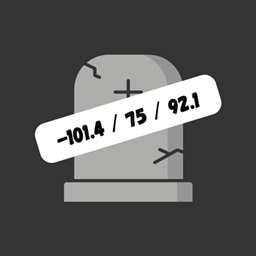
Ever lost your items because you couldn't find your death spot again? DeathTrack is here to solve that problem! With this data pack, the exact coordinates of your death are displayed right in the chat. No cheats, no commands, just pure convenience to help you keep track of where you died and get back to your items quickly.
- No Cheats Required: Works even with cheats disabled.
- Coordinates Displayed on Death: Instantly shows the coordinates where you died.
- Personalized Display: Only the player who dies will see the coordinates—no spam in chat!
- Lightweight & Simple: No complex setup, just install and play.
- Compatible: Works with Minecraft 1.21.4 and beyond.
How to use:
1. Download the Data Pack:
2. Install in Your World:
3. Open your Minecraft world folder:
AppData\Roaming\.minecraft\saves\<Your World>\datapacks
4. Drop the zip file into the datapacks folder
Why use DeathTrack?
- Never lose your items again: Whether it's that hard-earned diamond gear or just your favorite pickaxe, DeathTrack ensures that your death doesn’t mean you’re forever lost!
- Save time: Instead of wandering aimlessly, the coordinates tell you exactly where to go.
- Perfect for survival worlds: Ideal for players who want to focus on their adventure without the hassle of re-finding their death spots