Mineuniverse
Data Packs
Cushion Display

Cushion Display

DATA PACK
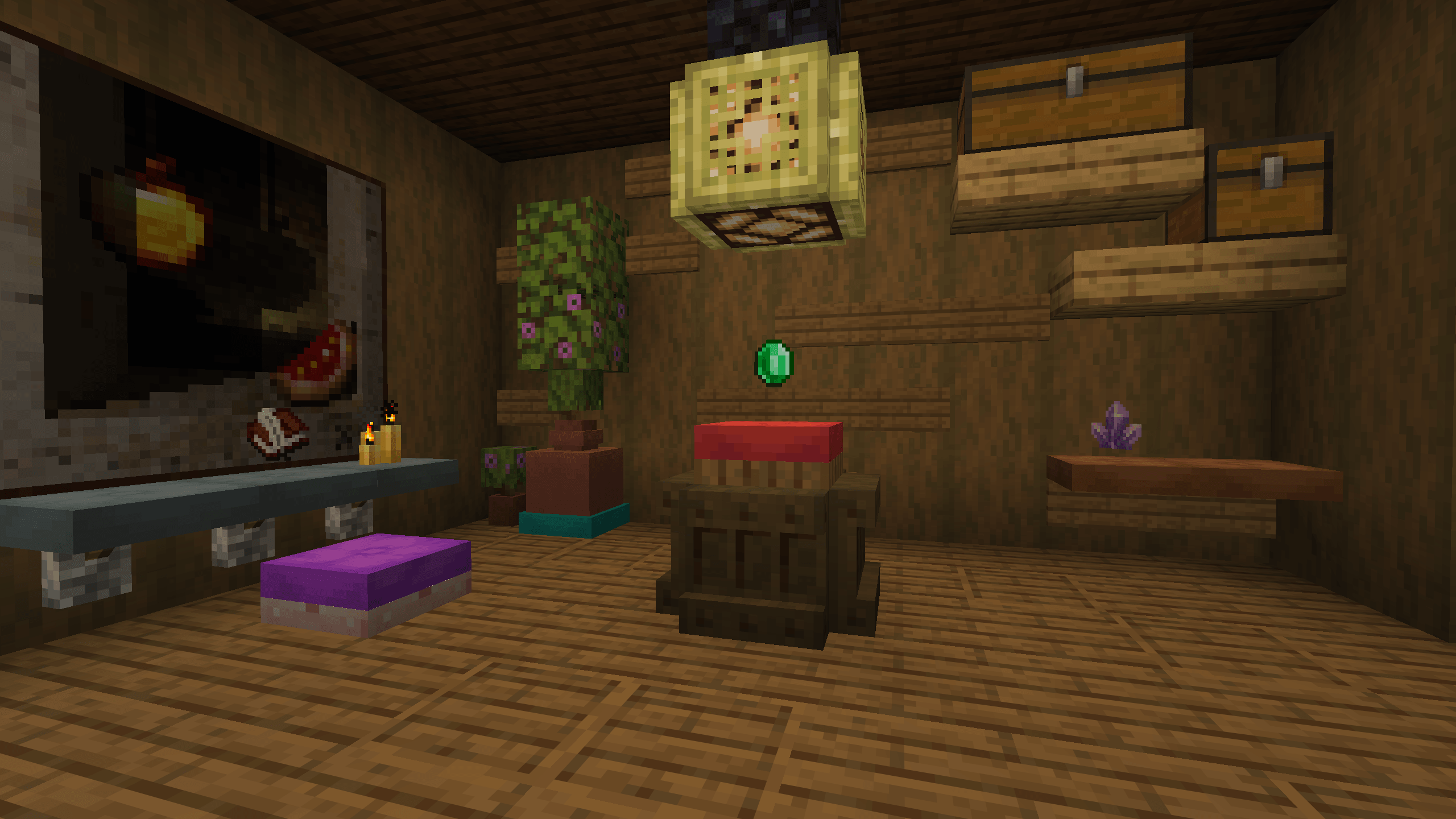
Allows players to place items on cushions and use them as display stands!
by SozoKa
Download Claim this project
177 downloads
0 likes
Updated Oct 14, 2026
0 hypes
Miscellaneous Utility
Advertisement Remove ads with Premium →

Cushion Display

Use cushion as item displays!

⚙️ Server side!

If you only install this datapack/mod on your server/LAN, it will work for everyone else without them needing to install it!

📖 Instructions:

  • Shift-rightclick on a cushion while holding an item.
  • To remove it, just break the cushion.

Items displayed on a cushion cannot be picked up and will never disappear. The cushion will no longer be sitable.

⤵️ Installation:

Datapack:

Download the latest release and put the datapack .zip file into the datapacks folder of your Minecraft world.

Mod:

Download the latest release and put the mod .jar file into the mods folder of your Minecraft game.

✍️ Feedback, Questions & Suggestions

I'm always listening! If you happen to have questions, suggestions or just encountered a bug, then feel free to join my discord server to ask for help in the "mods and datapacks" section. Click to join the server

Cushion Display 1.1.1 (26.3+)
MC 26.2
Release 2026-08-05 Get
Cushion Display 1.0.0 (26.3+)
MC 26.2
Release 2026-07-11 Get
Cushion Display 1.1.0 (26.3+)
MC 26.2
Release 2026-07-11 Get

Requirements & install

How to use this data pack in Minecraft
Mods needed
None, works in vanilla
Minecraft
26.2
Install folder
saves/<world>/datapacks

How to install data packs

  1. Download the data pack .zip file (do not extract it).
  2. New world: click Data Packs on the world creation screen and drop the .zip in. Existing world: open .minecraft/saves/<world>/datapacks.
  3. Put the .zip into the datapacks folder of the world (servers: world/datapacks).
  4. Run /reload in game (or rejoin the world) and check it with /datapack list.
Browse more: Data Packs for 26.2 All data packs
Advertisement Remove ads with Premium →

You Might Also Like