Mineuniverse
Data Packs
Corebound Wood Lathe

Corebound Wood Lathe

DATA PACK
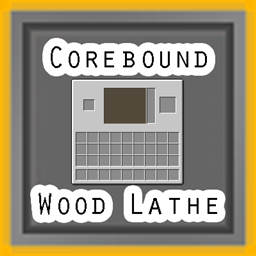
adds recipes to the stonecutter so that logs can skip the plank stage and directly make items
by Cababs
Download Claim this project
3 downloads
0 likes
Updated Oct 14, 2026
0 hypes
Utility
Advertisement Remove ads with Premium →

CoreBound wood lathe

Minecraft Datapack

adds recipes that allows the stone cutter to process logs and planks into the items similar to how stone is used in the stonecutter and crafting table.

The Wood Lathe adds stonecutter recipes for logs and planks, allowing wooden materials to be processed directly into building blocks and utility items.

Log Recipes

The following recipes are available for each supported wood type.

Output Result Count per Log
Planks 4
Slabs 8
Stairs 4
Buttons 4
Doors 2
Fence Gates 1
Pressure Plates 2
Shelves 4
Stripped Logs 1

Supported wood types: Oak, Spruce, Birch, Jungle, Acacia, Dark Oak, Mangrove, Cherry, Pale Oak, Poplar, Crimson and Warped.

Plank Recipes

Planks can be processed directly into slabs and stairs.

Output Result Count per Plank
Slabs 2
Stairs 1

Utility Recipes

The following recipes accept any supported log.

Input Output Result Count
Any supported log Sticks 8
Any supported log Crafting Table 1

Notes

  • All recipes use the vanilla stonecutter interface.
  • Result counts indicate the number of items produced per recipe operation.
  • Recipes are available when the corresponding input and output items exist in the game.

Development Notes

Some ideas and programming assistance were generated with the help of AI tools (ChatGPT) for briainstorming and function logic. All code was tested, intergrated and reviewed manually.

Resources

https://vanillatweaks.net/

https://www.gamergeeks.net/apps/minecraft

https://misode.github.io/

https://chatgpt.com/

woodlathe.zip
MC 1.21.8, 1.21.5, 1.21.4, 1.21.6, 1.21.3, 1.21.7, 1.21.2, 1.21.9, 1.21.10, 1.21.11, 26.1, 26.1.1, 26.1.2, 26.2, 26.3
Release 2026-10-09 Get

Requirements & install

How to use this data pack in Minecraft
Mods needed
None, works in vanilla
Minecraft
1.21.9 – 26.3
Install folder
saves/<world>/datapacks

How to install data packs

  1. Download the data pack .zip file (do not extract it).
  2. New world: click Data Packs on the world creation screen and drop the .zip in. Existing world: open .minecraft/saves/<world>/datapacks.
  3. Put the .zip into the datapacks folder of the world (servers: world/datapacks).
  4. Run /reload in game (or rejoin the world) and check it with /datapack list.
Browse more: Data Packs for 26.3 All data packs

More from Cababs

Advertisement Remove ads with Premium →

You Might Also Like