Mineuniverse
Data Packs
Constant Size Change

Constant Size Change

DATA PACK
Every 5 second, the player's size will change. You can either make a player grow or shrink.
by RoxanneLapin
Download Claim this project
171 downloads
0 likes
Updated Oct 14, 2026
0 hypes
Miscellaneous
Advertisement Remove ads with Premium →

Constant Size Change

This datapack allows you to make a player grow or shrink constantly.

Other attributes like speed or jumping are scaled with the player size!

How to use?

⚠️ YOU NEED OPERATOR PERMISSIONS

To make a player shrink or grow, you need to type this command in chat to open the settings menu.

/function csc_settings:config

On the screen click on: Make a Player Grow or Make a Player Shrink and then enter their username
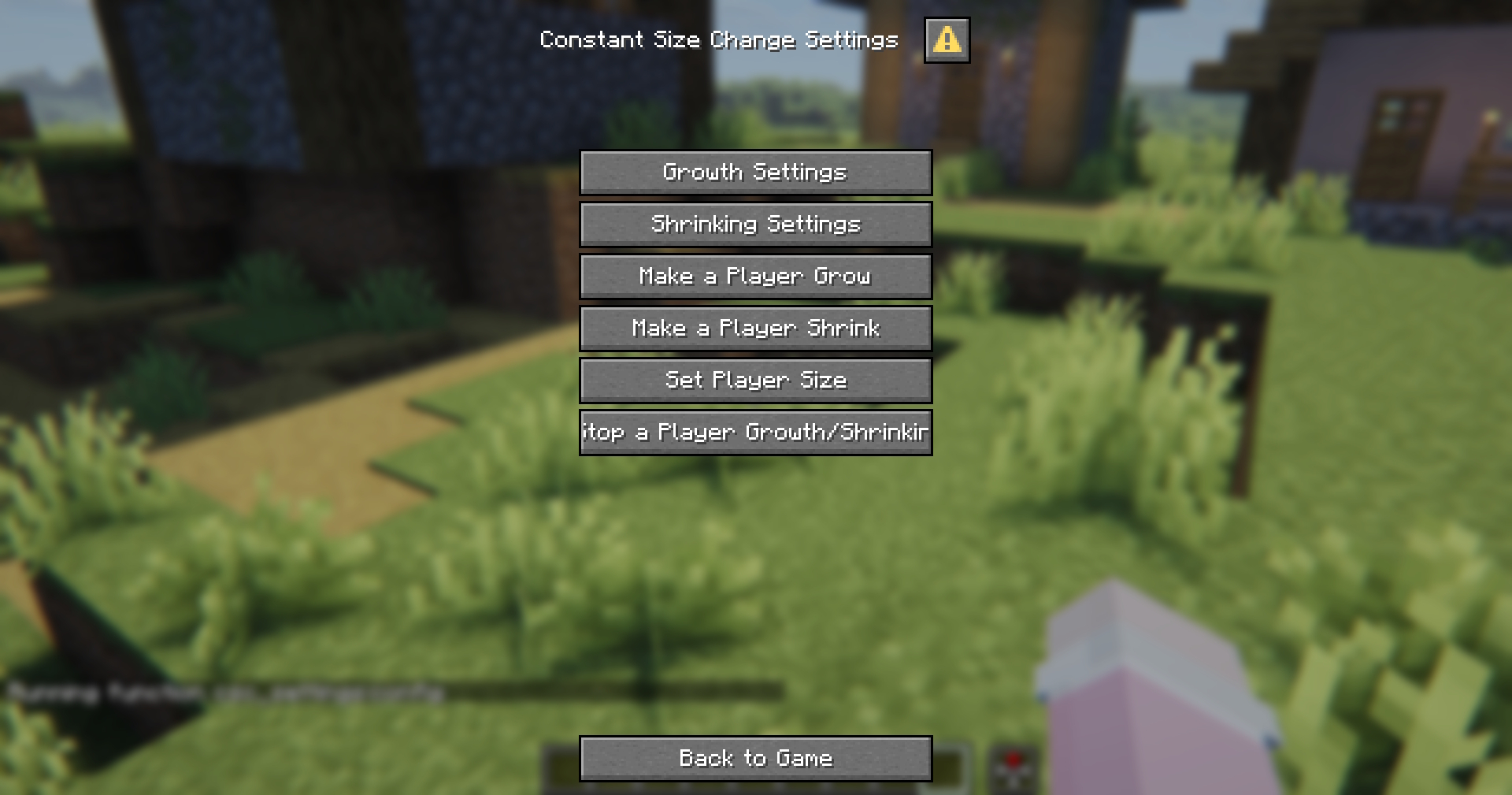
Datapack settings

On this screen, you can also change the growth/shrink amount per ticks or reset a player's size.

Default Settings

Growth: 0.5 / 100 ticks (5 seconds) | Time | Size | |--|--| | Initial | 1 | | 10 Minutes | 1.6 | | 30 Minutes | 2.8 | | 1 Hour | 4.6 | | 4.4 Hours | 16 |
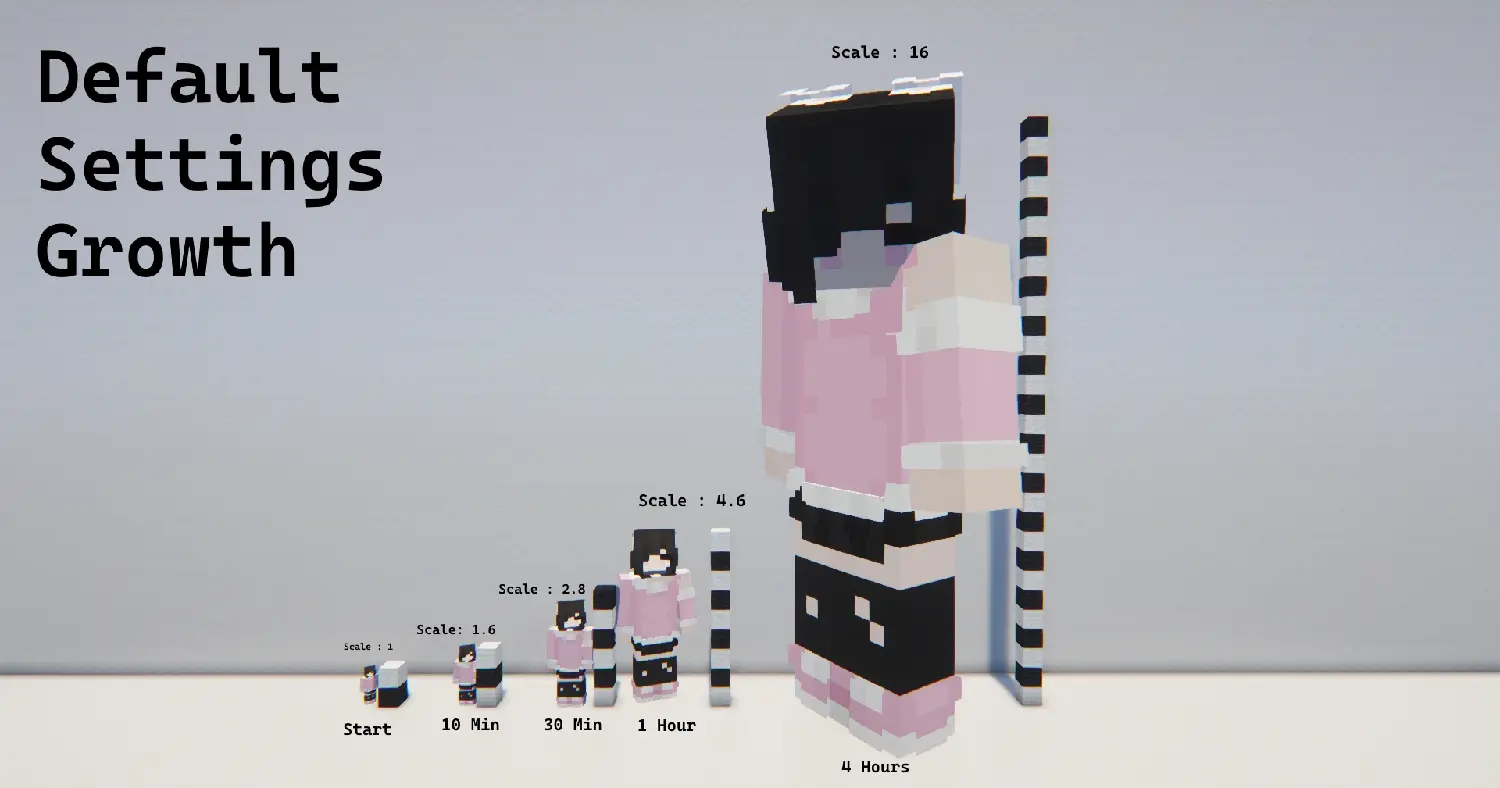
Size Chart : Growth

Shrinking: 0.1 / 100 ticks (5 seconds) | Time | Size | |--|--| | Initial | 1 | | 10 Minutes | 0.88 | | 30 Minutes | 0.64 | | 1 Hour | 0.28 | | 1.30 Hour | 0.1 |
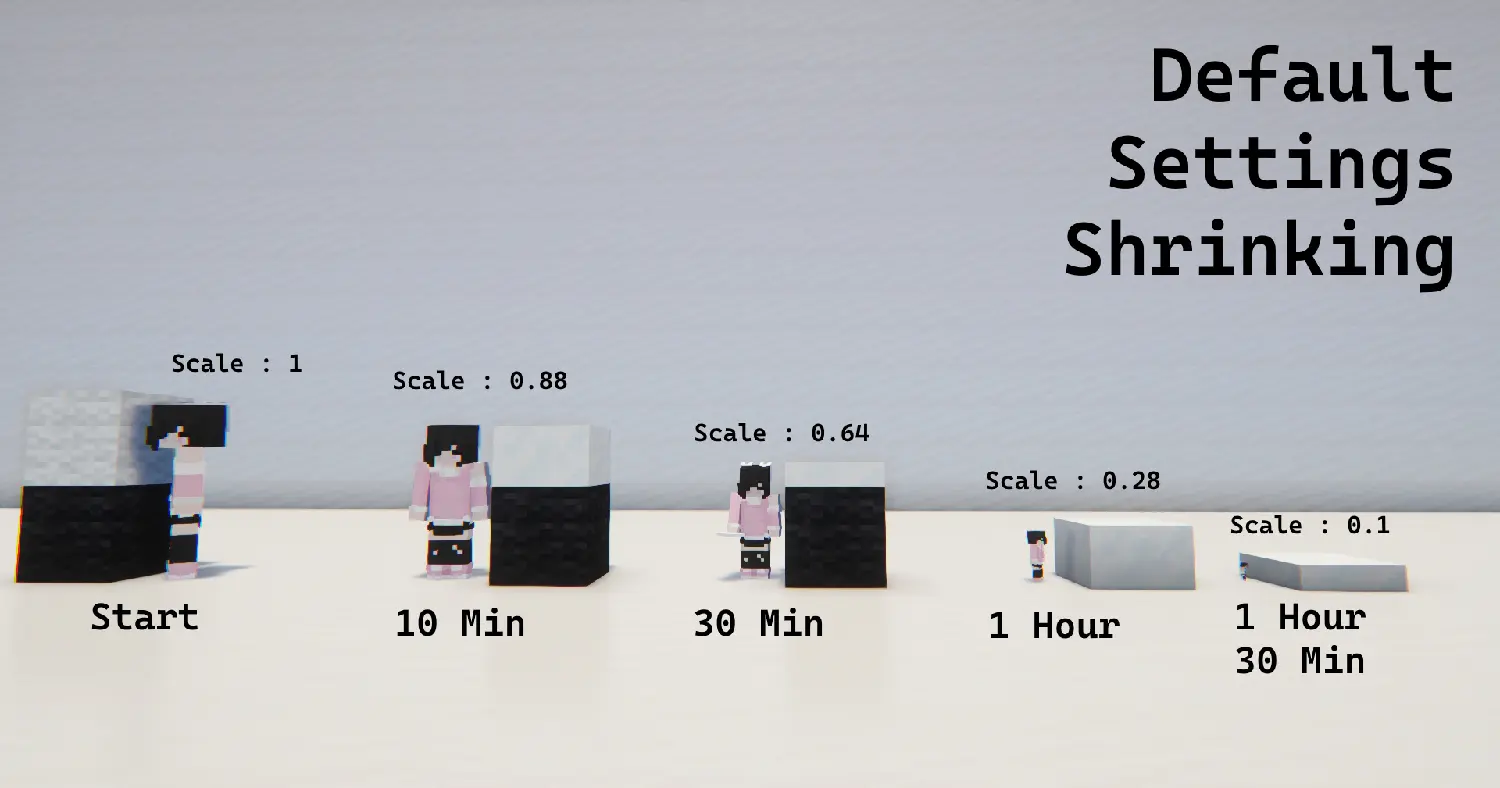

Shrinking Chart

ConstantSizeChange 1.0
MC 1.21.11, 26.1, 26.1.1, 26.1.2, 26.2
Release 2026-08-06 Get

Requirements & install

How to use this data pack in Minecraft
Mods needed
None, works in vanilla
Minecraft
1.21.11 – 26.2
Install folder
saves/<world>/datapacks

How to install data packs

  1. Download the data pack .zip file (do not extract it).
  2. New world: click Data Packs on the world creation screen and drop the .zip in. Existing world: open .minecraft/saves/<world>/datapacks.
  3. Put the .zip into the datapacks folder of the world (servers: world/datapacks).
  4. Run /reload in game (or rejoin the world) and check it with /datapack list.
Browse more: Data Packs for 26.2 All data packs

More from RoxanneLapin

Advertisement Remove ads with Premium →

You Might Also Like