Mineuniverse
Data Packs
Cobblemon - Trunkified

Cobblemon - Trunkified

DATA PACK
A Cobblemon resourcepack and datapack that adds some of the Fakemon from the Clumpy Bros YouTube channel!
by Trunky
Download Claim this project
382 downloads
0 likes
Updated Oct 14, 2026
0 hypes
Miscellaneous
Advertisement Remove ads with Premium →

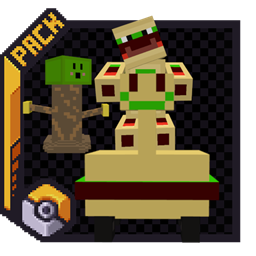
This is a resource pack and a data pack. It adds 23 Fakemon to Cobblemon! Out of the 23 Fakemon there are currently 3 legendaries. All of these Fakemon can be seen in the Clumpy Bros YouTube videos.

Install the Clumpy Bros Burgers R Cool mod for more spawn locations. There is a whole dimension where these Fakemon can spawn when using that mod. It is not a requirement though adding that mod is only a suggestion.


Spawn Locations

  • Beach: Pie
  • Dark Forest: PieZombie, Super Golem, Bortymus
  • Deep Dark: Halama, Jama, Halamajama
  • Desert: PZombie
  • End, End Highlands: Halukyombor, Camloymus
  • Forest: Clunky, Trunk
  • Jungle: Trunky
  • Nether: Trickstomby, Burger Boy
  • Plains: Scott Stapp
  • Spooky: Pomayikunky, Burger Car
  • Swamp: Trunkster
  • Underground Ores: Kaybork - iron ore and deepslate iron ore, Kerp - gold ore and deepslate gold ore, Klikstor - diamond ore and deepslate diamond ore, Clikstor - redstone ore and deepslate redstone ore.
  • Burger Dimension: If you have the Burgers R Cool Mod installed all of my Fakemon will spawn there as well.

Evolution Lines and Levels

  • Clunky > Trickstomby > Pomayikunky > Halukyombor
    • Evolution Levels: 16 > 36 > 69
  • Halama > Jama > Halamajama
    • Evolution Levels: 16 > 36
  • Kaybork > Kerp > Klikstor > Clikstor
    • Evolution Levels: 16 > 36 > 69
  • Pie > PZombie > PieZombie
    • Evolution Levels: 16 > 36
  • Trunk > Trunkster > Trunky
    • Evolution Levels: 16 > 36

Types

  • Clunky: Electric
  • Trickstomby: Electric/Ghost
  • Pomayikunky: Electric/Ghost
  • Halukyombor: Electric/Ghost
  • Halama: Dark
  • Jama: Dark/Poison
  • Halamajama: Dark/Poison
  • Kaybork: Normal
  • Kerp: Normal/Electric
  • Klikstor: Normal/Electric
  • Clikstor: Normal/Electric
  • Pie: Ice
  • PZombie: Ice/Bug
  • PieZombie: Ice/Bug
  • Trunk: Grass
  • Trunkster: Grass/Ground
  • Trunky: Grass/Ground
  • Burger Car: Normal
  • Scott Stapp: Fire/Rock
  • Super Golem: Steel
  • Bortymus: Fire/Water
  • Camloymus: Grass/Flying
  • Burger Boy: Steel/Fairy

Installation Instructions

Singleplayer:

  • Put the .zip in /saves/[WORLDNAME]/datapacks
  • Put the .zip in /resourcepacks
    • Make sure you enable the resource pack to do this on the main menu go to options > resource packs and enable the pack or if you are in game press ESC > options > resource packs and enable the pack

Server:

  • Put the .zip in /world/datapacks
    • All players on your server will still need the resource pack enabled
    • If you are unsure on how to do this follow your server providers guide on how to add a datapack

Removed Features

Some features that are displayed in the videos may not be in this pack. You can check the readme in the pack to figure out what features are not included.


For any questions or issues not answered on this page or in the readme join the Discord for support.


Cobblemon - Trunkified 1.0.0
MC 1.21.1
Release 2026-02-09 Get
Cobblemon - Trunkified [BurgersRCool only] 1.0.0
MC 1.21.1
Release 2026-02-09 Get

Requirements & install

How to use this data pack in Minecraft
Mods needed
None, works in vanilla
Minecraft
1.21.1
Install folder
saves/<world>/datapacks

How to install data packs

  1. Download the data pack .zip file (do not extract it).
  2. New world: click Data Packs on the world creation screen and drop the .zip in. Existing world: open .minecraft/saves/<world>/datapacks.
  3. Put the .zip into the datapacks folder of the world (servers: world/datapacks).
  4. Run /reload in game (or rejoin the world) and check it with /datapack list.
Browse more: Data Packs for 1.21.1 All data packs

More from Trunky

Advertisement Remove ads with Premium →

You Might Also Like