Mineuniverse
Data Packs
Cauldron Mud [Data Pack]

Cauldron Mud [Data Pack]

DATA PACK
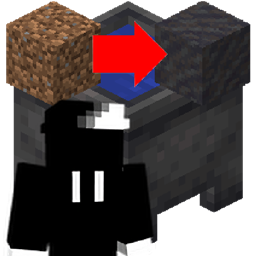
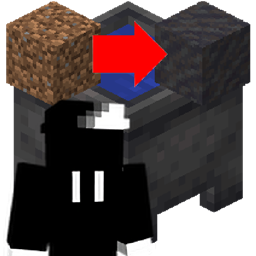
Throw dirt into a cauldron to transform it into mud!
by Proxi
Download Claim this project
2,417 downloads
0 likes
Updated Oct 14, 2026
0 hypes
Utility
Advertisement Remove ads with Premium →

What is Cauldron Mud?

Cauldron Mud allows you to instantly convert any type of dirt into mud when thrown into a water-filled cauldron. This allows you to create stacks of mud. This saves a LOT of time!


Dirt converting into mud inside cauldron

Get a fast and affordable Minecraft server from BisectHosting!

bisect hosting promo banner use code proxi

Bisect Hosting provides the best quality Minecraft hosting at actually affordable prices. To grab one of their top-notch servers while also supporting me, click here. And, if you enter promo code PROXI at checkout, you'll get 25% off. You can try it for a month, and if for some reason you don't like it, you can cancel the renewal with no penalties or fees.

Join the Discord server!

If you're having issues with something or have a suggestion to make, the Discord server is a great place to do it! You can also share your Minecraft build screenshots, send your best memes, talk with the community, and keep up to date with the latest and greatest information about what I'm working on for Minecraft.

I do plan on supporting versions 1.19-1.20.6 in the future. I just haven't gotten around to it right this second.

Credit and HUGE thanks to Stoupy51 who created the Cauldron Concrete Powder datapack. Significant portions of their work were used to make this datapack.

cauldronmud-v1.0.2.zip
MC 1.21, 1.21.8, 1.21.5, 1.21.4, 1.21.1, 1.21.6, 1.21.3, 1.21.7, 1.21.2, 1.21.9, 1.21.10, 1.21.11, 26.1, 26.1.1, 26.1.2, 26.2
Release 2026-08-25 Get
cauldronmud-v1.0.1.zip
MC 1.21, 1.21.8, 1.21.5, 1.21.4, 1.21.1, 1.21.6, 1.21.3, 1.21.7, 1.21.2, 1.21.9, 1.21.10, 1.21.11, 26.1, 26.1.1, 26.1.2, 26.2
Release 2025-03-27 Get
cauldron_mud.zip
MC 1.21, 1.21.4, 1.21.3, 1.21.1, 1.21.2
Release 2025-03-01 Get

Requirements & install

How to use this data pack in Minecraft
Mods needed
None, works in vanilla
Minecraft
1.21.8 – 26.2
Install folder
saves/<world>/datapacks

How to install data packs

  1. Download the data pack .zip file (do not extract it).
  2. New world: click Data Packs on the world creation screen and drop the .zip in. Existing world: open .minecraft/saves/<world>/datapacks.
  3. Put the .zip into the datapacks folder of the world (servers: world/datapacks).
  4. Run /reload in game (or rejoin the world) and check it with /datapack list.
Browse more: Data Packs for 26.2 All data packs

More from Proxi

Advertisement Remove ads with Premium →

You Might Also Like