Mineuniverse
Data Packs
But Inventory is Random

But Inventory is Random

DATA PACK
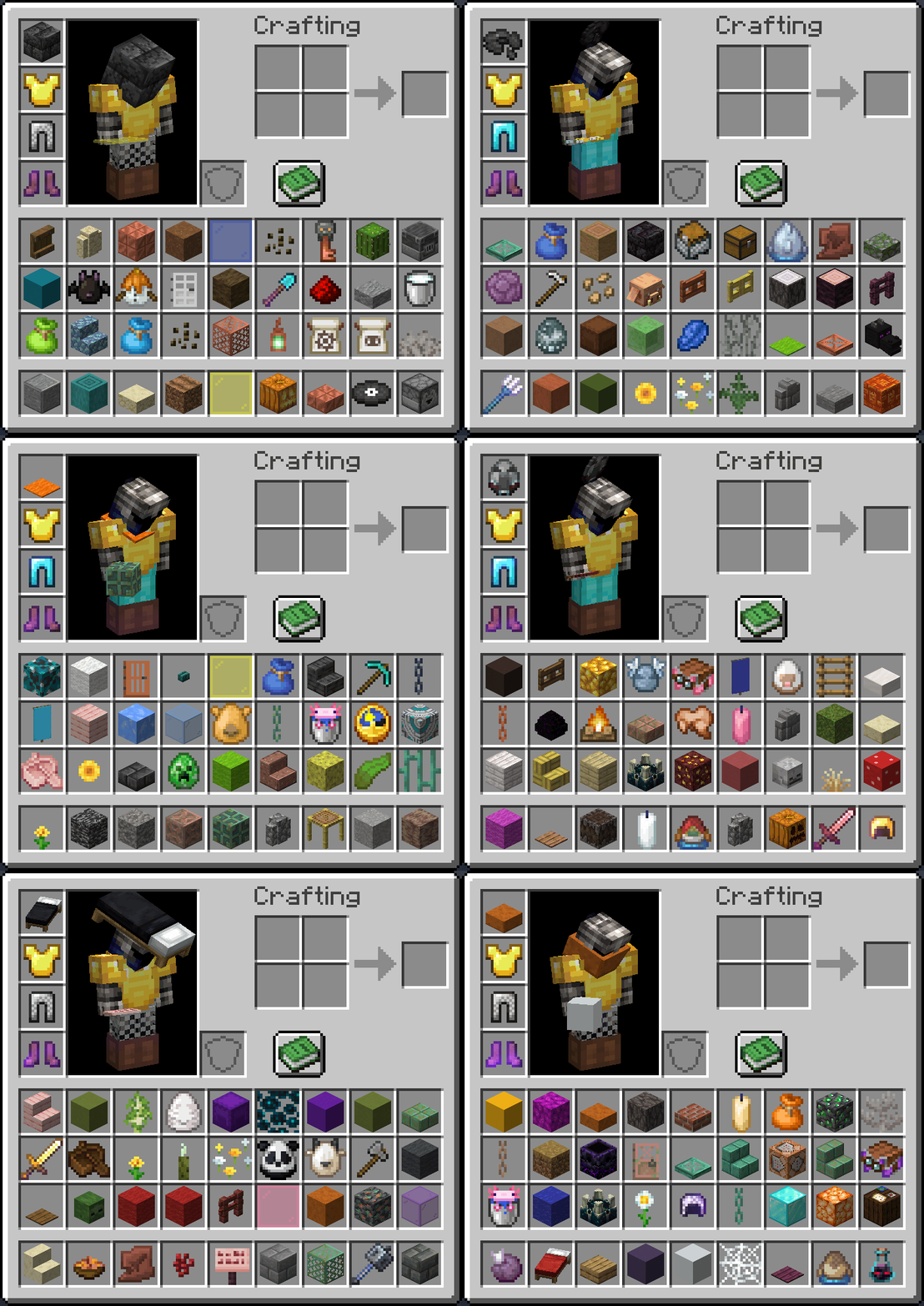
The items in your inventory periodically transform into a random new item
by Ambiguous_Chameleon
Download Claim this project
1,204 downloads
0 likes
Updated Oct 14, 2026
0 hypes
Miscellaneous
Advertisement Remove ads with Premium →

GIF. Player inventory is open. All their items are transforming into random new items every half second.

Overview

Every 30 seconds (configurable), all the items in players' inventories will change into random new items.

If you'd like to make a video or content using this pack, go for it! If you do so, you must provide credit to me (Ambiguous Chameleon) and provide a link to this pack in the description and/or comments. Thank you!


Cheats

Toggles the visibility of the randomization countdown at the top of the screen. Visible by default

/trigger ac.inv_random.hide_bossbar

Configures how often (in ticks) inventory items are randomized

/trigger ac.inv_random.set_interval set <value>

Sets how many items are changed when a randomization occurs

/trigger ac.inv_random.set_random_count set <value>

Uninstalls the data pack

/function ac_cheat:uninstall


v1.2
MC 1.21, 1.20.2, 1.21.8, 1.20.5, 1.21.5, 1.21.4, 1.20.6, 1.21.1, 1.21.6, 1.21.3, 1.21.7, 1.20.4, 1.20.3, 1.21.2, 1.21.9, 1.21.10, 1.21.11, 26.1, 26.1.1, 26.1.2, 26.2
Release 2026-07-17 Get
v1.1
MC 1.21, 1.20.2, 1.21.8, 1.20.5, 1.21.5, 1.21.4, 1.20.6, 1.21.1, 1.21.6, 1.21.3, 1.21.7, 1.20.4, 1.20.3, 1.21.2, 1.21.9, 1.21.10, 1.21.11
Release 2026-03-22 Get
v1.0.1
MC 1.21, 1.21.8, 1.21.5, 1.21.4, 1.21.1, 1.21.6, 1.21.3, 1.21.7, 1.21.2, 1.21.9, 1.21.10, 1.21.11
Release 2025-12-19 Get
v1.0
MC 1.21, 1.21.8, 1.21.5, 1.21.4, 1.21.1, 1.21.6, 1.21.3, 1.21.7, 1.21.2, 1.21.9, 1.21.10
Release 2025-12-04 Get

Requirements & install

How to use this data pack in Minecraft
Mods needed
None, works in vanilla
Minecraft
1.21.8 – 26.2
Install folder
saves/<world>/datapacks

How to install data packs

  1. Download the data pack .zip file (do not extract it).
  2. New world: click Data Packs on the world creation screen and drop the .zip in. Existing world: open .minecraft/saves/<world>/datapacks.
  3. Put the .zip into the datapacks folder of the world (servers: world/datapacks).
  4. Run /reload in game (or rejoin the world) and check it with /datapack list.
Browse more: Data Packs for 26.2 All data packs

More from Ambiguous_Chameleon

Advertisement Remove ads with Premium →

You Might Also Like