Mineuniverse
Data Packs
Blocks Unpacked

Blocks Unpacked

DATA PACK
Allows you to craft some blocks into their ingredients. Useful for storing the ingredients in more compact way. Formerly know as "Break Me Down"
by _Syhmac
Download Claim this project
1,048 downloads
0 likes
Updated Oct 14, 2026
0 hypes
Miscellaneous
Advertisement Remove ads with Premium →

Modrinth Downloads CurseForge Datapack Downloads CurseForge mOD Downloads

Modrinth Version Static Badge Static Badge

About Datapack

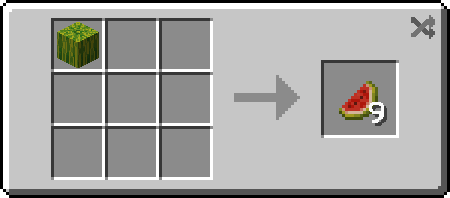
Blocks Unpacked allows you to craft some blocks into their ingredients allowing you to revert some craftings. For example nether wart block -> 9 nether warts.

Recipes

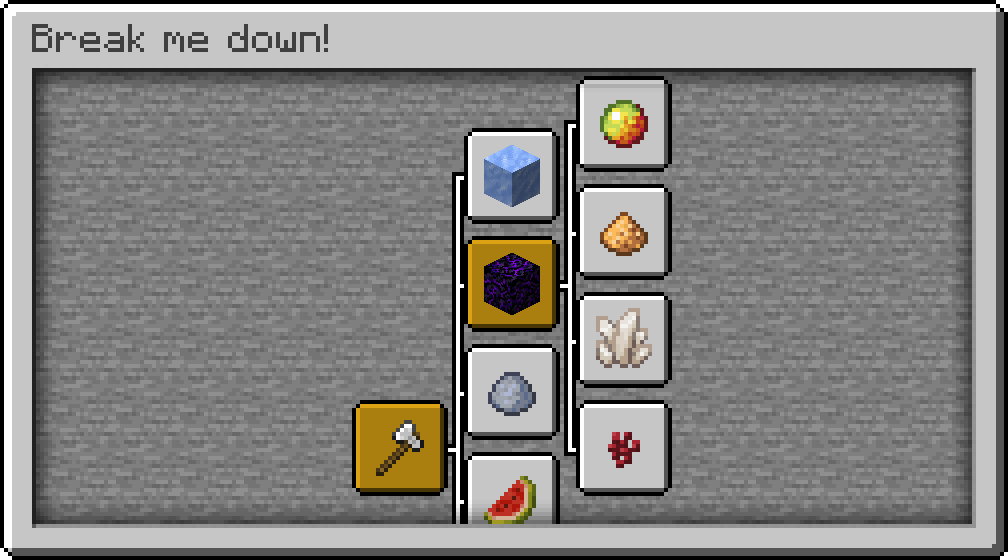
This datapack adds 21 new recipes that allow you to break blocks into their ingredients.
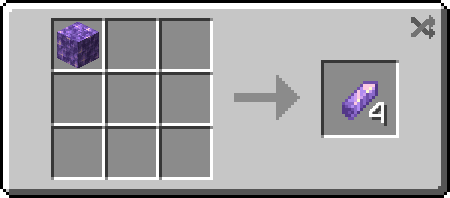
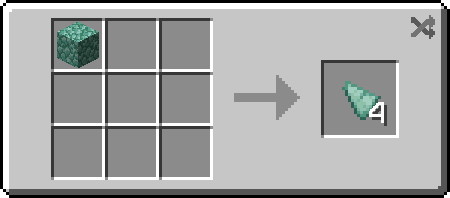
Minecraft recipe where amethyst block is an ingredient and 4 amethyst shards are the result

Advancements

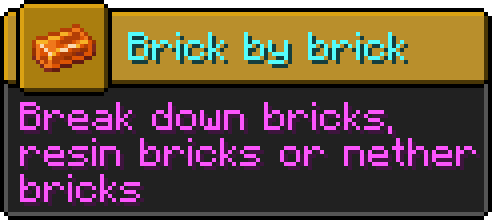
This datapack comes with 15 new advancements that will help you discover new recipes and give you some experience points once achieved.
Translations

Datapack supports following languages:

 English

 Polish

Future datapack support

I plan on updating this datapack once new full releases of Minecraft comes out.

Compatibility with Other mods

If you want some extra compatibility for blocks or items introduced with Other mods, let me know on Discord and I will release additional add-ons giving compatibility with desired projects!


1.7 for MC 26.1 - 26.3
MC 26.1, 26.1.1, 26.1.2, 26.2, 26.3
Release 2026-10-15 Get
1.7 for MC 26.1 - 26.2
MC 26.1, 26.1.1, 26.1.2, 26.2
Release 2026-07-13 Get
1.6 for MC 26.1.x
MC 26.1, 26.1.1, 26.1.2
Release 2026-05-01 Get
1.6 for MC 1.21.x
MC 1.21, 1.21.8, 1.21.5, 1.21.4, 1.21.1, 1.21.6, 1.21.3, 1.21.7, 1.21.2, 1.21.9, 1.21.10, 1.21.11
Release 2025-12-17 Get
1.5.4 for MC 1.21 - 1.21.10
MC 1.21, 1.21.5, 1.21.8, 1.21.9, 1.21.10, 1.21.4, 1.21.3, 1.21.7, 1.21.1, 1.21.6, 1.21.2
Release 2025-10-10 Get
1.5.3 for MC 1.20 - 1.21.8
MC 1.20.2, 1.21, 1.20.5, 1.21.5, 1.21.8, 1.21.4, 1.20.3, 1.20.1, 1.20, 1.20.6, 1.20.4, 1.21.3, 1.21.7, 1.21.1, 1.21.6, 1.21.2
Release 2025-07-01 Get
1.5.2 for MC 1.20 - 1.21.6
MC 1.20.2, 1.21, 1.20.5, 1.21.5, 1.21.4, 1.20.3, 1.20.1, 1.20, 1.20.6, 1.20.4, 1.21.3, 1.21.1, 1.21.6, 1.21.2
Release 2025-06-20 Get
1.5.1 for MC 1.20 - 1.21.5
MC 1.20.2, 1.21, 1.20.5, 1.21.5, 1.21.4, 1.20.3, 1.20.1, 1.20, 1.20.6, 1.20.4, 1.21.3, 1.21.1, 1.21.2
Release 2025-05-15 Get
1.5 for MC 1.20 - 1.21.4
MC 1.20.2, 1.21, 1.20.5, 1.21.4, 1.20.3, 1.20.1, 1.20, 1.20.6, 1.20.4, 1.21.3, 1.21.1, 1.21.2
Release 2024-12-04 Get
1.4 for MC 1.20 - 1.21.3
MC 1.20.2, 1.21, 1.20.5, 1.20.3, 1.20.1, 1.20, 1.20.6, 1.20.4, 1.21.3, 1.21.1, 1.21.2
Release 2024-10-31 Get
1.3.1 for MC 1.20 - 1.21.1
MC 1.20.2, 1.21, 1.20.5, 1.20.3, 1.20.1, 1.20, 1.20.6, 1.20.4, 1.21.1
Release 2024-07-18 Get
1.3 for MC 1.20 - 1.21
MC 1.20.2, 1.21, 1.20.5, 1.20.3, 1.20.1, 1.20, 1.20.6, 1.20.4
Release 2024-06-28 Get

Requirements & install

How to use this data pack in Minecraft
Mods needed
None, works in vanilla
Minecraft
1.21.9 – 26.3
Install folder
saves/<world>/datapacks

How to install data packs

  1. Download the data pack .zip file (do not extract it).
  2. New world: click Data Packs on the world creation screen and drop the .zip in. Existing world: open .minecraft/saves/<world>/datapacks.
  3. Put the .zip into the datapacks folder of the world (servers: world/datapacks).
  4. Run /reload in game (or rejoin the world) and check it with /datapack list.
Browse more: Data Packs for 26.3 All data packs

More from _Syhmac

Advertisement Remove ads with Premium →

You Might Also Like