Mineuniverse
Data Packs
Better Faster Furnaces

Better Faster Furnaces

DATA PACK
Brings more functionality and a sense of progression to Minecraft's forgotten furnace blocks.
by Nargild
Download Claim this project
Add a badge to your pageLink to Better Faster Furnaces from a README, website or forum post.
Preview: Badge

Badges update automatically and link to the data pack page on MineUniverse.

281 downloads
0 likes
0 followers
Updated Oct 14, 2026
0 hypes
Follow0
Miscellaneous Utility
Advertisement Remove ads with Premium →

Better Faster Furnaces (BFF)

The Blast Furnace and Smoker have a lot of potential, but they've never quite reached it, and its still easier and usually more beneficial to just use the good ol' furnace.

This datapack aims to give the furnace family a sense of "progression", making the Campfire, Blast Furnace, and Smoker have more purpose and functionality. It also adds some QOL/not-quite-vanilla recipes that I thought would be fun, but hopefully don't break the game.

I hope you enjoy!

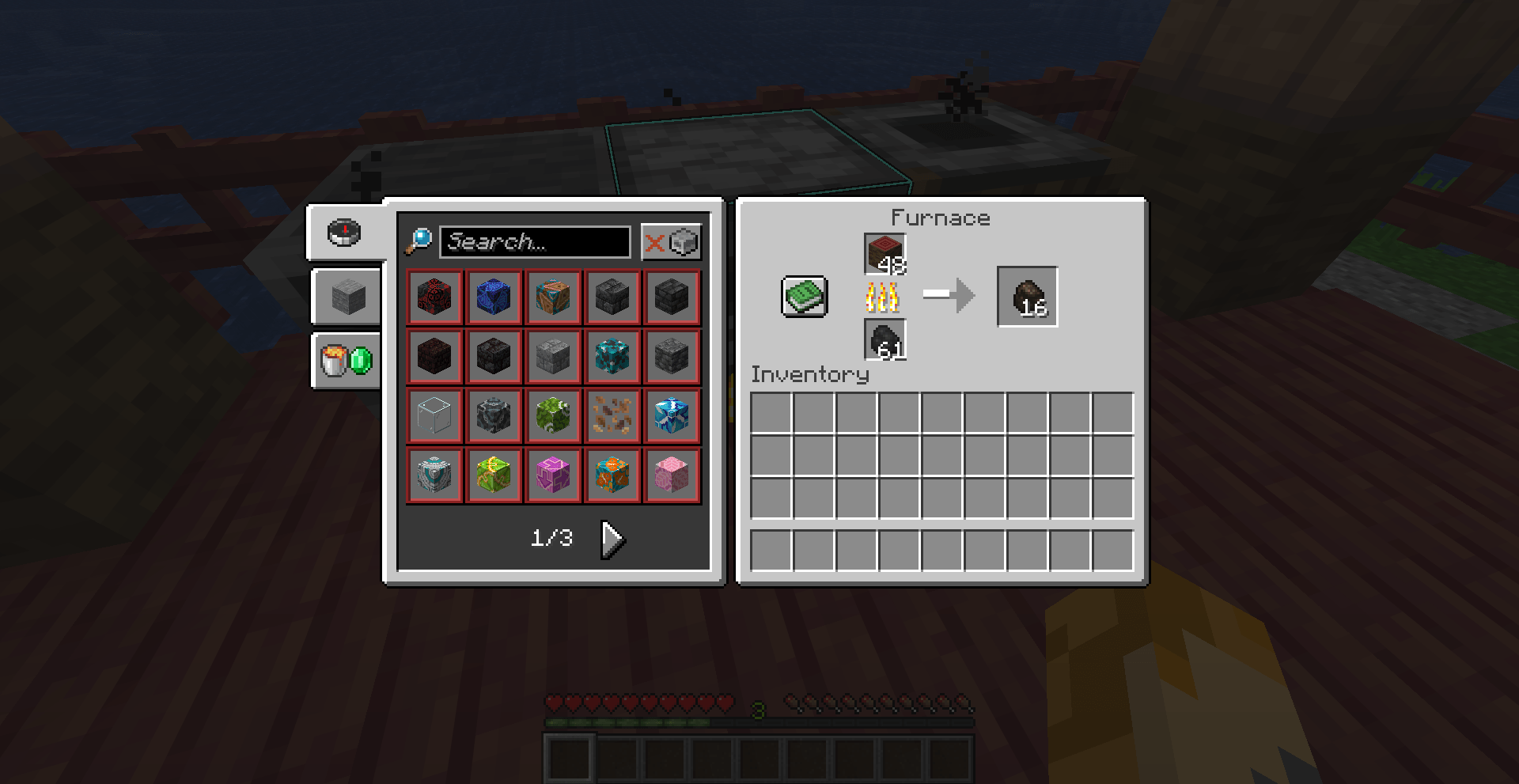
Furnace

  • removes all food recipes, making them exclusive to campfires and smokers.
  • removes the recipe to smelt ancient debris into netherite scrap.
  • adds a recipe to smelt rotten flesh into leather.
  • exclusively retains the ability to smelt wood into charcoal.
* adds a recipe to smelt poisionous potatoes…  

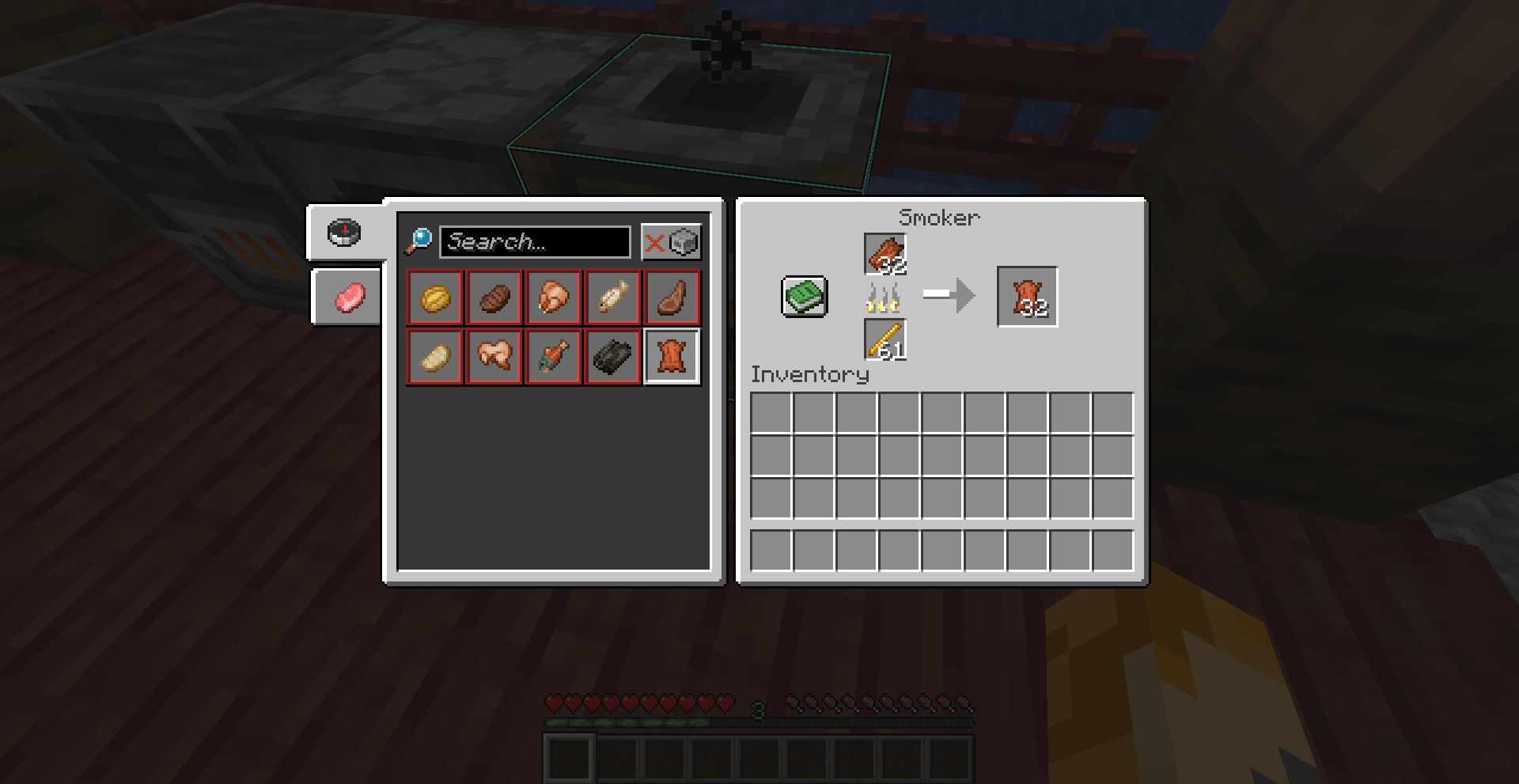
Smoker

  • adds a recipe to smelt rotten flesh into leather.

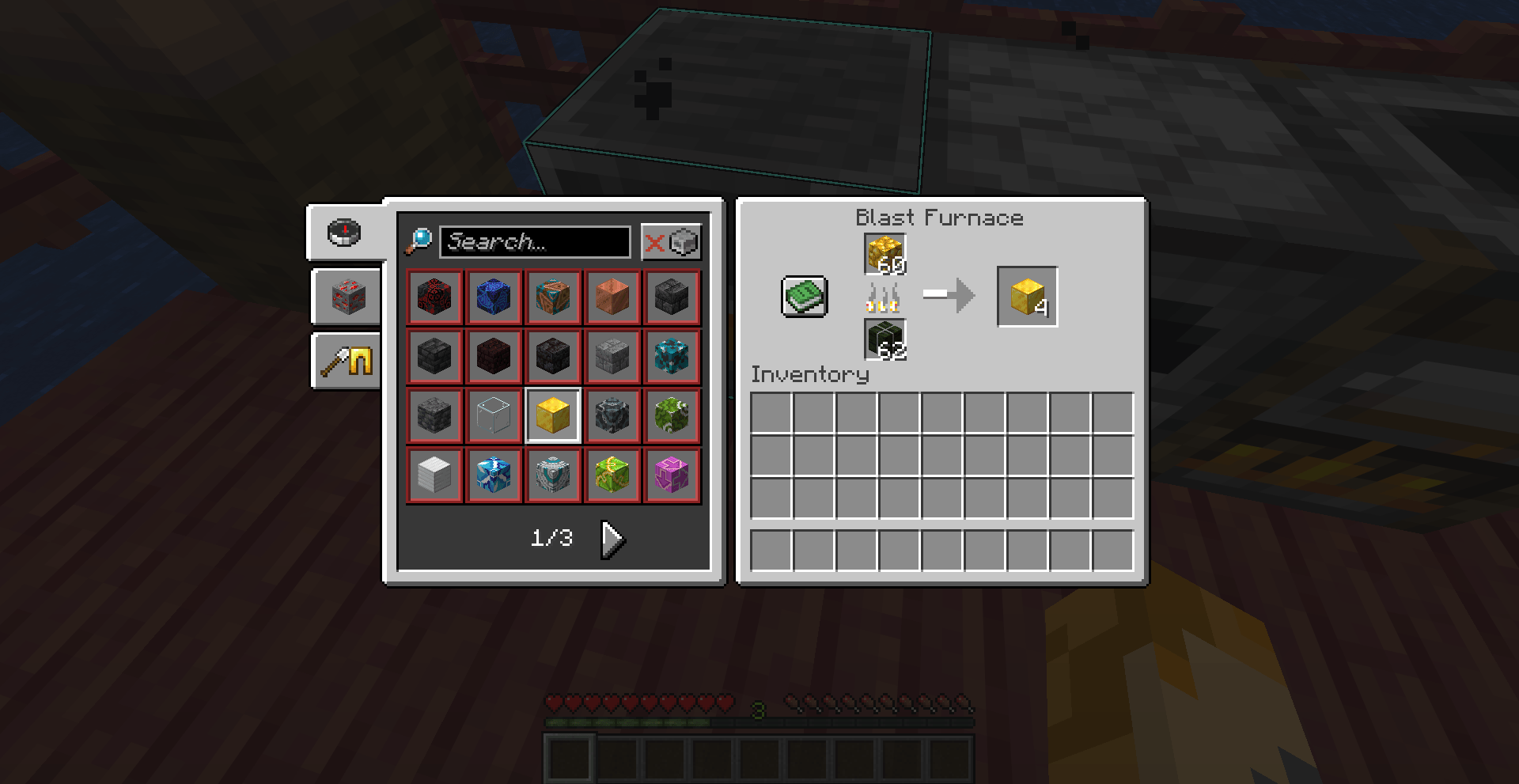
Blast Furnace

  • adds every block recipe (glass, glazed terracotta, etc.) originally exclusive to the furnace.
  • adds most item recipes (bricks, green dye, etc.) originally exclusive to the furnace, excluding charcoal.
  • changes the output for smelting iron, gold, and copper armor and tools from a nugget to an ingot.
  • adds the recipes to smelt raw ore blocks into their respective solid ore blocks for a slight increase in efficiency.
* adds a recipe to smelt soul sand…
better_faster_furnaces26.1.zip
MC 26.1
Release 2026-03-26 Get
better _faster_furnaces1.1.zip
MC 1.21.10, 1.21.11
Release 2026-03-06 Get

Requirements & install

How to use this data pack in Minecraft
Mods needed
None, works in vanilla
Minecraft
1.21.10 – 26.1
Install folder
saves/<world>/datapacks

How to install data packs

  1. Download the data pack .zip file (do not extract it).
  2. New world: click Data Packs on the world creation screen and drop the .zip in. Existing world: open .minecraft/saves/<world>/datapacks.
  3. Put the .zip into the datapacks folder of the world (servers: world/datapacks).
  4. Run /reload in game (or rejoin the world) and check it with /datapack list.
Browse more: Data Packs for 26.1 All data packs
Advertisement Remove ads with Premium →

You Might Also Like