Mineuniverse
Data Packs
Ben's Sharks hybrid aquatic HOSTILE

Ben's Sharks hybrid aquatic HOSTILE

DATA PACK
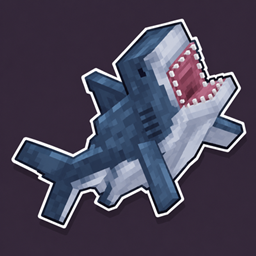
Makes the sharks from Ben's Sharks and Hybrid Aquatic hostile, with an in-game toggle (/trigger sharks) to switch back to normal.
by Crisss272
Download Claim this project
Add a badge to your pageLink to Ben's Sharks hybrid aquatic HOSTILE from a README, website or forum post.
Preview: Badge

Badges update automatically and link to the data pack page on MineUniverse.

23 downloads
0 likes
0 followers
Updated Oct 14, 2026
0 hypes
Follow0
Adventure Miscellaneous
Advertisement Remove ads with Premium →

Notes and limitations -IMPORTANT

How it works

A datapack can't add new AI to a mob. The sharks already retaliate against whoever hurts them, so every 8 seconds the pack applies a tiny hit (0.01) credited to the nearest player and they go after that player.

- The shark flashes red and plays its hurt sound when triggered (at most once every 8 seconds).
- It also gets a speed boost when triggered.
- If a shark dies while in that state, the game may credit you with the kill and drop loot.
- Switching back to normal lets ongoing chases end on their own.
- On a server, any player can switch the mode for everyone.
- Tested with both mods on NeoForge 1.21.1.

Features

- Works with both mods. Each one is optional: the pack works with either or both.
- Hostile by default.
- Toggle with /trigger sharks, no operator permissions needed.
- Affected sharks react to survival/adventure players within 24 blocks.
- Ignores creative/spectator players and tamed sharks.
- Filter-feeding sharks (basking, whale) and other non-attacking creatures are left out.

Unofficial project, not affiliated with the authors of Ben's Sharks or Hybrid Aquatic. It contains no content from either mod.

bens_hybrid_hostile2.zip
MC 1.21.1
Release 2026-10-03 Get

Requirements & install

How to use this data pack in Minecraft
Mods needed
None, works in vanilla
Minecraft
1.21.1
Install folder
saves/<world>/datapacks

How to install data packs

  1. Download the data pack .zip file (do not extract it).
  2. New world: click Data Packs on the world creation screen and drop the .zip in. Existing world: open .minecraft/saves/<world>/datapacks.
  3. Put the .zip into the datapacks folder of the world (servers: world/datapacks).
  4. Run /reload in game (or rejoin the world) and check it with /datapack list.
Browse more: Data Packs for 1.21.1 All data packs

More from Crisss272

Advertisement Remove ads with Premium →

You Might Also Like